April 01, 2026
Foundry Virtual Tabletop - Version 14 - Stable 1 Release Notes
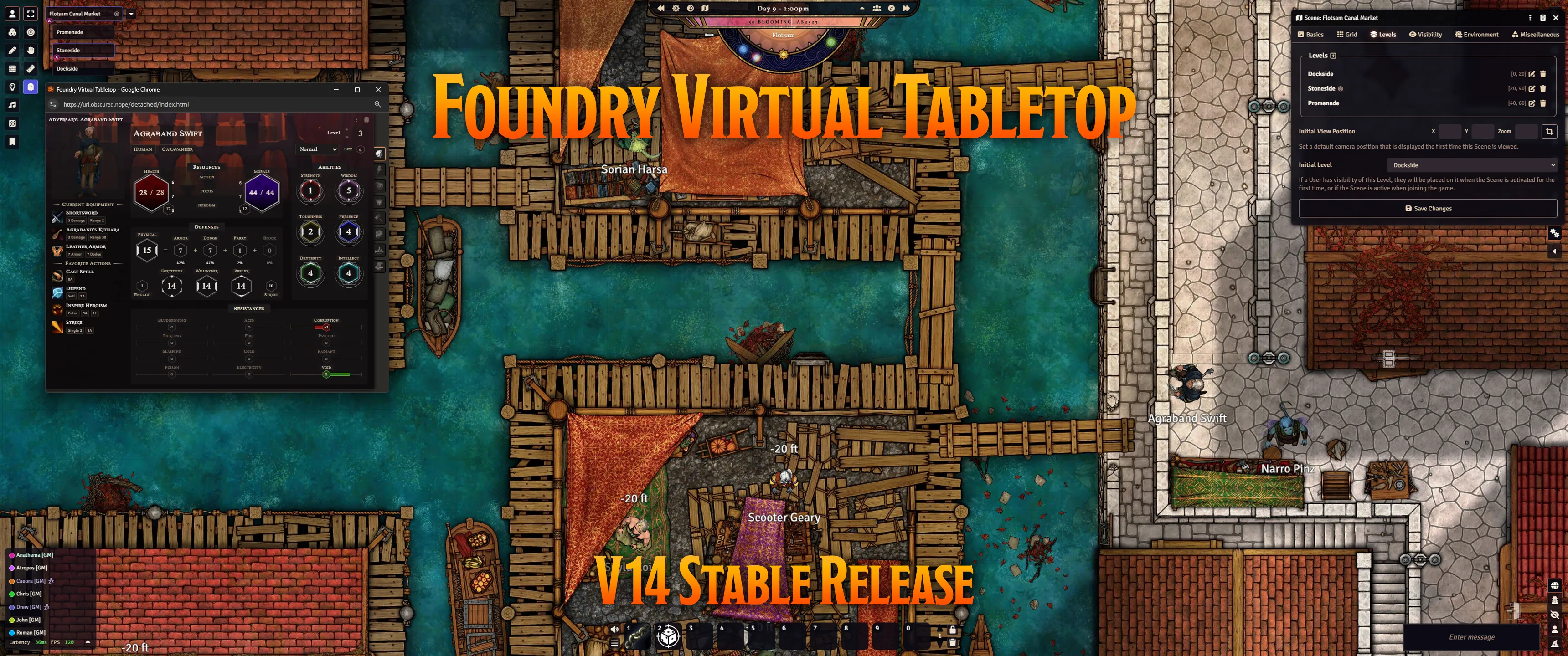
No, this is not an April Fools prank. Today actually is the day... Foundry Virtual Tabletop Version 14 Stable 1 (14.359) is here! The results of months of hard work, experimentation, and refinement are finally ready to be released into the wild. We hope you enjoy!
We're always excited to release a new major generation of Foundry VTT, but this one feels particularly remarkable. Way back in 2018, Andrew (Atropos) drew up an initial whiteboard list of "Features Foundry VTT should have." The release of the flagship feature of Version 14, Scene Levels, marks the completion of the final item from this list. We are also extremely pleased by the way the groundwork laid by previous generations of Foundry empowered Version 14. Scene Regions allowed us to add support for scene levels, attaching regions to tokens and powerful new region-powered measured templates, while Application V2 provided excellent architecture for pop-out applications.
As the very first Stable release, Version 14.359 is deliberately modest in scope and contains only a few changes to ensure stability, but today's patch notes also include a comprehensive list of highlights for those users thinking about updating from Version 13 to Version 14.
WARNING: While this is categorized as a Stable release there is always a possibility of unexpected bugs or compatibility issues. As with any time you update the core software, be sure to perform a complete backup of your user data to minimize any risk of data loss.
Game System and Module Compatibility
With all that said, we do feel obligated to remind users that just because Foundry VTT itself has hit a Stable release, that does not mean that your favorite game systems or modules are all instantly updated as well. While our developer community is highly dedicated and often swift to update for new versions of Foundry VTT, it does take time for them to prepare their systems and modules when we release a new version.
Please do take the time to confirm that your favorite systems and modules are working before updating. As a helpful tip, you can check the compatibility status of each of your installed systems and modules right inside Foundry VTT. To view this info, in the top-right of the Setup screen, click the Update button ( , then the Check for Update and Preview Compatibility buttons.
NOTE: Remember, because this is a new generation of Foundry VTT, you can't actually update to V14 inside Foundry. You will need to uninstall and reinstall Foundry VTT instead.
The best way to check out the next generation of Foundry without disrupting your game is to use separate Foundry VTT installations, a different User Data folder, and no modules enabled. For Windows users, you can easily do this by downloading and installing the V14 Windows Portable Build.
At the time of release, these are the game systems that have already confirmed compatibility with Version 14:
- D&D 5E: The game system that needs no introduction
- Crucible: our own digital-first game system, created by Atropos from the ground up for Foundry VTT compatibility
- Universal Tabletop System: An extremely light-weight system ideal for general testing
- Blades In The Dark
- Discworld: Adventures in Ankh-Morpork (Unofficial)
- Fate Core Official
- Metanthropes
- Ryuutama
- Star Trek Adventures 2d20 1E&2E (Unofficial)
A pre-release version of the PF2E system for testing purposes is in active development and expected soon. For more information, keep an eye on the pins of the #pf2e channel of our excellent Discord community (https://discord.gg/FoundryVTT).
Foundry VTT Version 14 Update Highlights
Although this is our first Stable build in the Version 14 development cycle, it is actually our 9th V14 release overall. Additional information can be found in the patch notes for each of these releases:
- Version 14 Prototype 1
- Version 14 Prototype 2
- Version 14 Prototype 3
- Version 14 API Development 1
- Version 14 API Development 2
- Version 14 User Testing 1
- Version 14 User Testing 2
- Version 14 User Testing 3
And now, without further ado, here's the combined highlights from everything we've been working on!
- Scene Levels
-
The flagship new feature for V14 is native multi-level scene support, allowing you to push the limits of what was previously possible with traditional top-down battlemaps.
With scene levels, you can stack a single Scene to stack multiple images at defined elevations and use supporting features to put entire multi-level castles or dungeons into a single Scene for your players to explore. Scene levels even enable handling tricky situations like snipers on balconies or hiding from your enemies beneath a bridge. Players can climb up or down stairs or fly around inside a single a combat encounter because vision, movement, and combat all work fluidly across levels - no separate scenes required. Walls, light sources, and other placeable objects can be specific to only specific levels or shared across multiple (or all) levels.
To show what is possible and to illustrate how this all works, we collaborated with the excellent Tom Cartos to release a free multi-level battlemap demonstration module, The Restored Keep.
- Pop-out Applications
- Foundry Virtual Tabletop now has built-in support for rendering dialogs in a separate browser window! Learn more here.
- This popular feature was the winner of our Version 14 Patreon Feature Vote.
- The Placeables Palette and Placeables Sidebar Tab
-
To set up a Scene, GMs interact heavily with "placeable objects" that you can add to the canvas like Walls and Ambient Light Sources. V14 brings two powerful new tools to help with this:
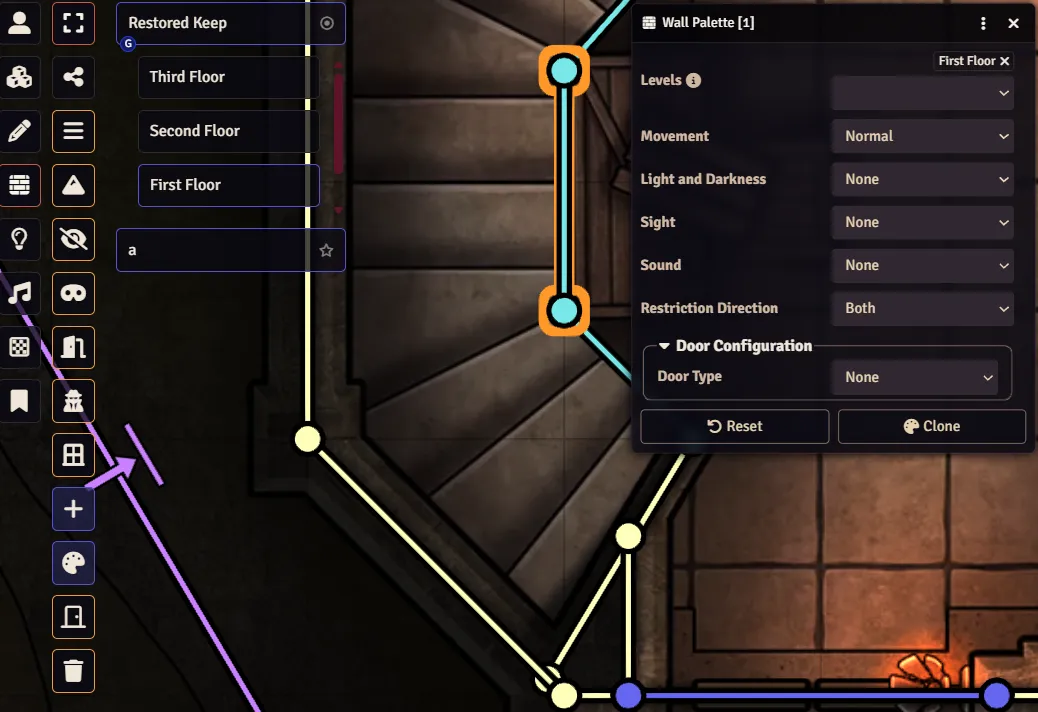
- Placeables Palette: This powerful tool is available through a new control button ( ) in every layer (except Tokens). You can use it to bulk edit a group of selected objects all at once! It also is helpful while creating new objects. Learn more here.
- Placeables Sidebar Tab: There can be many placeable objects in a Scene, especially if it has more than one Level. The new Placeables sidebar tab ( ) adapts to the current layer (Tokens, Walls, etc.), listing all objects of that type and allowing you to conveniently view, filter, and interact with them. Learn more here.
- Active Effects V2
-
Active Effects are already powerful tools that allow you to modify Actors. V14 expands their powers significantly by adding greater control over their expiration, expiration events, and even the ability to alter the Actor's Token!
This means that it's now possible to add an effect that lasts until combat ends or to automate the light from torches. You could create goggles that grant a new vision mode, a mask that disguises your Token with a new image, and so much more. You can even store Active Effects directly inside Compendiums now. Some of the improvements made so far can be found here and here.
- Out with Measured Templates, in with Template Regions
-
Measured Templates are gone! This marks the first time that we have ever eliminated one of the fundamental types of data that Foundry VTT uses (called a "Document"). on't worry though... scene regions have been improved and expanded so that they can now do everything Templates used to do and much, much more.
These new Region-based templates have a new user interface, the ability to add Behaviors, and can even be attached to Tokens! We look forward to seeing what the community does with this power. Learn more here.
- Scene Configuration and Shared Fog of War Exploration
-
While adding Scene Levels to Foundry VTT, we wanted to take care to not make the already-robust Scene Configuration dialog too complex. To accomplish this goal, we added Level-related information to its own tab, made sure you could still create simple scenes without caring about Levels at all, and reorganized a number of commonly used settings into the new Basics tab.
We also added some new options like the ability to have "shared fog-of-war exploration." This new fog exploration mode reveals an area for the entire group if any one member saw it... even for players who missed the session. This is ideal for "region maps" or hexcrawling.
- Shiny New Animations + Scene Transitions
-
When you change scenes, a subtle transition effect now displays as a new Scene renders. It's subtle but pleasant, and you can now also choose from several other less-subtle transition effects as well. Learn more here.
Additionally, we've added API to make it easy to create a dramatic Screen Shake effect, and an entire particle generation engine to create a huge variety of light-weight visual effects right inside Foundry VTT. Learn more here.
- Performance Improvements
-
"Under the hood," Foundry VTT relies heavily on a small set of classes and functions to create the basic structure for data, save changes centrally, and also ensure that it is accurate for all connected clients. In V14, we've made some fundamental improvements to some critical components of this to be more performant and robust. Additional technical details can be found here. Our preliminary testing showed performance improvements ranging from 3% to 25% for commonly performed operations and may be higher for certain edge cases.
We are quite proud of what V14 brings, and we can't wait for you all to get your hands on it!
Known Issues
When a player performs a roll that should be visible to both themselves and the GM, the results of the roll are incorrectly masked as ("???") for that player. This occurs both when typing something like /r 1d20 while the message mode is set to Private to Gamemasters and when typing /gmroll 1d20). The GM does successfully receive the expected roll results. Text messages also work as expected, as do messages sent using /gm {message}.
New Features
Packages
- Improved the blanket reset of active modules that occurs when launching a world in safe mode and during major generation upgrades so that certain modules can remain active. (14095)
- When a module causes a world quickstart, that module is now recorded under
relationships.requiredfor that world, withcompatibility.minimumset to the current module version. (14094)
Applications and User Interface
- Added the previously API-only Alpha Threshold field to the Tile Configuration dialog so that users can define the necessary opacity to consider that part of the texture "solid." The ability to set an Alpha Threshold already existed in the Level Configuration dialog, so adding this functionality to tiles as well restores the ability to place tile(s) that behave exactly like a background image. (14051)
- Changed the "Clear All Objects" menu buttons so that they now only delete unlocked objects unless the user specifically requests the deletion of locked objects by ticking the "Delete Locked Objects" checkbox. (14084)
- Made the "Clear All Objects" menu buttons visible to non-GMs so that they can use them to delete all placeable objects that the user owns. (14083)
- Updated Font Awesome to 7.2.0. (14072)
- The Journal icon ( ) is now also a fully-functional panini press for all your sandwich making needs. (040126)
API Improvements
The Game Canvas
- Added the ability to customize the appearance of the token drag ruler by changing the symbol used to indicate a new waypoint. You can now specify the shape of a waypoint within
TokenRuler#_getWaypointStyleto be a circle, square, diamond, triangle up, triangle down, hexagon flat, or hexagon pointy. (11895) - Added some small expansions to the
ParticleGeneratorAPI for randomized rotation, better initial batch randomization, and anonUpdatecallback. (14077) - Added
shapeto the list of Token properties that can be targeted by Active Effects, but require programmatic handling to enact. (13942) - Added
RegionDocument#elevation.basewhich returns a prepared value equal toRegionDocument#elevation.bottomif it is finite and 0 otherwise. (14087) - Made
Level#background,#foreground, and#fognon-nullable fields. (14109)
Bug Fixes
Documents and Data
- Fixed a bug where showing more than one page from a journal to the players was impossible under certain circumstances. (14056)
- Fixed a bug where the results returned by searching in the Compendium sidebar tab did not respect filtering by Document type. (14046)
- Fixed a bug where
SchemaField#getInitialValueincluded data defined by non-persisted fields. (14059) - Fixed a bug where the
expandKeys: falseoption did not function correctly forTypedObjectField. (14068) - Fixed a bug where calling
Scene#getSurfacesfor a non-viewed scene returned surfaces of the viewed scene instead. (14092) - Fixed a bug where the first update to
tokenActiveEffectChangesfor a linked token threw an error. (14058) - Fixed a bug where
Levelwas not a blessed global. (14108) - Fixed a bug where
ActiveEffect#duration.remainingonly returned the unit-matching component fromSimpleCalendar.differenceinstead of the total remaining time in the stored unit. (14103)
Applications and User Interface
- Fixed a bug where the results returned by searching in the Compendium sidebar tab were not draggable. (14047)
- Fixed a bug where saving or deleting a new keybinding always caused the window to scroll back to the top. (14014)
- Fixed a bug where documents couldn't be dragged from sidebar tabs if they had
img: null. (14063) - Fixed a bug where rolls appended to an existing chat message rendered expanded. (13712)
- Prevented a
ContextMenudeprecation warning in the Setup screen. (14062) - Fixed a bug where the "Configure Ownership" dialog in the placeable tab opened the Sheet Configuration dialog instead of the Ownership Configuration dialog. (14079)
- Fixed a bug where hidden drawings and notes were not visible to their creators in the Placeables sidebar tab unless they were also GMs. (14080)
The Game Canvas
- Fixed a bug where the visible Regions of other players prevented interaction with other users' own Regions, even if they didn't have visibility of the obscuring Regions. (14082)
- Fixed a bug where players were able to use the Placeables sidebar to send their tokens to levels that they should not be able to access. (14050)
- Fixed a bug where the "Clear All Objects" menu button incorrectly deleted all objects in the entire viewed Scene instead of limiting its deletions to the viewed level. (14091)
- Fixed a bug where the elevation displayed in Token Ruler waypoint labels was absolute instead of relative to the viewed level's bottom elevation. (14052)
- Resolved an issue where the up arrow (
^) on the elevation input of the placeable HUD was out of place. (14040) - Fixed a bug where the elevation in the Drawing and Tile HUDs were not relative to the bottom elevation of the viewed level. (14073)
- Fixed a bug where Level background textures did not restrict light from lower levels. (14053)
- Fixed a bug where
CanvasVisibility#surfaceExposewas rendered even if there was no surface exposed. (14055) - Prevented an error thrown by
GridShapeData#movewhich could prevent a token with an attached region from moving if the grid type changed to gridless. (14075) - Fixed a bug where non-GMs could interact with drawings that they did not own. (14081)
- Fixed a bug where calling
RegionLayer#placeRegionwithattachToToken: truedid not successfully attach the region if the region layer was active. (14085) - Fixed a bug where
PointSourcePolygon#origin,SoundsLayer#previewSound, andSound#playAtPositionthat played at undefined elevations incorrectly played at a default elevation of zero instead of defaulting to the level's base elevation. (14088)
Localization and Accessibility
- Fixed a bug where the titles of compendiums were not localized in the Compendium sidebar tab when they were returned as search results. (14048)
Other Changes
Documentation Improvements
Other Changes
- Fixed a documentation issue where the
modifyBatchexample used"TokenDocument"instead of"Token". (14065)