March 27, 2026
Foundry Virtual Tabletop - Version 14 - User Testing 3 Release Notes
Hello Foundry friends! It's another Friday, and it brings another Foundry VTT release! Our developers have been furiously coding up Foundry Virtual Tabletop Version 14 User Testing 3 (Build 358) and now it's here! This is the third and probably final release of the User Testing phase. Functionally, today's release will be extremely similar to the V14 Stable 1, so we would like to strongly encourage any curious and experienced Foundry VTT users to install it and check it out. As always, we look forward to your invaluable feedback!
WARNING: This is a Testing update intended for experimenting with the new features in V14, not for running actual campaign sessions.
If you're checking out V14 for the first time, a summary of all the most important changes made so far in V14.
How to test out the V14 User Testing 3 release
The best way to check out non-Stable builds of Foundry VTT is to use separate Foundry VTT installations, and a different User Data folder, and no modules enabled. For Windows users, you can easily do this by downloading and installing the V14 Windows Portable Build. As always, be sure to backup all your important worlds first!
To test V14, you will also need to use a compatible game system such as our own Crucible system. The latest publicly released version of D&D 5E, 5.2.5, is not compatible with V14. However, you can test V14 by installing version 5.3 with this Manifest URL: https://github.com/foundryvtt/dnd5e/releases/download/release-5.3.0/system.json.
If you are planning on testing V14 using a Node.js dedicated server, please be aware that V13 and V14 require mutually exclusive versions of Node.js. V13 is not compatible with Node.js 24, and V14 requires it.
V14 User Testing 2 Update Highlights
Because we're drawing towards the end of the User Testing phase, refinements and stability were the name of the game but we managed to squeeze in quite a bit of last-minute goodness as well.
World loading times: Enhance!
We keep a constant eye on loading times, and we noticed that although V14 contains some important overall performance updates, loading certain very large worlds could take longer than we would like.
To tighten things up, we have made some further important performance improvements. We especially noticed these loading times with our innovative Ember project due to the sheer amount of included content.
| Game System | Before | After | Improvement |
|---|---|---|---|
| D&D 5E | 25,258ms | 10,354ms | -14,904ms (59%) |
| Crucible | 11,315ms | 4,998ms | -6,317ms (56%) |
A sleeker and shinier combat turn marker
Overall, we were pleased with the Combat Turn Marker feature added in V13 that automatically indicates which token currently has the initiative. As part of this feature, we allowed users (and system/module developers) to define their own custom turn markers, but we felt that our initial offering of the Foundry VTT logo as a default turn marker ended up seeming a bit much in practice.
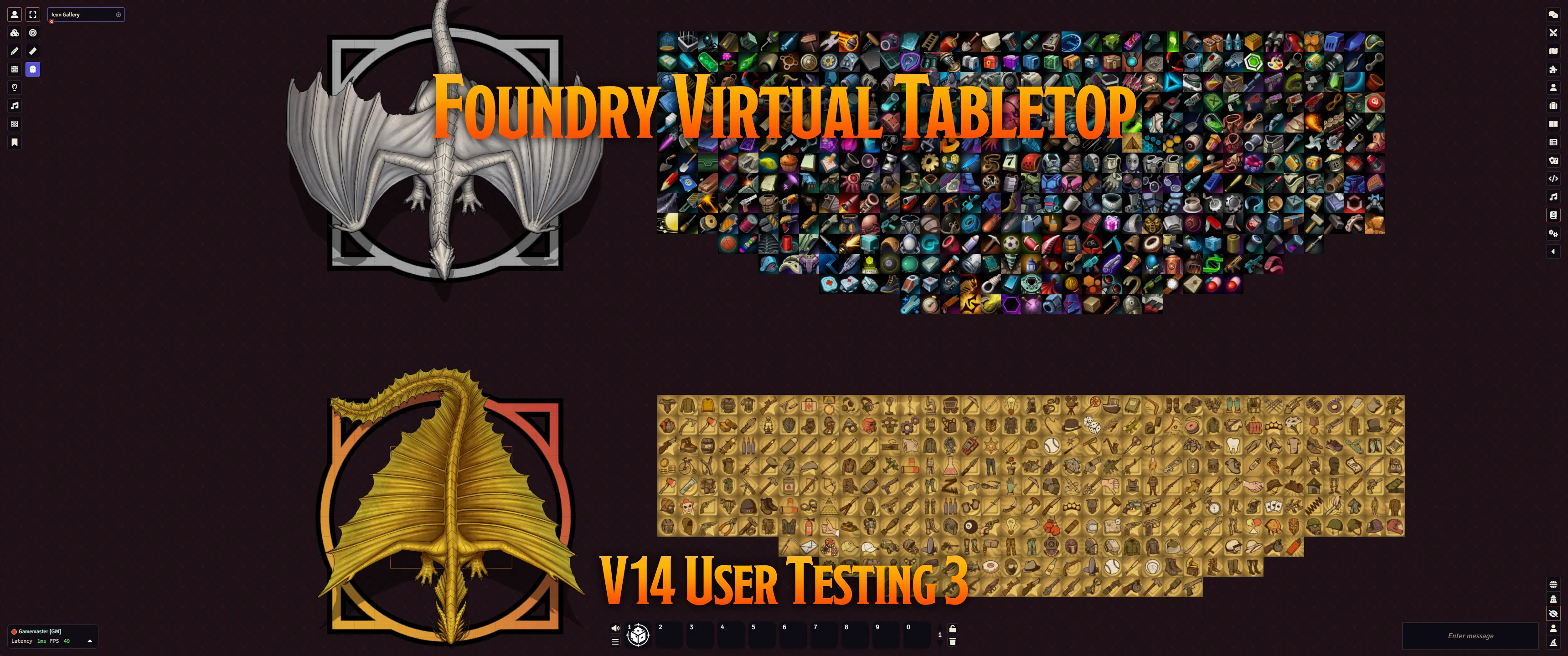
With this release, the new default combat turn marker is a sleeker, less intrusive "squared circle" in the Foundry VTT color scheme of orange and yellow. We also provided an additional light gray variant of this same design. The two new turn markers are shown in the banner above around the two dragons.
If you'd like to play around with these turn markers, you can find them by creating a new encounter in the Combat Encounters sidebar tab ( ), then clicking the Settings gear ( ). You may also want to experiment with the "Disposition Tinting" checkbox, which overwrites the color of the marker to better indicate whether a token is hostile, friendly, or neutral.
MOAR sci-fi icons
Recently, we've received some feedback that it can be difficult to find appropriate-feeling icons, particularly for sci-fi themed games. We've now improved our offerings by adding almost 800 additional icons, most of which have a sci-fi-ish theme to them. Enjoy!
Easily rummage through compendiums to find your stuff!
A great deal of excellent content for both game systems and adventures can be found stored within compendiums. Keeping things in compendiums rather than importing them to the world itself is important to keep your World small and fast, but it could sometimes make it harder to find and access the content you needed.
Previously, the Compendiums sidebar tab had a filter field, but it only matched against the compendiums themselves, not within their contents. To find a particular thing, you would have to know what compendium it was stored in, and then filter within that individual compendium.
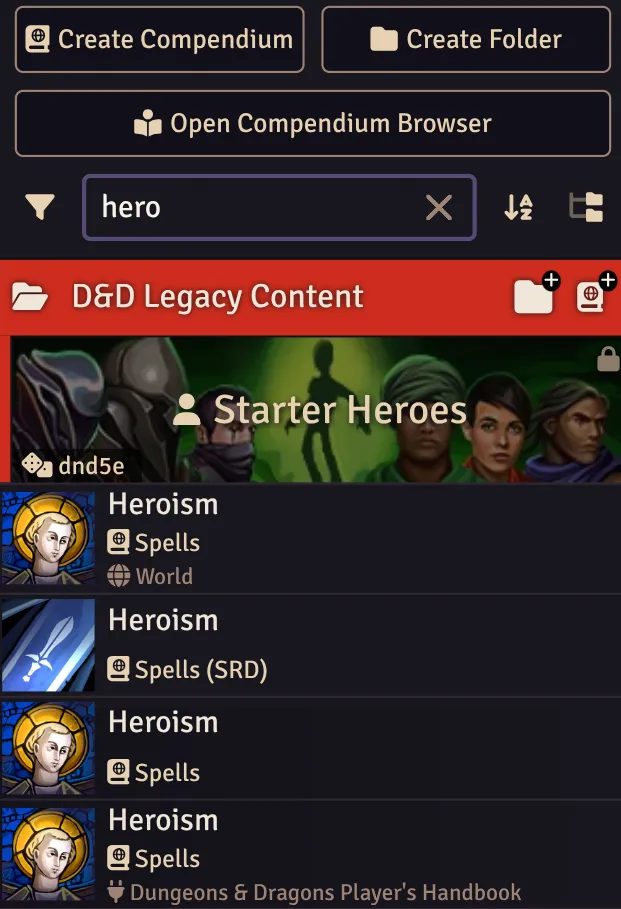
With today's release, you can now use the Compendium sidebar tab's filter to match against each Compendium and all of its contents, making it much more convenient to find what you're looking for.
Breaking Changes
Applications and User Interface
- Added
SceneControlTool#interaction,SceneControlTool#control, andSceneControlTool#creation. (14034)
New Features
Documents and Data
- When switching back to a scene that you viewed previously, the level that was viewed last is now remembered and loaded. (14000)
- Significantly improved world loading time by eliminating accidental
ActorDeltacreation and added a world-level guard to prevent creating accidental additional ones until after documents are first initialized.
Applications and User Interface
- Pending planned movement is no longer shown when replanning. (14027)
- You can now add shapes to regions while the Region Configuration dialog is open. (14033)
- In the Scene Navigation UI, the level a given user is viewing is now indicated by a pip, similar to how viewed scenes are indicated. (14019)
- Upgraded the filter of the Compendiums sidebar tab so that it now also searches for matching content within each compendium. (8529)
- Added the ability to filter regions in the Placeables sidebar by behavior type. (13995)
- Added the ability to the region palette to randomly select a color. (13996)
- Replaced the placeholder symbol that was permanently displayed over tokens on different levels (
☵). Now thefa-layer-groupsymbol only displays when you hover them. This helps avoid unnecessary visual clutter while still warning users that they will load a new level if they select that token. (13761) - Added a meaningful toolclip to the "Measured Template Mode" button in the "Region Controls" toolbar to explain what it does. (14013)
- Blocked CTRL+S from prompting the user to save the webpage. (13910)
- Changed the behavior of the sidebar tab so that clicking currently active tab an additional time no longer hides the sidebar. (13964)
- Expanded the core icon library by adding nearly 800 additional sci-fi themed icons. (8038)
The Game Canvas
- Replaced the default combat turn marker with a sleeker, less intrusive image. (13818)
- Added a Level field to the Identity tab of the Token Configuration dialog. (14001)
- Tokens are now categorized by level in the Placeables tab. (14002)
Package Development
- Improved error handling during the World creation process. (14029)
API Improvements
Documents and Data
- Add the
viewOptions?: SceneViewOptionsparameter toScene#pullUsersand added{viewOptions?: SceneViewOptions; pullUsers?: boolean}options toScene#activate. (14011)
Applications and User Interface
- Factored out the element highlighting logic from the Tour class into the new
highlightElement(element, options={})helper function. (14028) - Added
SceneControlTool#shapeData, which defines the shape that a Region drawing tool creates. (14036)
The Game Canvas
- You can now call
RegionDocument#spawnTokenswith a{create: false}parameter to return ephemeral tokens. (14003) - Added
SceneManager#_determineInitialLevelwhich allows a Scene Manager implementation to control which level of a scene is viewed when it is loaded. (14004) - Walls and surfaces are now taken into account in
TokenDocument#getOccupiedGridSpaceOffsets. (14024) - Changed the default of
TokenMovementAction#split. Instead of always defaulting tofalse, it now only defaults tofalseif there either is no prior movement history or if both the previous and current movements were performed using the keyboard. (14026) - Made
FogManagereasier to extend and improved shared fog handling. (14032)
Bug Fixes
Documents and Data
- Fixed a bug where updating compendium items could result in their index entries missing the added data. (9984)
- Fixed a bug where the time remaining on combat-based active effect durations could lose accuracy across multiple combats. (13986)
- Fixed a bug where
ArrayField/SetField's_applyChangeAddand_applyChangeSubtractfunctions were not respectingminandmax. (13987) - Fixed a bug where data models were not initialized when applying active effects to an
EmbeddedDataField. (12528) - Fixed a bug where server-side fog exploration migration failed if neither
fog.explorationnorfogExplorationwas contained in the source data. (14021) - Fixed a bug where calling
getDocuments()on a compendium clearedappsdata for documents from that compendium. (13679)
Applications and User Interface
- Fixed a bug where the closed and open door icons appeared "doubled up" when a door was open. (13994)
- Improved the Wall Control preset buttons so that they now have a pip added when the contents of the Palette match their settings. (13960)
- Fixed a regression where the arrow keys no longer offset the background when the Grid Configuration dialog was open. (13755)
- Fixed an issue with the Placeable Palette where the Reset button cleared the Levels input instead of setting it to the currently viewed level. (14009)
- Fixed a bug with the Wall Palette where the Wall preset button was resetting the Levels field. (14010)
- Prevented an error that occurred when opening the Region Palette. (14015)
- Prevented an error where the Placeables sidebar tab threw an error if the game canvas was disabled. (14016)
- Fixed a bug where the Prototype Token Overrides Configuration dialog could render with incorrect padding or margin. (14017)
- Fixed a bug where the Region Palette toggle sometimes remained hidden when switching to the Select tool while a region was controlled. (14022)
- When the user selects something in the Placeables sidebar tab, the Select tool is now automatically activated for the current Layer if the previously active tool did not allow controlling placeables. (14035)
- When generating links in a TextEditor context, using relative UUID links is now avoided for documents that do not share the same root. (14037)
- Fixed a bug that could occur when changing Journal Entry pages where the previous page's scrollbar position was retained. (12852)
The Game Canvas
- Prevented an error that was thrown when resetting the explored fog of war. (14008)
- Fixed a bug where dropping an Active Effect on a token incorrectly used the token's bounds instead of its shape. (14018)
- Fixed a bug where
Sound#playAtPositioncould incorrectly play a sound louder if its origin was a higher elevation. (13882) - Fixed a bug where placing a token ruler waypoint after cycling the type of movement action could incorrectly still use the "walk" action. (14025)
- Fixed a bug where the canvas could break when a distance ruler waypoint was placed. (14030)
- Fixed a bug where
VFXEffectdid not honor thefade.outvalue ofVFXParticleGeneratorComponent. (13982) - Fixed a bug where manually added
tokenActiveEffectChangeswere not applied to synthetic actors. (14020)