January 30, 2026
Foundry Virtual Tabletop - Version 14 - Developer 1 Release Notes
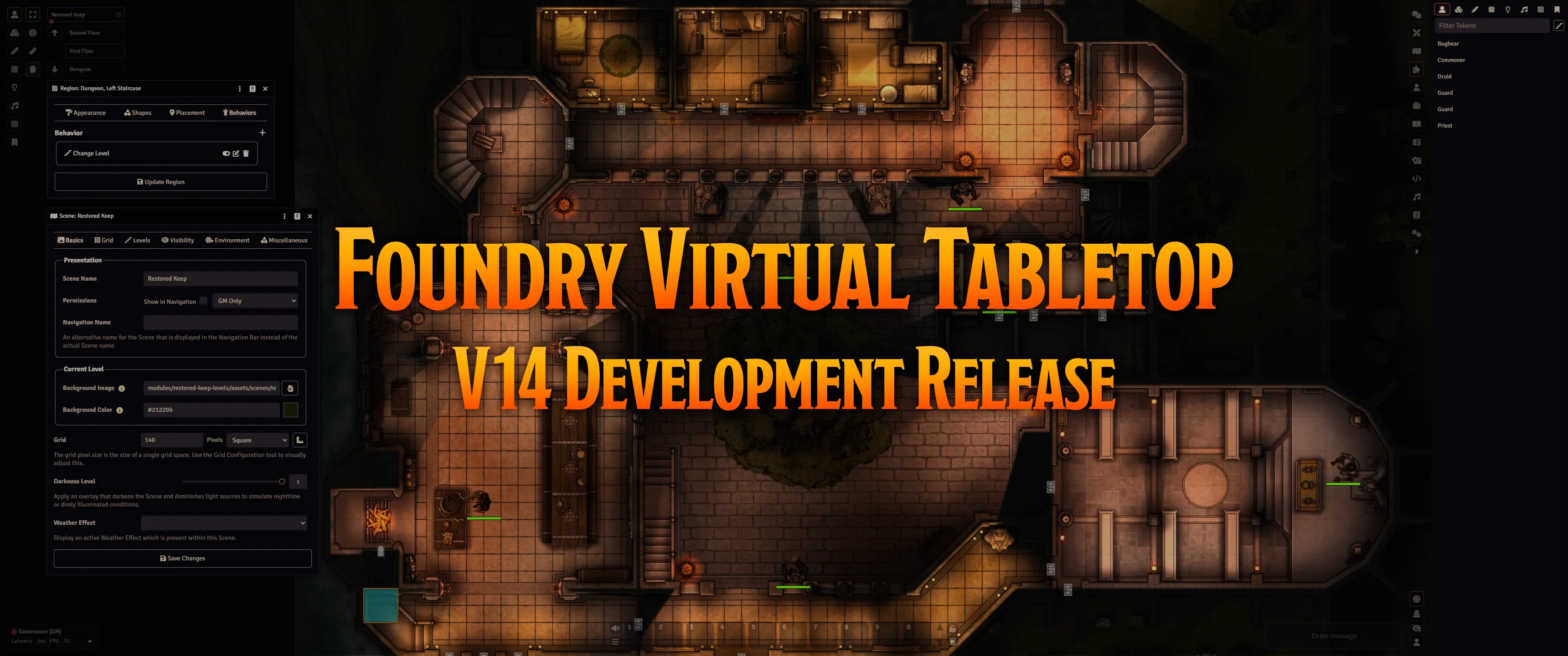
A big hello to all our Foundry friends and especially to our community developers! We're incredibly excited to announce that the first Development-phase release of Foundry Virtual Tabletop Version 14 is here.
In the Development phase, our focus is on refining the initial design of major new features and starting to roughing out their user interfaces. As always, we are also focused on iterating on the API for our system and module developers. While we encourage and welcome feedback, please keep in mind that everything is still very much in flux (particularly the user interface!) and is still evolving rapidly.
WARNING: Updates on the Development channel are intended for testing and feedback from the development community. While the features and improvements of these updates may be close to a level of stability intended for public testing, they are likely to still include some bugs and incompatibilities which may frustrate you. It is not intended to use these releases for a live game.
Update Highlights
Along with the usual steady barrage of bugfixes and important API improvements, the Version 14 Developer 1 release features several notable improvements.
Scene Level Improvements: Storm the Castle Like Never Before!
One of the biggest challenges of "top-down" 2D battlemaps is representing areas with multiple vertically stacked "levels", such as the individual floors and rooftops of a castle.
V14 Scene Levels addresses this challenge by vertically "stacking" multiple images inside a single scene, each at a defined elevation. Keeping everything inside one scene makes vision, movement, combat, and loading across levels much more fluid. As of this release, Scene Levels and its supporting user interface elements are now ready enough for curious power users and community developers to really start experimenting.
We eagerly look forward to your feedback and thoughts, but please keep the following things in mind:
- The Scene Level feature is still in active development and it will continue to evolve significantly
- Further user experience features and improvements are planned
A Free Multi-Level Castle? Yes, Please!
Speaking of storming the castle, we have collaborated with the excellent Tom Cartos to create a free, fully-configured, multi-level battlemap based on The Restored Keep to demonstrate Scene Levels.
You can use this demonstration scene to test out visibility between levels, see how we set up the four levels of the castle, and try out the new Change Level and Define Surface region behaviors in action.
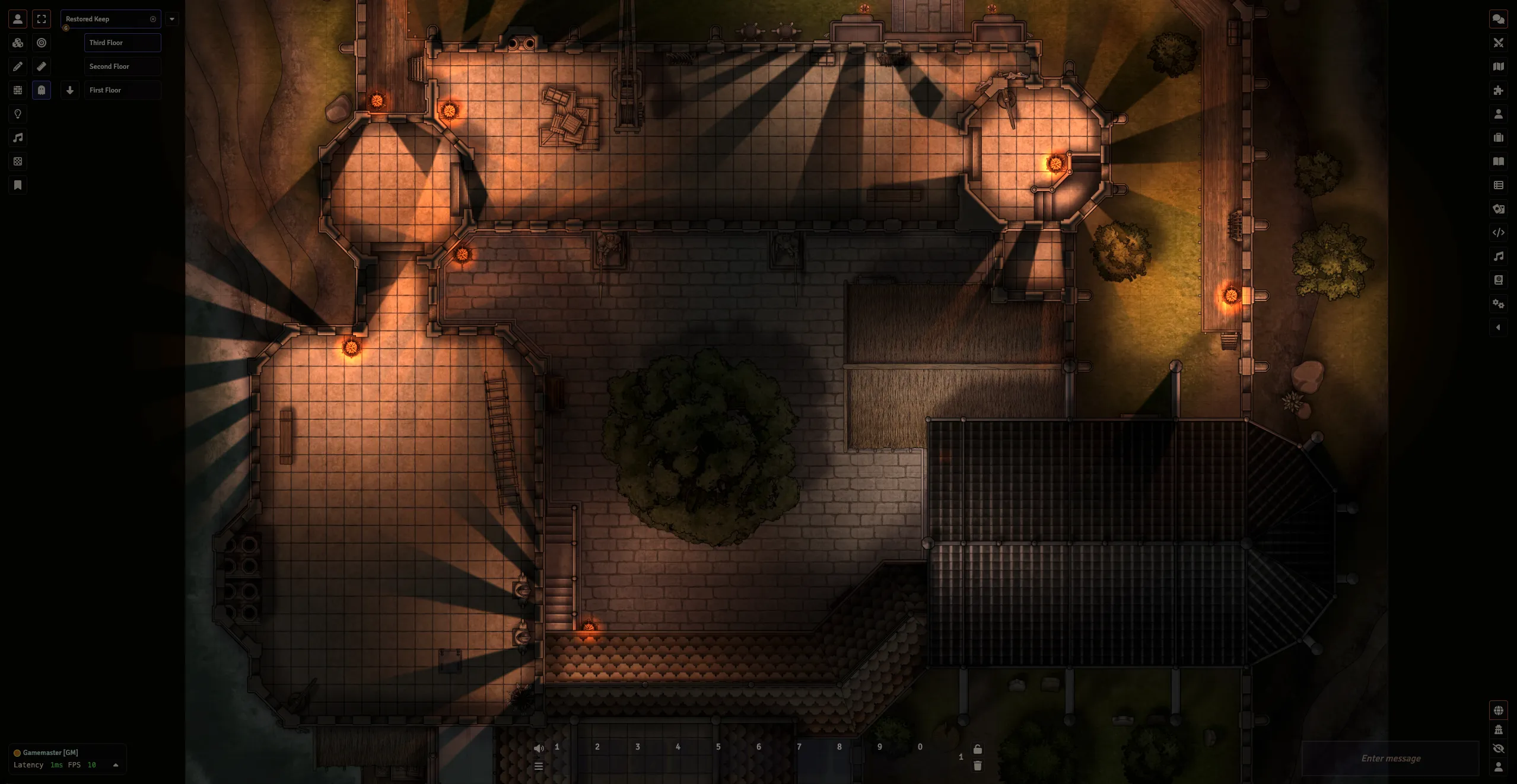
This battlemap is available in a free, Foundry-VTT-exclusive module. Check out its page here: https://foundryvtt.com/packages/restored-keep-levels!
WARNING: This module requires the V14 Development 1 Release. Once again, Development releases are primarily intended for developers. Do not use this release for a live game.
Introducing the Placeables Pallette
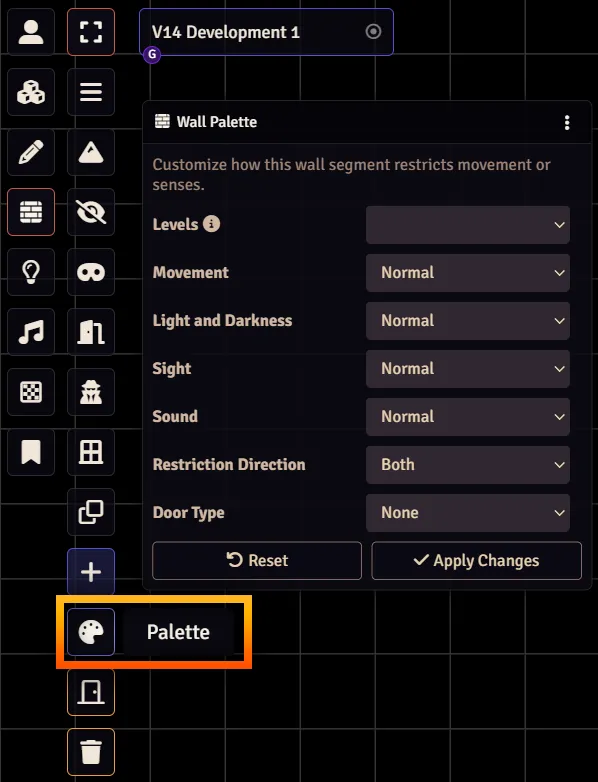
The Developer 1 release also includes a technical preview of the brand new Placeables Palette! This new tool allow you to bulk-edit all selected canvas objects ("placeables"). Additionally, it allows you to preview the values that will be used when you create a new object in the canvas.
This tool was initially created to make placing walls on specific Scene Levels easier and so far it has only been added to the Walls layer, but we may add it to other layers later. Please keep in mind that the Placeables Palette is experimental and its user interface is still under development.
Scene Configuration: Back to Basics
An important design goal for V14 is to make dealing with Levels entirely optional and to avoid complicating the creation of simple scenes.
As part of this goal, we've simplified and reorganized the Scene Configuration dialog so that it now opens to a new Basics tab. The most commonly used options are now all conveniently located there, while more advanced features have been relocated into other tabs.
We've also added a dedicated Levels tab to allow you to manage your multi-level scenes without adding complexity to the rest of the dialog.
Selecting and Live Previewing for All
Previously, certain types of objects in the canvas (Map Notes, Ambient Lights, and Ambient Sounds) could not be selected in groups. In this release, we added a fully functional Select button for these object types so that you can select, move, cut, copy, paste, or delete multiple objects in the usual ways.
We also improved the Configuration dialogs of Map Notes, Ambient Lights, and Ambient Sounds so that they now preview changes in the canvas like all other object types already do.
Breaking Changes
Architecture and Infrastructure
- The migration to ProseMirror is now officially complete, although ongoing improvements will continue to be made. Because Foundry VTT no longer uses it, the TinyMCE dependency has been entirely removed, but we have provided an external integration API that could allow modules or systems to re-introduce it. (12330)
Documents and Data
- Removed the unused
offsetX/Yandrotationattributes fromTextureData. (13785)
The Game Canvas
- Updated scene thumbnail generation to appropriately use either the initial level or the currently viewed level. As part of this change, the
properties,src, andtextureof the return type ofImageHelper#createThumbnailhave been deprecated. (13770)
New Features
Documents and Data
- Added caching for the return value of
SchemaField#entriesto capture a meaningful performance benefit duringDataModelconstruction or update workflows. (13534) - Added a specialized
ContextMenusubclass that re-renders its entries. (13787)
Applications and User Interface
- In the Region Configuration dialog, added dynamic updating of the disabled state of the Levels and Is Restricted inputs. Also added tooltips to explain why they are disabled. (13733)
- Added a fully functional Select tool for all types of "placeables" that previously didn't have one (Ambient Lights, Ambient Sounds, and Map Notes). (13772)
- Added a radius measurement label to Ambient Lights and Ambient Sounds. (13784)
- Simplified and reorganized the Scene Configuration dialog so that it now opens to a new Basics tab. The most essential and commonly used options for scene configuration can now be found here, and all other options are now shifted to other tabs. (13765)
- Added "live previewing" for pending changes to the configuration dialogs of the last Document types that were missing them: Map Notes, Ambient Lights, and Ambient Sounds. (13783)
The Game Canvas
- When changing the level of a token with the Change Level behavior, the destination position is now adjusted so that the token's center point is still within the region. (13737)
- Added an animation for the changes to token attribute bars rather than instantly displaying the new bar length. (868)
Localization and Accessibility
- Defined standard
LOCALIZATION_PREFIXESfor the last remaining document models for all document models which did not yet use them (BaseDrawingandBaseJournalEntryPage). (12739)
API Improvements
Applications and User Interface
- Added support for adding hint text for Document subtypes. (13760)
Other Changes
- Added
toleranceparameter toPolygonTreeNode#testPoint. AddedPolygonTreeNode#findContainingNode,PolytgonTreeNode#findClosestPoint, andfoundry.utils.closestPointToPath. (13767)
Bug Fixes
Documents and Data
- Fixed incorrect leap day calculation in
CalendarData._initialize. (13741) - Fixed a bug where the
typefield of theActiveEffectConfigwas only a freeform text input. (13742) - Fixed a bug where
ActiveEffectRegistrycould change expired statuses in-memory, leaving the active GM unable to update or delete them. (13743) - Fixed a bug where Scene migration did not handle offsets correctly. (13749)
- Fixed a bug where
ActiveEffect#expiryReacheddid not check that triggering event matched the Effect's own expiry event. (13752)
Applications and User Interface
- Fixed a bug with the Scene Navigation UI where the Configure context menu could open the wrong Level Configuration dialog if you were viewing one scene and a different scene was active. (13751)
- Split the Region Config Area tab into the Shapes and Placement tabs and ensured both new tabs can be scrolled. (13753)
- Fixed a bug where theme styling (notably Light Mode) did not apply to the font color of
<dt>elements. (13721) - Prevented a non-functional Import Document button from displaying on Adventure Documents. (13779)
- Fixed a bug where the
color-schemecss property was not set properly for the#interfaceand#hudelements of client markup. (13734)
The Game Canvas
- Fixed a bug where triggering a scene transition while another one was ongoing broke the canvas. (13622)
- Fixed a bug where scene transitions accidentally revealed the scene for users who did not own a source of token vision. (13623)
- Added safeguards so that attempting to load a scene containing a non-existing transition type no longer prevents loading any scene. (13630)
- Fixed a bug where
canvas.masks.visionfor players was cleared unexpectedly after the scene transition animation ended. (13739) - Resolved an issue where the positioning of a viewed level incorrectly affected other visible levels. (13758)
- Fixed a bug where status effects were not shown on the token when added via
ActiveEffect.fromStatusEffect. (13759)