February 25, 2026
Foundry Virtual Tabletop - Version 14 - API Development 2 Release Notes
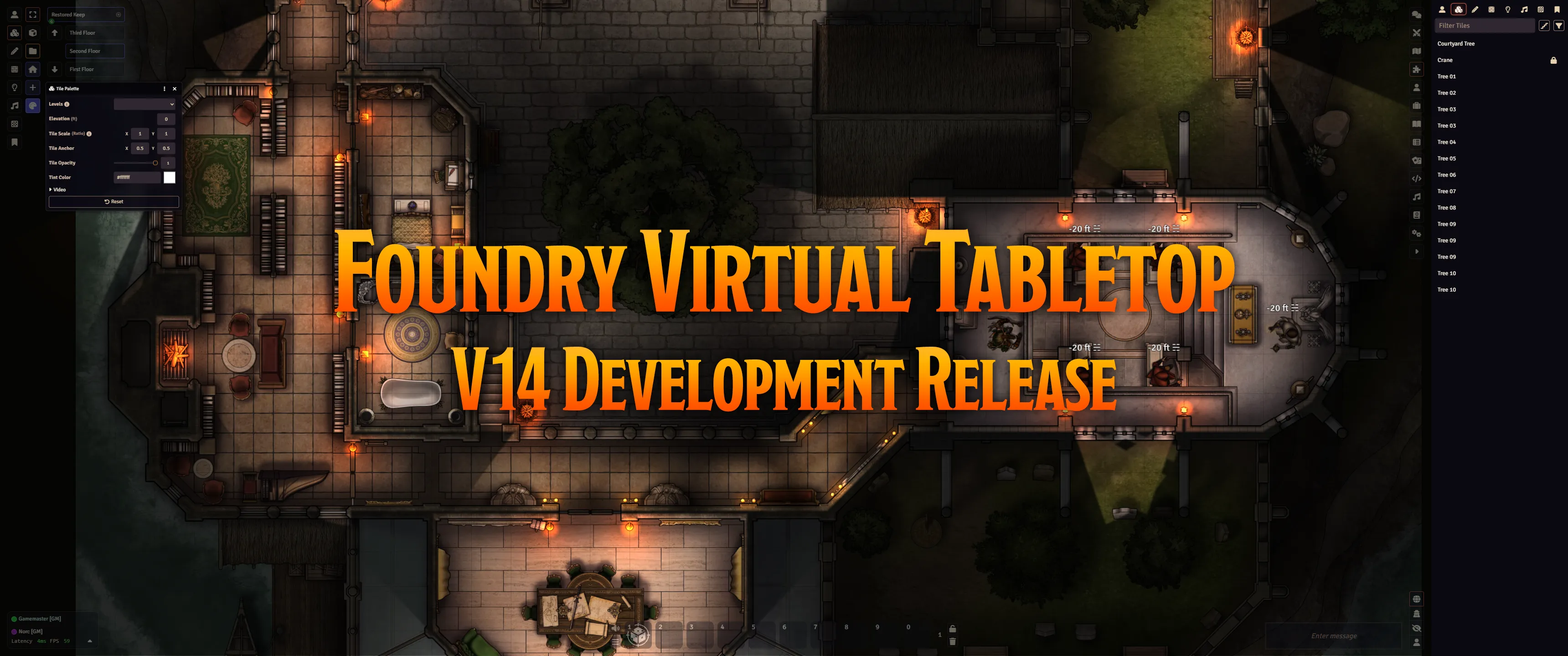
In addition to the usual API goodness, today's release brings an evolved version of the Scene Levels feature, powerful new user interface tools, and even some shiny new animation capabilities for our API.
We expect that this will be our final release of the API Development phase. During this time, our focus was on refining the initial design of major new features, finalizing the API for our system and module developers, and continuing to rough out some user interfaces. While we encourage and welcome feedback, please keep in mind that everything is still very much in flux (particularly the user interface!) and is evolving rapidly.
WARNING: Updates on the API Development channel are intended for testing and feedback from the development community. While the features and improvements of these updates may be close to a level of stability intended for public testing, they are likely to still include some bugs and incompatibilities which may frustrate you. It is not intended to use these releases for a live game.
Update Highlights
Bulk edit (and more!) with the Placeables palette
In the previous release, we introduced a new "palette" tool as a new control button for the Walls layer which allowed greater visibility and control when creating or editing walls. When a Wall was selected, the palette conveniently displayed its key attributes and allowed you to edit them. When no Wall was selected, it displayed the attributes that would be applied when creating a new Wall.
With this release, the palette has learned an exciting new trick: bulk editing! When you select multiple things in the map, any changes that you make and apply in the palette are automatically applied to all of them.
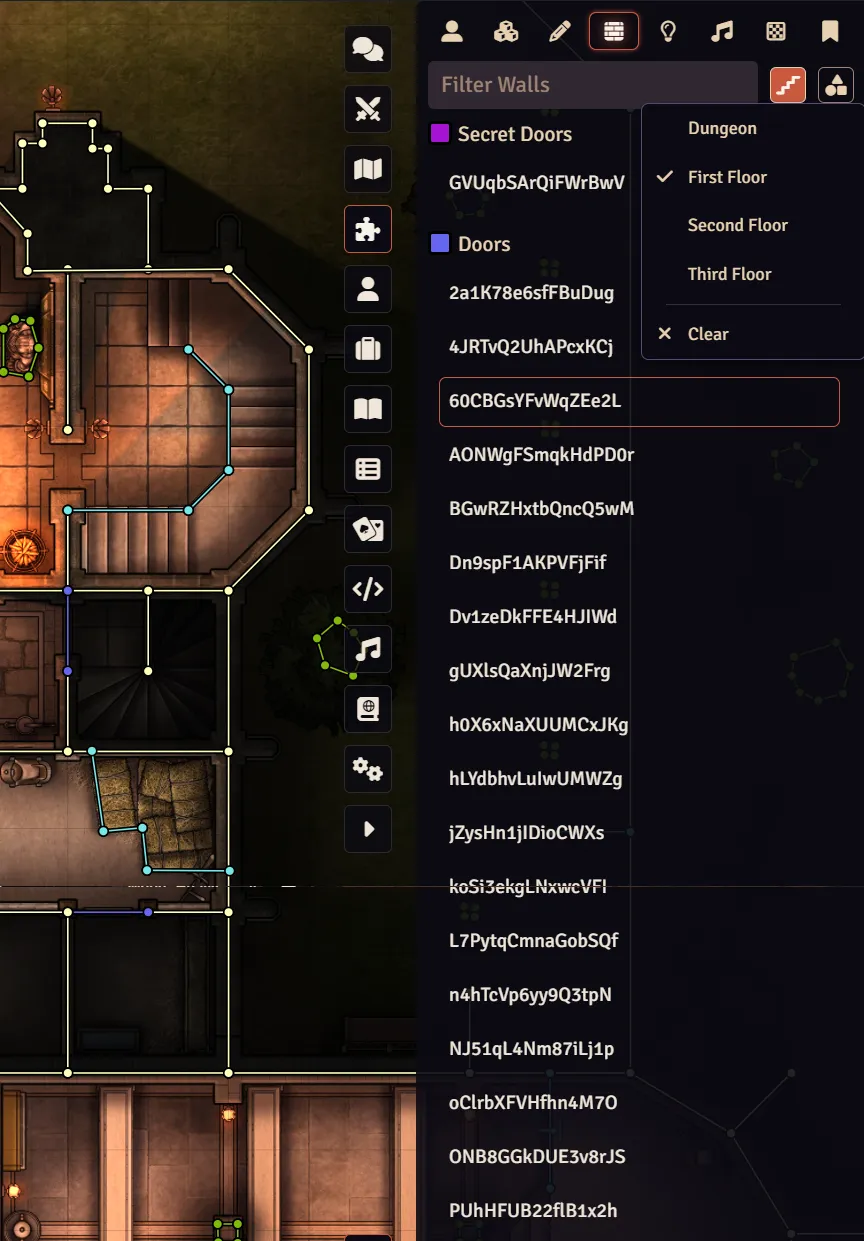
Also, this functionality is no longer limited just to Walls! A Palette control menu button has been added for all layers (except for the Token layer). This makes the Palette's functionality available for almost all types of "placeable" canvas objects: Tiles, Drawings, Walls, Ambient Lights, Ambient Sounds, Regions, and Map Notes.
Stay organized with the Placeables tab
When we introduced Scene Regions in Version 13, we added a Region Legend to help keep track of them. This concept has been reborn in the improved Placeables sidebar tab and also expanded to all types of placeables, not just Regions.
The contents of the Placeables tab change to match the layer selected, allowing you to conveniently view, filter, and interact with anything in the scene. V14's popular "pop-out" feature will also be helpful to keep this tab handy.
V14 Continues to level up!
The API Development 2 release brings many improvements to the new multi-level scene feature, including:
- Improved visibility between levels
- This release allows Tokens to more easily see and check line of sight against Tokens in other levels, particularly ones in higher levels.
- The Reveal Elevated Surface option for Define Surface behaviors
- This new option simulates visibility onto an elevated surface region such as a roof, balcony, or other elevated platform. A surface with this option is almost entirely hidden from observers who are nearly directly below it. The portion of the region that is revealed increases for observers who are further away from it horizontally and for observers who are closer to its vertical elevation because they can "see onto" the elevated area better. This option is off by default.
- Improved occlusion handling
- One of the fundamental challenges of top-down multi-level scenes is handling the common situation where a Token is under things that would logically block your ability to see them. By default, whenever a Token moves underneath a Tile, background image, or foreground image that has a higher elevation, the new
SURFACEocclusion mode is applied. This means that the interfering image becomes strategically transparent so that you can still see the Token. You can even combine this new mode in combination with other existing occlusion modes because you can now set more than one occlusion mode at a time. - Refined region visibility controls
- When several large regions are present (such as regions with Define Surface behaviors), we found that it can become hard to see smaller regions. We've added a new visibility option to hide regions when they are locked to help eliminate visual clutter. Locked placeables (including Regions) are now also no longer interactable which further helps to keep them out of the way.
Shiny new animation APIs
Our ongoing Ember project has been the driving force for many Foundry VTT innovations and these two new animation APIs are the latest examples. The new Canvas Shake animation is triggered with a simple command and creates a fun, map-rattling visual effect to reflect high-impact events like enormous boulders crashing to the ground or Big Bad Enemy Guys and/or Gals emerging from their ancient slumber.
The second animation API, the Particle Generator, allows you to flexibly generate light-weight particle effects directly within Foundry VTT, providing all the shininess of large video animations with less overhead and greater flexibility. Due to its power and customizability, the syntax for this one is a bit complex but we are confident that our skilled developers will be able to use it to create some truly amazing things.
The Restored Keep... remastered
The best way to visualize V14's new Scene Levels feature is to play around with it, so to accompany the last release we coordinated with the excellent Tom Cartos to create a free module containing a multi-level demonstration scene.
Similarly, today's release is accompanied by a significant revision of The Restored Keep module to take advantage of the latest V14 features. We also completely redid the Walls of the keep to offer what we consider the best possible exploration experience.
Notable improvements:
- Ensured that all above-ground floors have visibility to each other
- Added "Define Surface" behaviors to the surface regions in all above-ground floors
- Enabled the new Reveal Elevated Surfaces option for the 3rd floor surfaces
- Made the thatched roof a separate region with a Define Surface behavior and the Reveal Elevated Surface option
You can install or update this module from the Setup screen as usual, and you can learn more about it here: The Restored Keep.
Breaking Changes
The Game Canvas
- Changed the line-of-sight requirement so it can be satisfied in either the viewed level or in the level of the token that you are checking for visibility. This change is potentially breaking for detection modes that are not affected by darkness sources and do not override
_canDetect. (13839) - Added
Level#edges: CanvasEdgesand moved edge management fromWalltoWallDocument. (13842)
Other Changes
- Implemented Chat Message Visibility Modes as a replacement for the historical "Roll Mode" concept. These message modes are now more broadly applicable and can modify the visibility of any message (not only dice rolls). Additionally added a new dedicated "In-Character" mode. When this mode is active, you speak as your character by default. Backwards compatible support for old roll modes is preserved until V16. (8856)
- Deprecated
ChatLog.MESSAGE_PATTERNSin favour ofChatLog.CHAT_COMMANDSto allow specifying a callback for custom parsing. Deprecation support will be removed in V16. (13080) - Unified the API surface for
HeaderControlsandContextMenuto reduce the number of differences between working with header controls and context menus. (13493)
New Features
Architecture and Infrastructure
- Upgraded Electron to version 40 and increased the minimum Node version to 24. (13851)
Applications and User Interface
- Prevented the usual confirmation dialog from displaying when deleting regions that do not contain any behaviors. (13788)
- The borders of hidden Ambient Lights, Ambient Sounds, Drawings, Tiles, and Tokens are now dashed if they are hidden. (13810)
- Player idling is now tracked server-side so that newly connected clients can be informed of the idle state of existing players. (12539)
- Added
nameas an allowed attribute of<details>HTML elements. (13815) - Prior to Version 13, Journal table of contents used to display a helpful icon to the right of each entry to indicate its visibility and permission level for players. This was accidentally removed in V13 and has now been restored. (13387)
- Added the new Palette tool to improve the process of creating or editing any placeable (Token, Wall, Ambient Light, etc.). (13776)
- You can now use the Palette tool to bulk edit all types of selected objects other than Tokens (Walls, Ambient Lights, etc.). (4248)
- Added a new context menu option to the Scene Configuration dialog to duplicate levels. (13768)
The Game Canvas
- Map notes no longer require a source of vision to be visible in areas that were previously explored. (13820)
- Added a new
SURFACEocclusion mode for Tiles and a new Occlusion option to the Define Surface region behavior. These new options are designed to improve the experience of working with tokens under large tiles and surfaces by allowing you to see those tokens and their surroundings. (13838) - The shape of Ambient Light and Sound sources is now based on the visible level that is inferred by its elevation. (13852)
- Elevation is now taken into account when determining if a Token is within detection mode range. (8391)
Package Development
- Added new manifest flags so that modules can avoid displaying warnings for unsupported top-level keys that are used deliberately. (13024)
- Added the ability for modules to declare blanket compatibility with a major system version (generation) in the same way that core compatibility can be declared. (13160)
Dice and Cards
- Added an option to configure the default dice fulfillment method (Digital, Manual, Pixels, etc.) for all die sizes. (13312)
API Improvements
Documents and Data
- Fixed an issue where
@readonlyclass members were writable despite being intended to be non-writable. The correct read-only behavior is now enforced. (12613) - Added
Scene#getSurfacesfor convenience when interacting with multi-level scenes. (13848) - Added the ability to select multiple Occlusion Modes for Tiles and primary canvas objects. (13854)
Applications and User Interface
- Added
ShapeObjectMixin#_formatMeasuredDistanceto allow the customization of Region distance labels. (13791) - Each document class can now specify metadata to control whether documents of the "base" type are allowed to be created and offered as an option in document creation dialogs. Game systems which take control over document classes can modify this behavior. (12155)
InteractionLayer#_onMouseWheelis now called for the active layer withoutoptions.rotatableObjectsneeding to betrue. Mouse wheel events dispatched to interaction layers are no longer throttled. (13833)
The Game Canvas
TokenDocument#getTestPointsis now constrained by walls and surfaces to prevent cases where walls and level boundaries were not blocking token visibility and region inclusion for tokens that were directly next to them. (13736)- Added
PlaceableObject#isInteractable, which determines whether the placeable is interactable. Locked placeables are no longer interactable (except Tokens). (13832) - Added a new Canvas Shake API (
animation.CanvasShakeEffect) for impact moments like explosions, earthquakes, heavy footsteps, or spell hits. Does not generate a sound and the shaking does not apply to particles or UI elements. (13835) - Added a new Particle Generator API (
ParticleGenerator). This Foundry-native particle generator allows you to spawn, animate, and control lightweight canvas particles. (13836) ClockwiseSweepPolygoncan now be computed in Levels that are not viewed. (13843)- Added
BaseEffectSource#leveland constrained the light source of tokens by the edges of the level they are in. (13845) - Added the "Reveal Elevated Surface" option to the Define Surface region behavior. This option partially reveals visible areas based on its angle to the observer, making it useful for roofs, balconies, or other overhead platforms. (13847)
- The ready hook now fires after any scene transitions finish. (13856)
Other Changes
- Extended package manifest schema with an explicit
type: system | modulefield (initially optional) to definitively avoid issues when users try and install a package of the wrong type. (12707) DocumentStatsField#createdTimeandDocumentStatsField#modifiedTimeare now required fields. (13058)- Added
RegionDocument#_onPolygonTreeChangeto help developers respond to changes in a region's shape. It is called whenRegionDocument#polygonTreechanges. (13828) - Added
CONFIG[documentName].embedHandlersAPI for adjusting Document embeds. (13687) - Removed
RegExp.escapein favor of native implementation. (13824)
Bug Fixes
Documents and Data
- Fixed a bug where time-tracking
_statsof embedded documents were not initialized correctly when those embedded documents were created as part of a parent document operation. (10348) - Fixed a bug where performing a non-recursive update to clear embedded children left them orphaned on disk. (13347)
- Fixed a bug where
ActorDelta#_onUpdatedid not change thedocumentNameproperty of theoperationobject before calling theupdateActorhook. (13754) - Fixed a bug where the default scene was created without the proper background image. (13750)
- Fixed a bug with creating a new combat where the initial system value was missing. (13802)
- Fixed a bug where even if a player owned or observed a placeable,
CanvasDocument#visiblecould still incorrectly befalsefor them. (13808) - Fixed a bug that could occur with custom data models where cleaning failed to occur correctly for the
basetype ofCard,Cards,ChatMessage,Combat, andCombatantGroup. (13626) - Fixed a bug where updating a field in
TypedObjectFieldreset other fields to their initial values. (13812)
Applications and User Interface
- Fixed a bug where "Transition Type" could not be set to "None" in the Scene Configuration dialog. (13789)
- Resolved an error caused by removing a shape from a multi-shape region. (13801)
- Fixed a bug where elevation changes made using the Token HUD were incorrect when the token was in a level with a non-zero bottom elevation. (13803)
- Prevented an error that could occur when applying a placeable filter. (13805)
- Resolved an issue where non-GMs could see Placeable tabs that they should not have access to. (13807)
- Fixed a bug where changes made in the configuration dialogs of newly created placeables would not render their usual preview. (13811)
- Improved the way the Shape field of the Token Configuration dialog handles changes to the scene's grid type (switching from square to hex, for example). (13829)
The Game Canvas
- Resolved an issue where the fog overlay was not rendering correctly with exploration images. (13827)
- Fixed a bug where tokens could move through closed doors in some circumstances. (13798)
- Fixed a bug where the cursors, rulers, and targets of other users could sometimes not be visible after joining the game. Moved the tracking for this information server-side to ensure accuracy. (13809)
- Fixed a bug that occurred in certain situations where Tokens could briefly see through a Wall that it was moving away from. (12965)
Dice and Cards
- Fixed a bug where compound modifiers on rolls were lost if they contained numeric components. (13371)
Other Changes
- Fixed a bug where
Document#_preCreatecould no longer block Document creation. (13792) - Prevented an error with the
{{ editor }}handlebars helper when using the ProseMirror engine. (13799) - Standardized
Compendium#_initializeApplicationOptionsso that it now correctly setsoptions.uniqueIdinstead ofoptions.id. (13777) - Resolved an issue where
sanitizeFilePathFielddid not always create unique paths for embedded documents. (11077) - Fixed a bug where
FilePathFieldswere sanitized before embedded document IDs were generated. (11078)
Documentation Improvements
Other Changes
- Added missing documentation for
JournalSheetRenderOptions. (13477)