Your table rolls a lot of dice. Now you can see all of them.
What We Rolled captures every roll from your game and turns it into your campaign's history — the nat 20s, the clutch saves, the cursed luck — with charts, per-session stats, and even your rolls played back alongside the recording. Your campaign, in numbers.
🌐 whatwerolled.com · 🎲 Open the app
How it works
- Install the module — in Foundry's Add-on Modules tab, click Install Module and search What We Rolled. Or paste the manifest URL into the field at the bottom of that dialog:
https://github.com/whatwerolled/whatwerolled-foundry-module/releases/latest/download/module.jsonThen enable it in your world.
- Link your campaign — copy your Campaign ID from your What We Rolled dashboard and paste it into Game Settings → Configure Settings → What We Rolled in Foundry.
- Roll. Every roll at the table shows up in the app — history, charts, and per-session stats.
What you get
📜 Every roll, kept
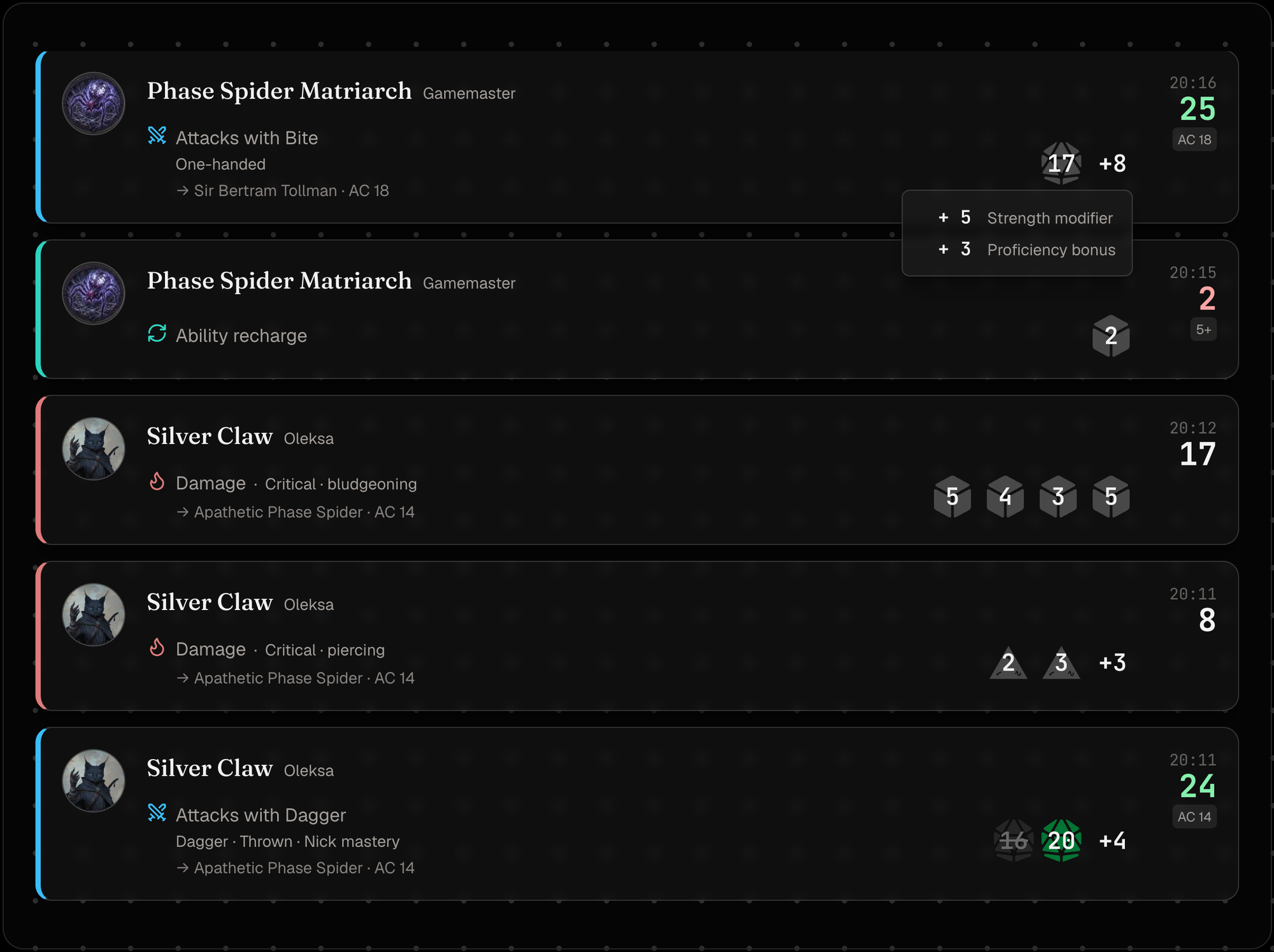
Every roll at your table lands in one place, automatically — no per-player setup. Each keeps its full detail — the dice, every bonus in the breakdown, targets, crits, healing, death saves — shown just as it happened. Delete a roll's message in Foundry, and it drops out of your history, too.
📊 Campaign analytics
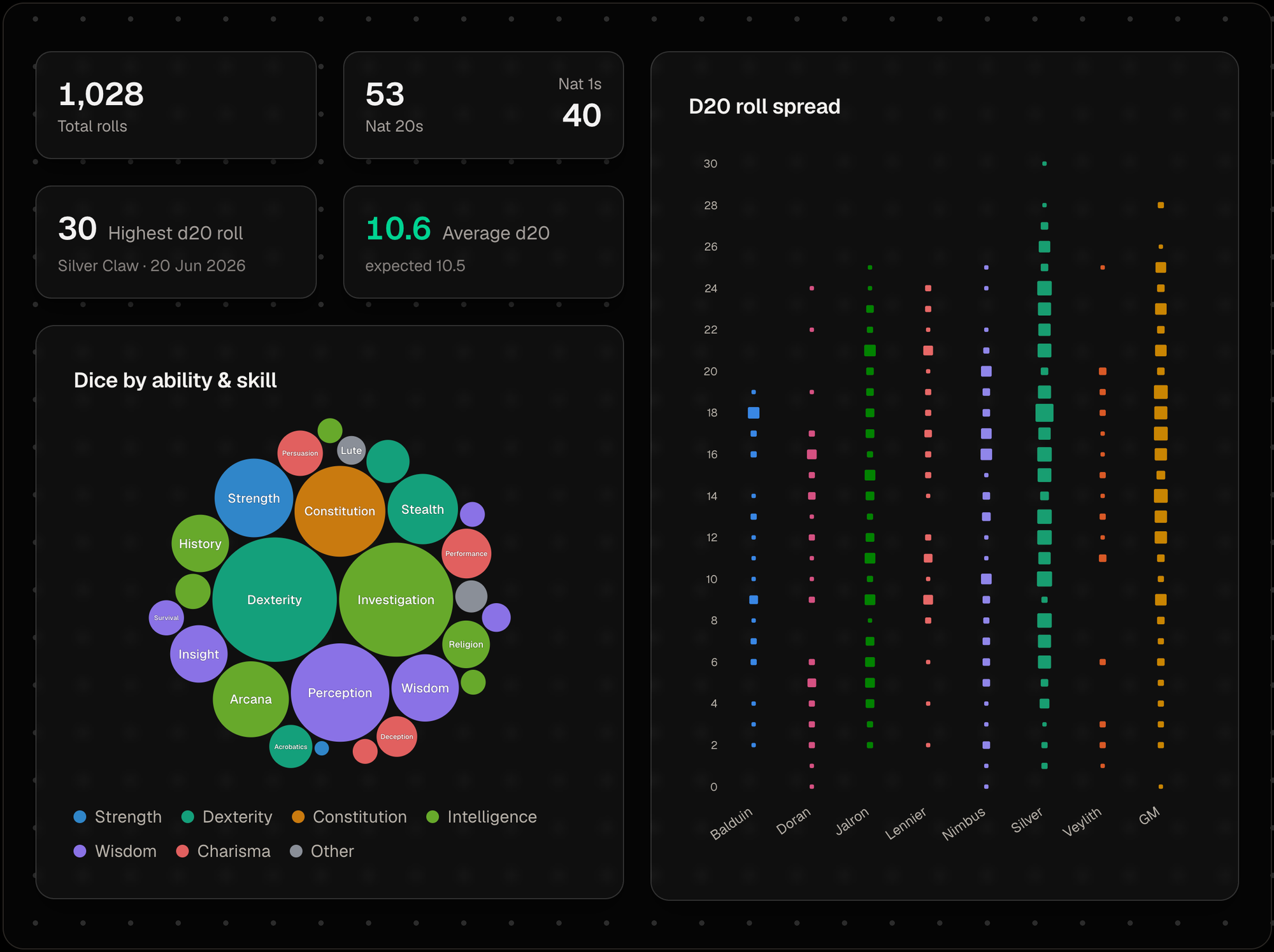
Here's where it gets interesting. See who runs hot and who's cursed: nat 20 and nat 1 rates per character, your party's d20 spread, and average rolls against the expected 10.5. All of it updates as your campaign grows.
▶️ Sessions, synced to your recording
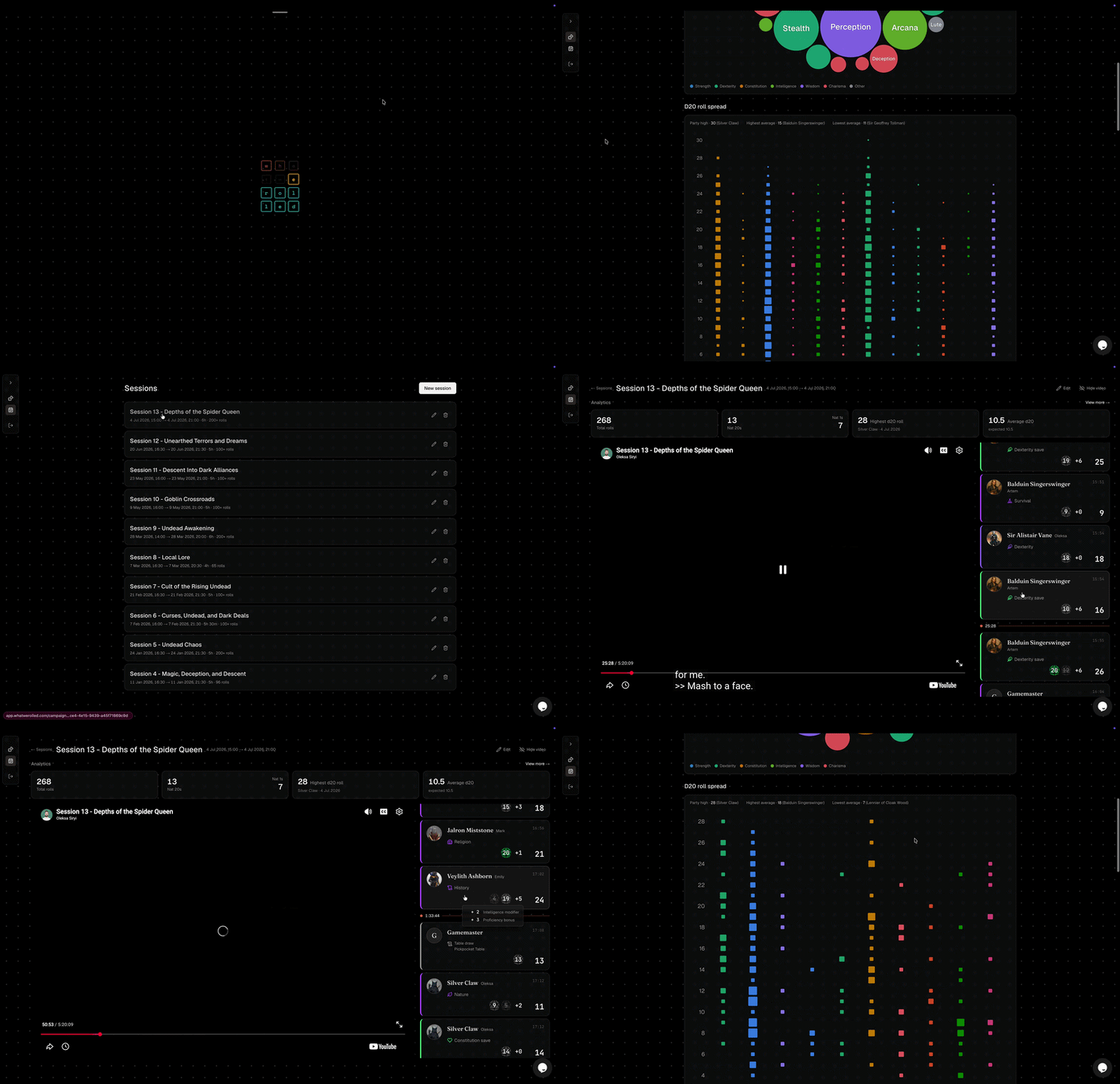
Your campaign is made of game nights. Mark one as a session to see just that evening — its rolls and stats scoped to that night, not the whole campaign at once.
Attach the game's YouTube recording and the session comes alive: rolls sit beside the video like a live chat, click a roll to jump the video to that moment, and as it plays the rolls scroll to keep up. Relive the crit that ended the boss — and see it land.
Works with your rolling modules
What We Rolled captures ordinary rolls and rolls made through popular roll helpers:
- Ready Set Roll (Reforged) — fully supported, with each roll's full breakdown.
- Ready Set Roll (D&D 5e) on Foundry v13 — captured.
- Midi-QOL — in progress.
Using a roll module we don't list yet? Tell us and we'll add it — see Support & feedback below.
Your data
What We Rolled only sends roll data — the roll itself (formula, dice, result), who rolled it (player name and avatar) and which character, your world and game system (and their versions), whether the roll was whispered or blind, and when it happened. It never sends your chat, notes, or anything that isn't a roll. Nothing is sent until you set a Campaign ID, and clearing it stops sending at any time. See Privacy & Data for the full list.
Early access
What We Rolled is in early, active development. It supports D&D 5e, Pathfinder 2e, and Starfinder 2e today — most common setups already work — with more systems and roll-module support landing every release.
Support & feedback
The quickest way to reach us is Discord. We're active in the community Foundry VTT server — ask about the module in the #modules channel and tag @axelgreenkp, and we'll pick it up.
Already signed in to the app? There's a support chat built into What We Rolled.
Prefer somewhere else? Open a GitHub issue or email contact@whatwerolled.com.