> Chummers! You connected to the right host to access your favorite BTL "Shadowrun Sixth World"
This system provides character sheet support for Actors and Items, mechanical support for dice and rules necessary to play games of Shadowrun 6th Edition! You can find the latest news and more instructions on our DeepResonanceWare Patreon. (free tier)
Features
- Character sheet for PCs, NPCs, Vehicles and Critter
- Import your PCs from JSON files generated by the widespread Genesis and Commlink character generator application
- Interactive Roll dialogs & automation to help with the rule complexity
- DragRuler support
- Dice So Nice support - with different colored wild die and Edge tokens
- Active Effects and Gear Mods (items that modify items) support
System Screenshots
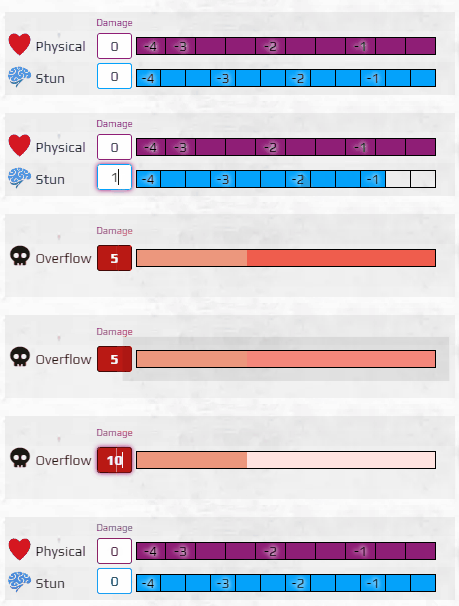
The character sheet now has an updated monitor experience! If you click on the coloured boxes, you get that much damage, and when you click on a white box you get healed unto that box. Stun overflow goes to Physical, and Physical into your Overflow. In simple terms, don't get fragged.
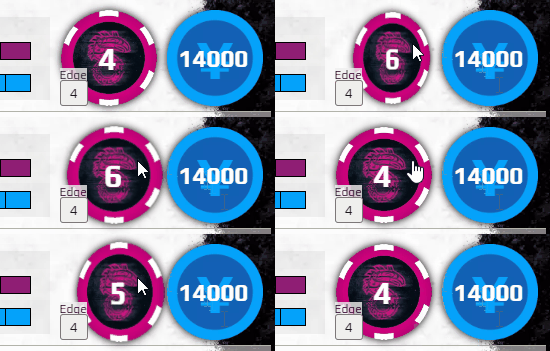
Edge coin flips?! Left ⇑ and right ⇓ click.
You can still import your RPGFramework GENESIS and Commlink6 characters! Print to
Shadowrun 6 Foundry Export, and in FoundryVTT right click on your actor and chooseImport Data. In the v3 system, your character sheet has been updated with a bunch of small improvements.
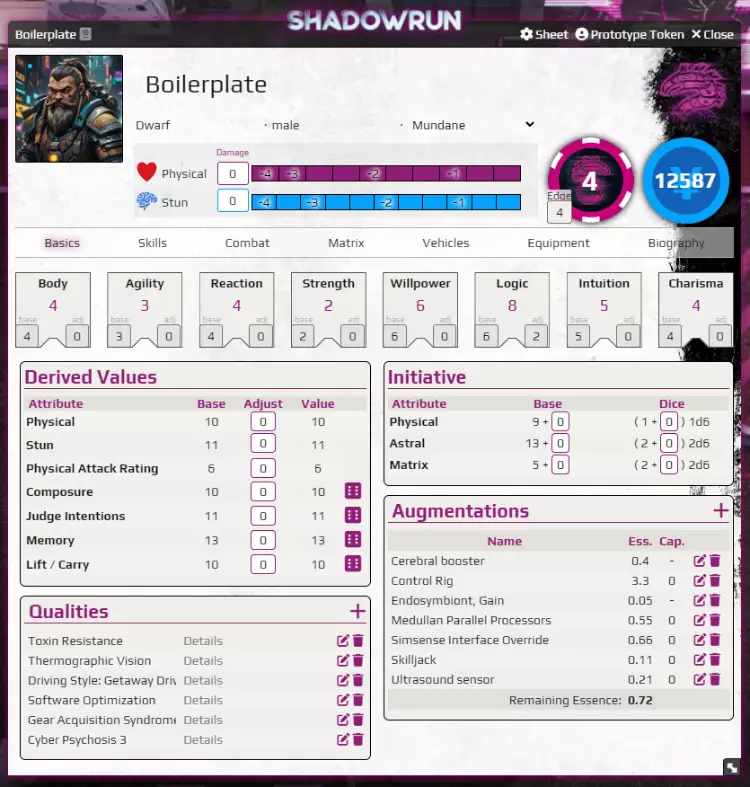
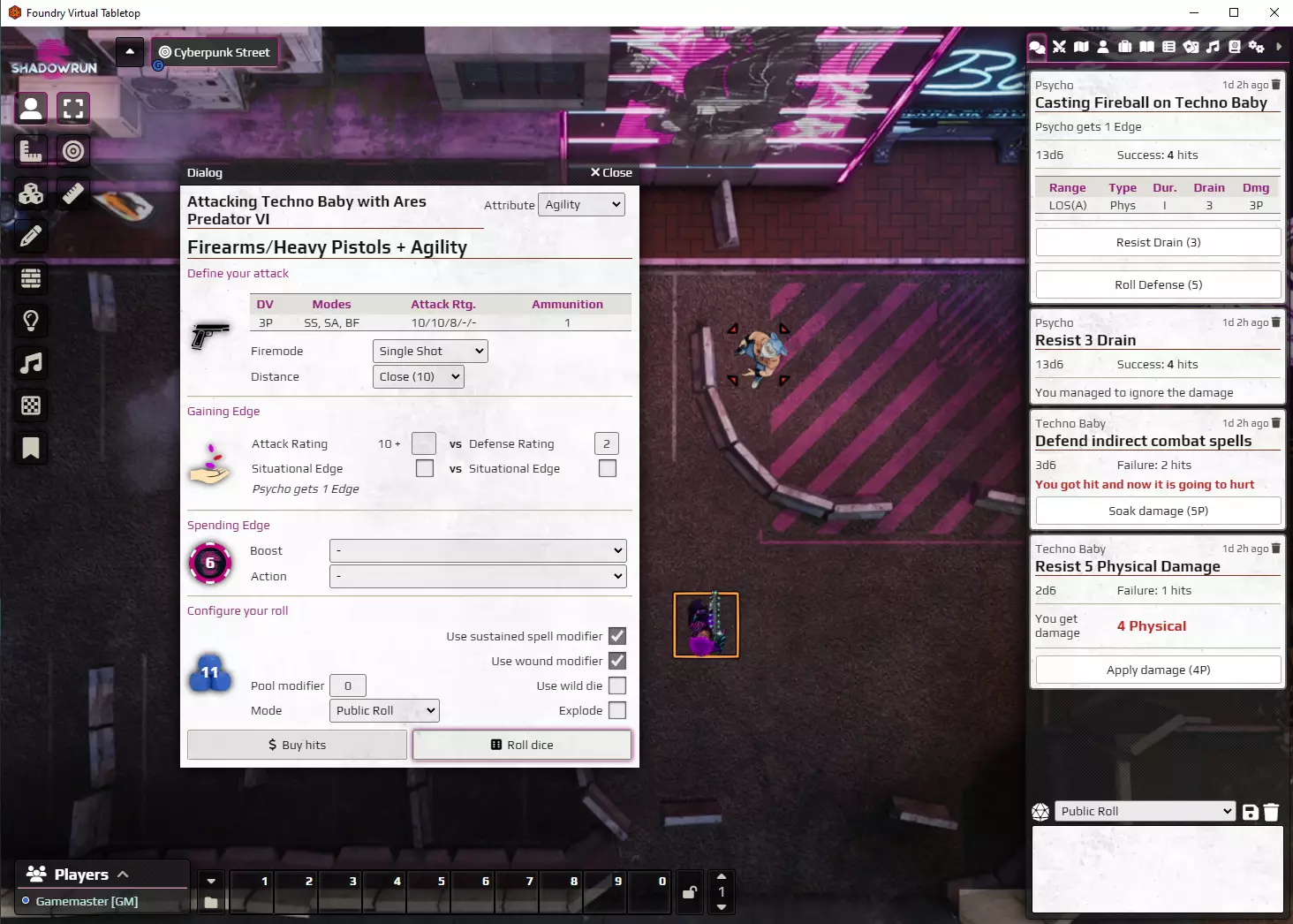
The system is updated with a new UX style. And we've got automated Attack Rating & Edge calculation, attack rolls with firemode and range, defense rolls, drain rolls, soak rolls!
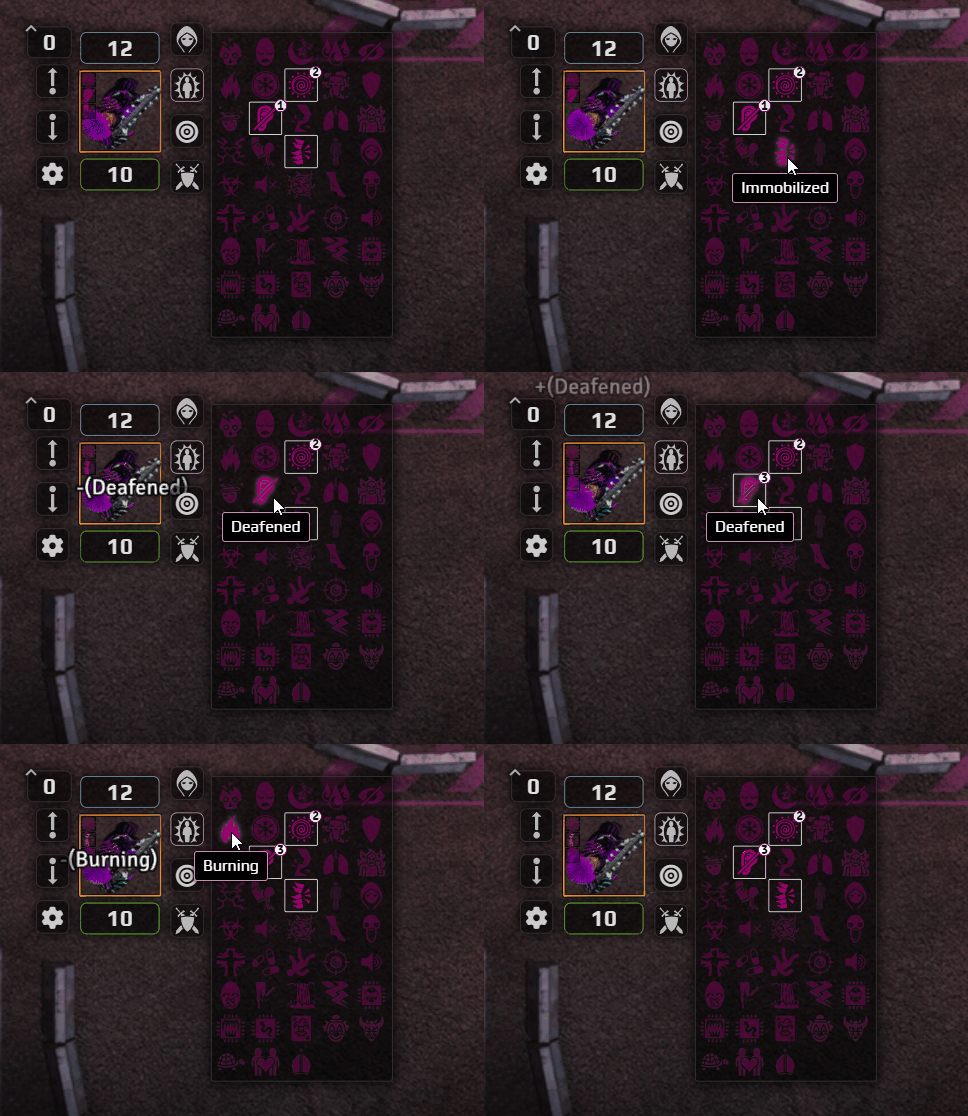
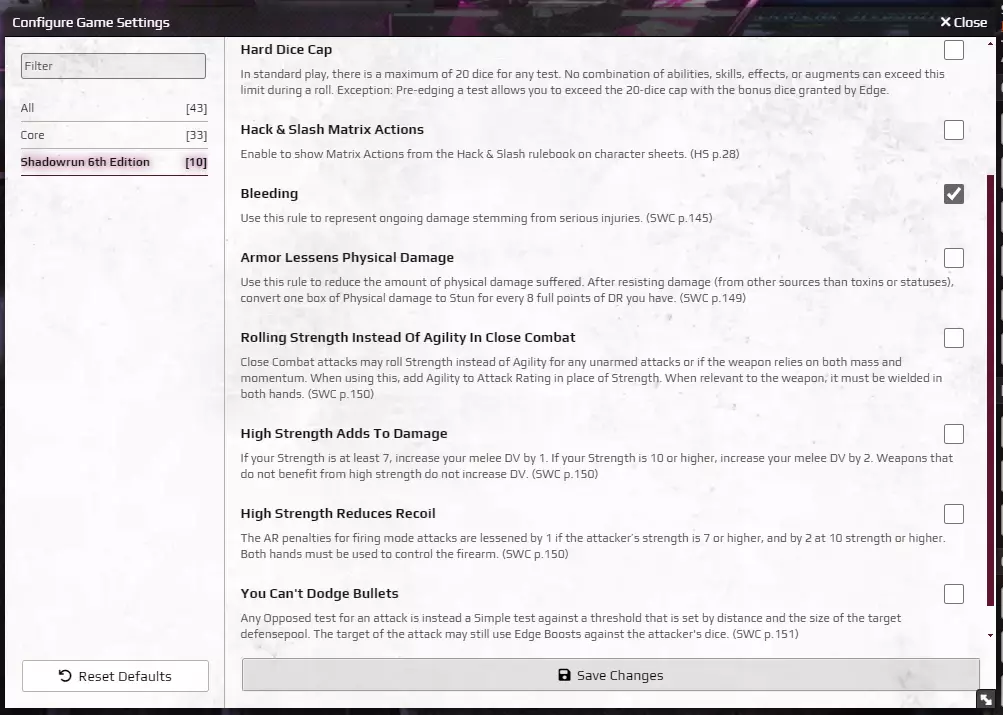
The system includes all possible Sixth World status effects. Including an optional rule (in Settings) for Bleeding. Normal-left-click to increase a status effect, and right click to decrease it. You can ctrl-left-click to add an effect as an overlay on the token.
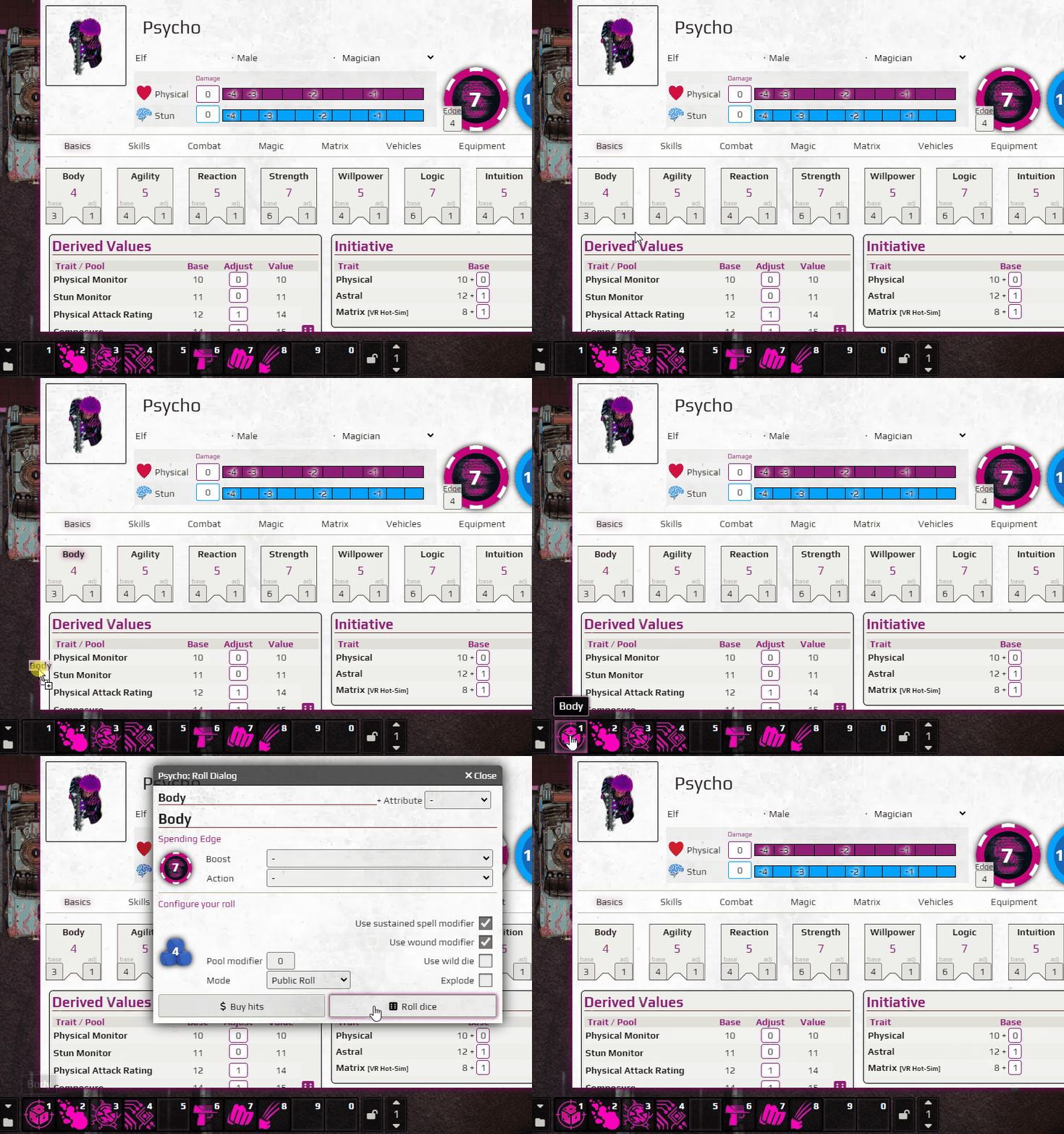
You can drag any diceroll link from your sheet to your hotbar.
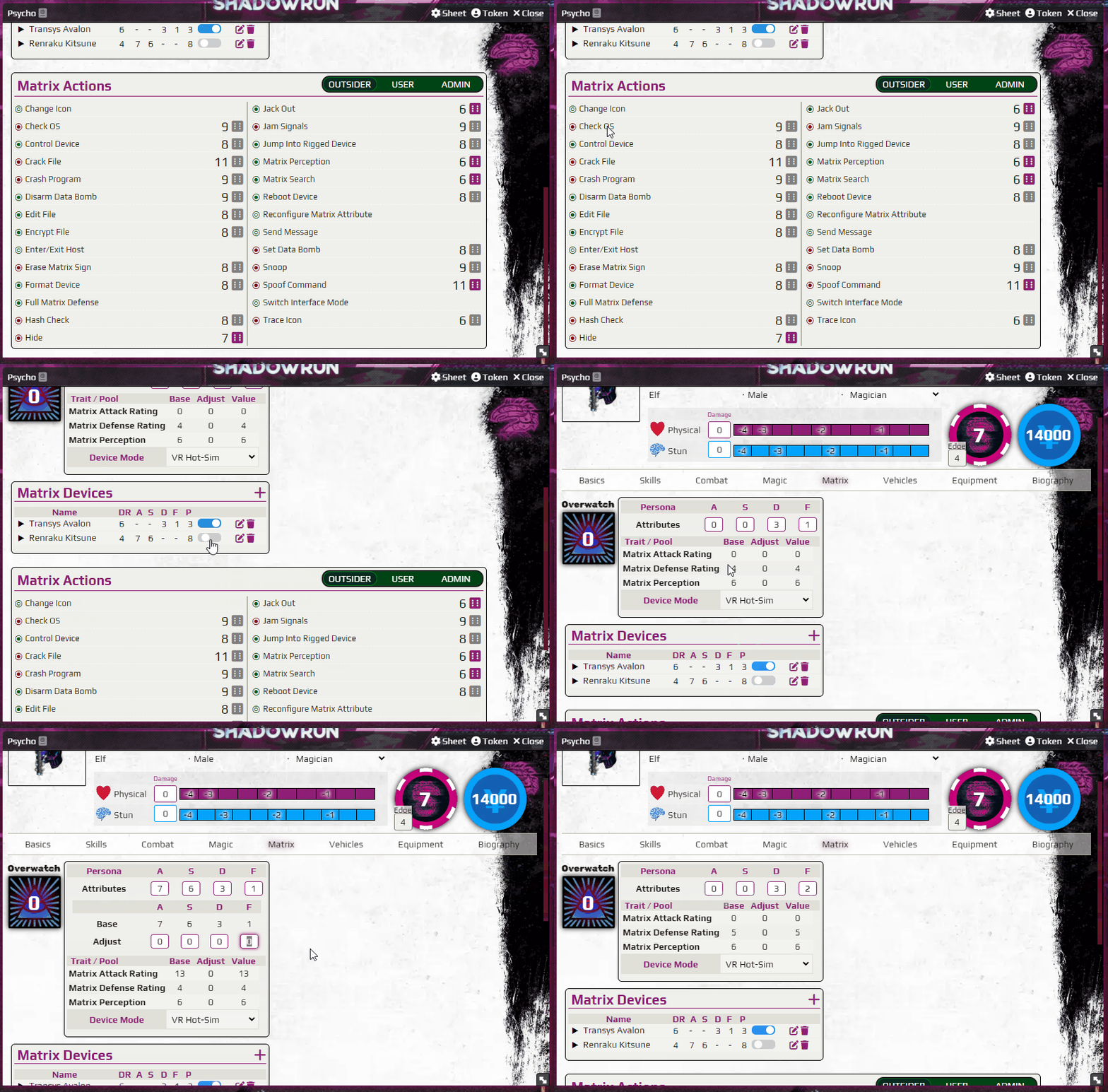
Only your available Matrix Actions are shown depending on your Matrix Attributes. (enable H&S Actions in the Foundry Game Settings) Furthermore, they are greyed out depending on your Matrix Access Level. And you can Reconfigure your Persona's Matrix Attributes by clicking on two of them, switching them.
Most of the favorite optional rules can be enabled in the FoundryVTT Game Settings.
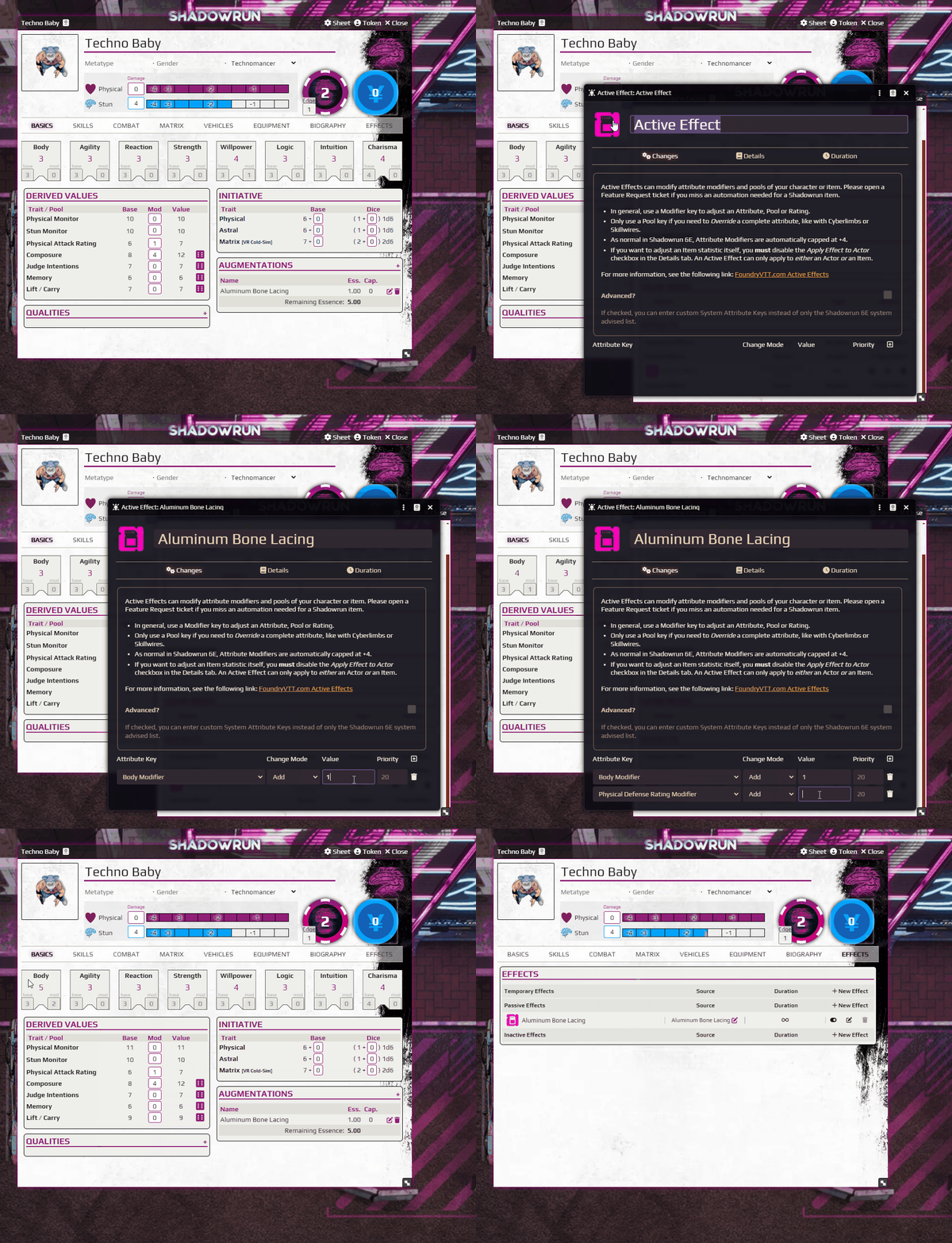
You can add Active Effects for Actors and Items which can be configured to modify the Actor's traits, skills & attributes.
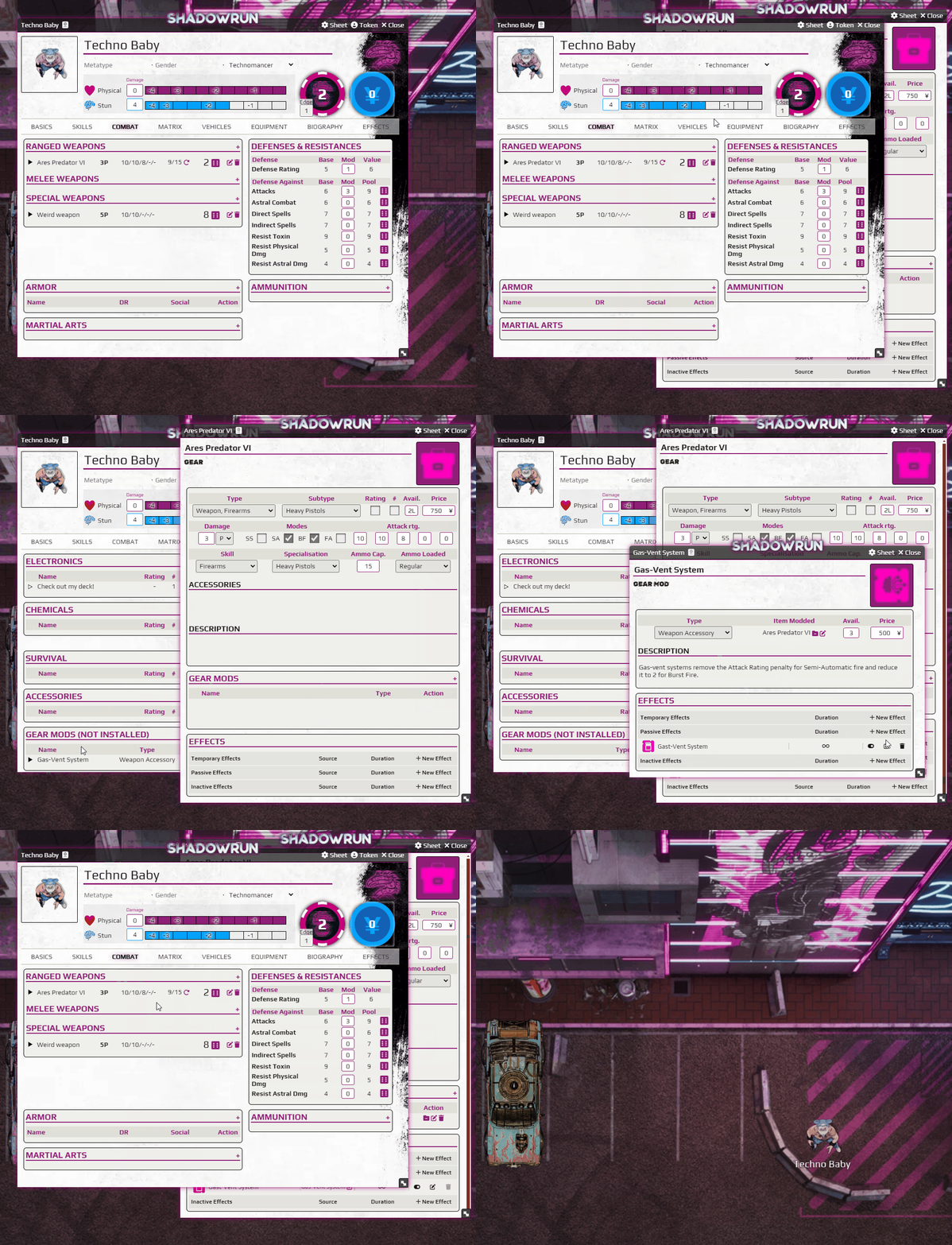
There are Gear Mods, which can modify the traits & attributes of an Item the Gear Mod is dragged on.
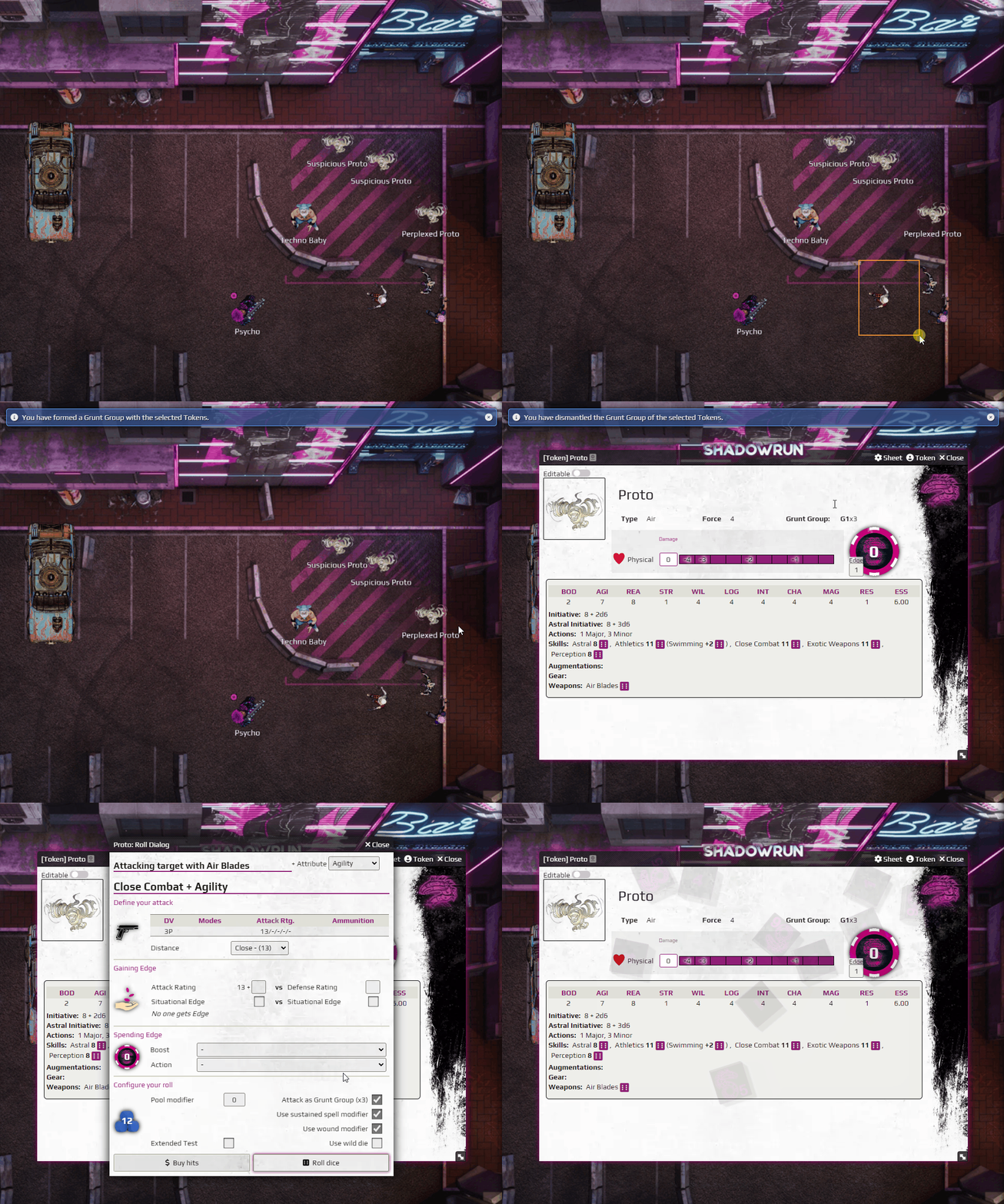
Grunt Group support for NPC's, Critters and Spirits! Just select their tokens and press SHIFT-G to form or decommission a grunt group.
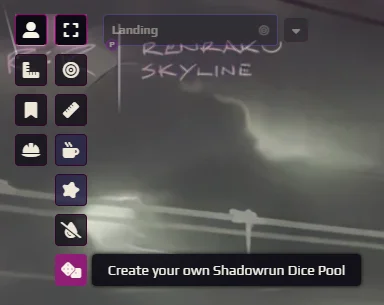
In the top left within the Controls, there's a control button to create a custom dice pool.
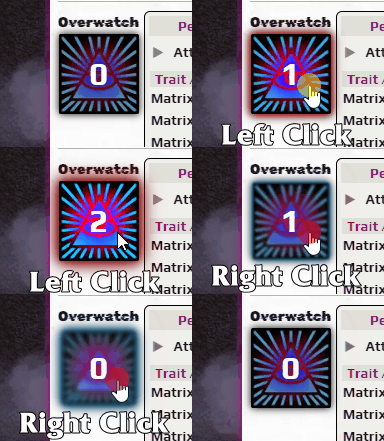
You can Left Click and Right Click on the OverWatch icon to increase and decrease your overwatch.
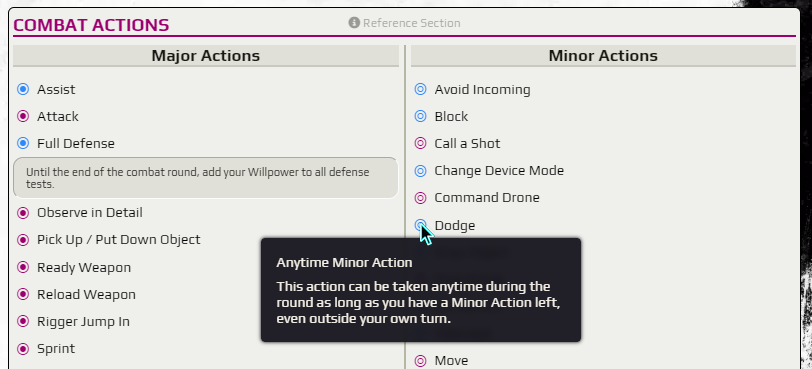
In the Combat Tab on your character sheet, you can find a Combat Actions section, with a handy overview of the different types of actions you can use.
In the Matrix Tab on your character sheet, you can find your Persona and PAN section. Your Persona and PAN are only online if you have Matrix Access Device(s) enabled that isn't bricked, or if you are a Technomancer that isn't unconcious due to an empty Stun Monitor.
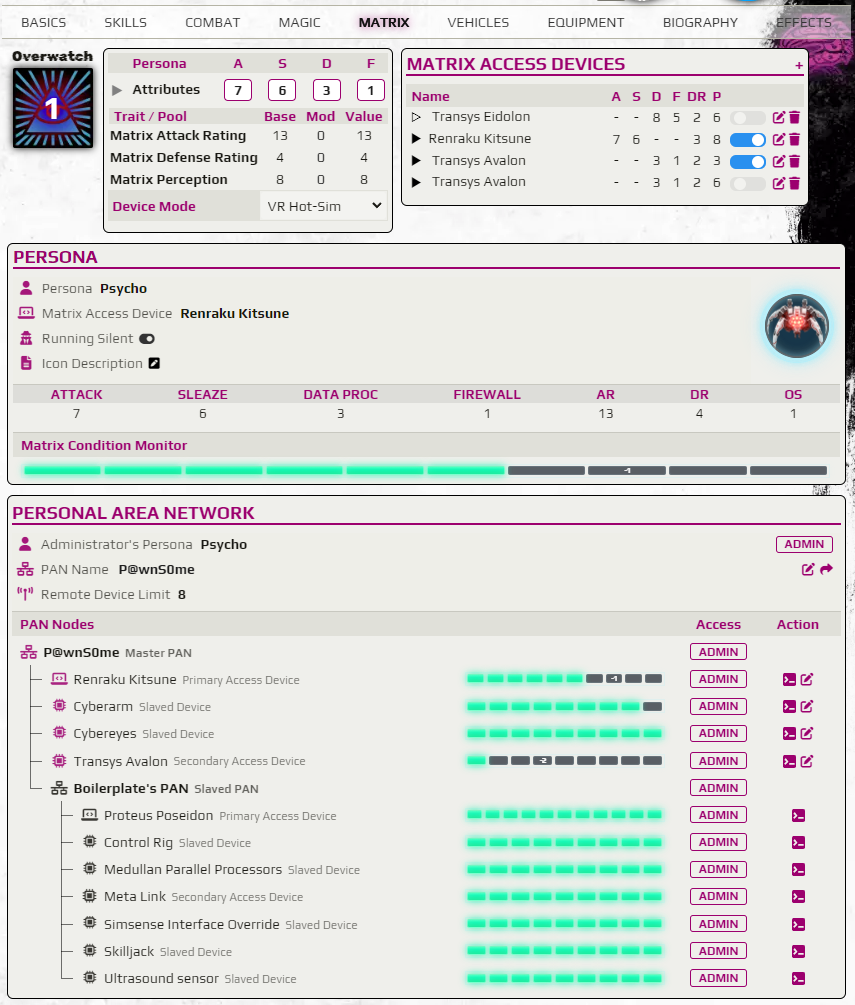
There is a Share PAN button in your
Personal Area Networksection, which sends a message to the chat. Others can drag an Active Effect to their own character sheet, or Token, to be able to join your PAN. They can leave your PAN by deleting or disabling the Effect on their own character sheet.
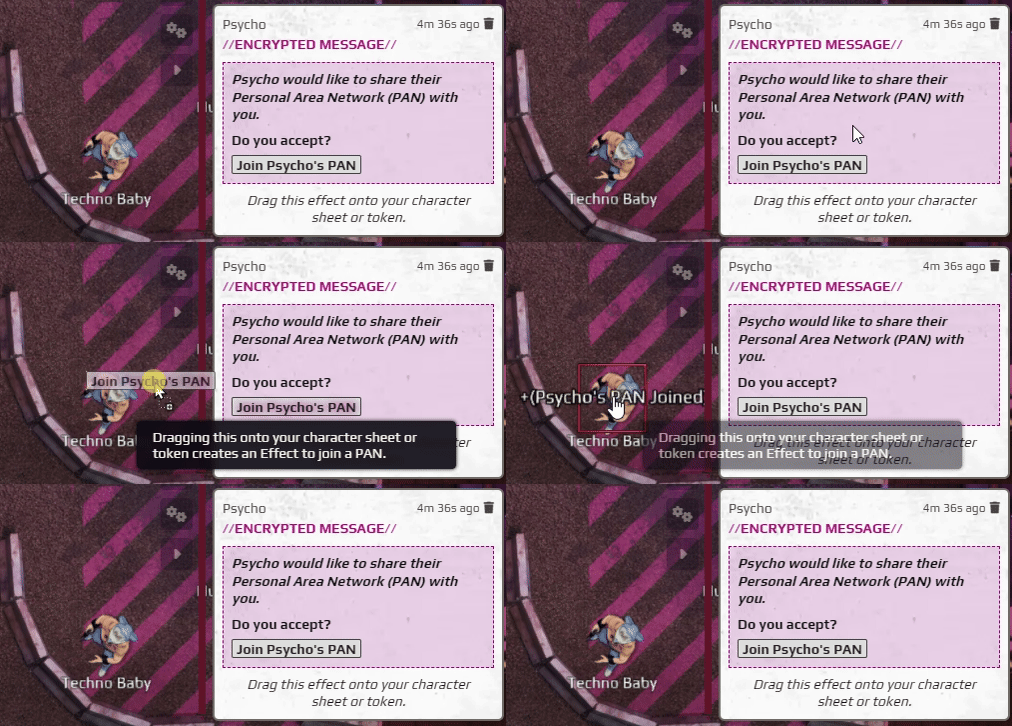
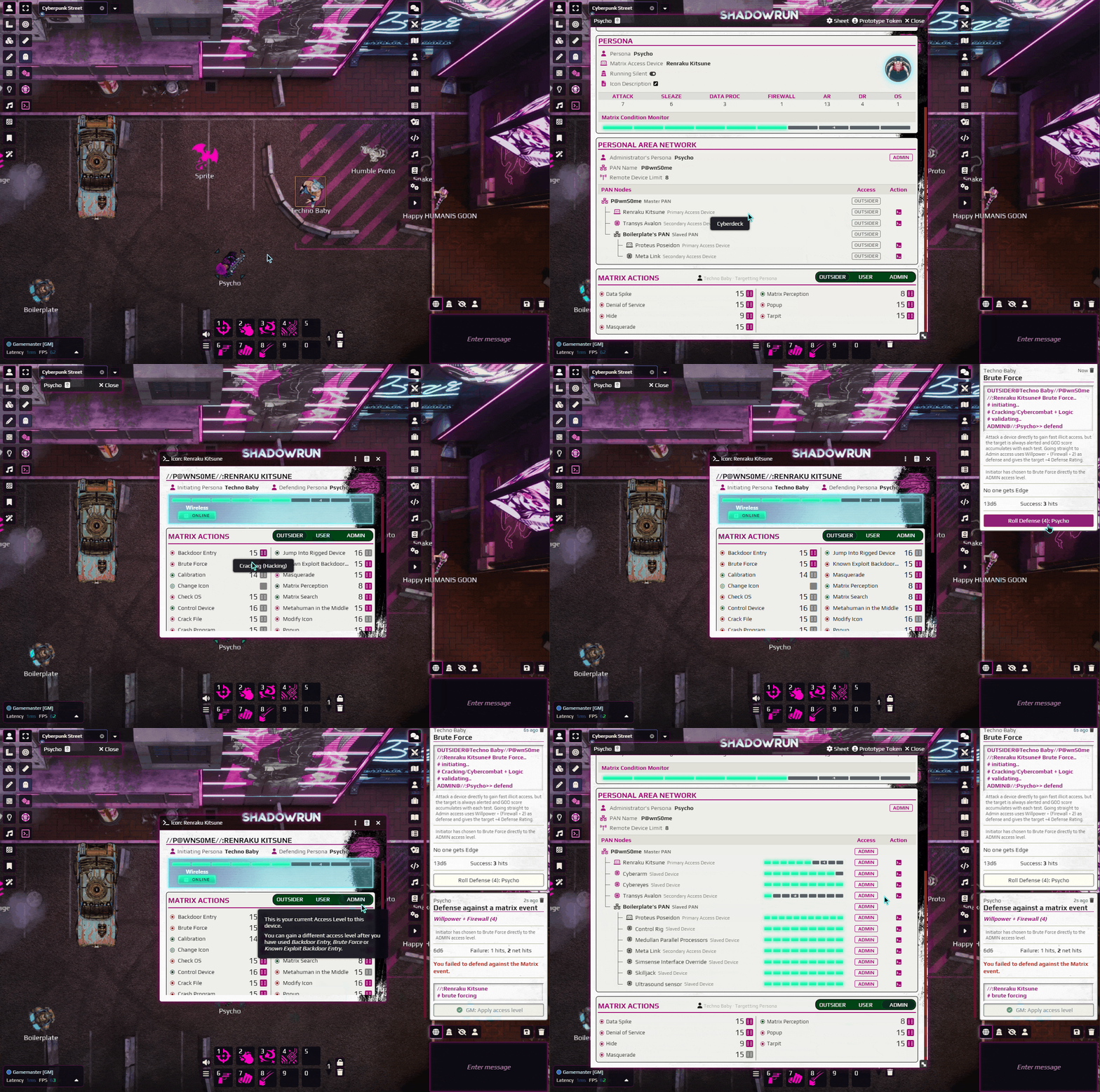
Players can open enemy Read-Only sheets on the canvas, which they can see the PAN of from their target. Access Levels are automatically taken into account. They can use Matrix Actions like
Backdoor EntryandBrute Forceto change their Access Level relation to their enemy so they can use Matrix Actions that are only usable withUSERorADMINaccess. Don't forget to target your opponents Primary Access Device specifically! As your access level to that device determines your access level to the whole PAN.
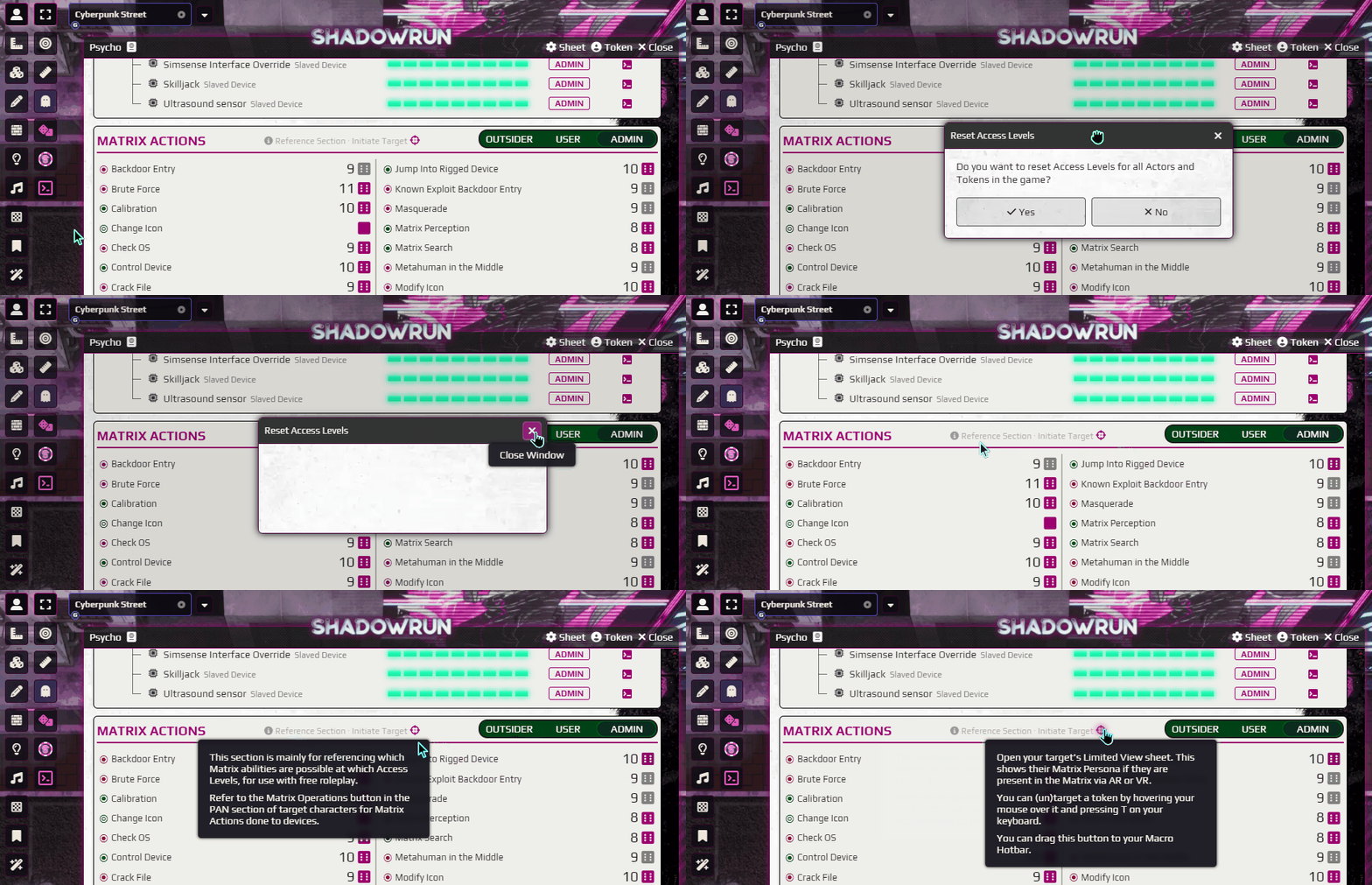
Players can reset their own Access Levels with the
Jack Out,Reboot DeviceandRelinquish AccessMatrix Actions. GM's can reset Access Levels globally via a new button in the top left. Also, since GM's have access to all Actors, they wouldn't be able to open "Read-Only" sheets. To facilitate Matrix interactivity for GM's (or Players that like hotbar Macro's), there's anInitiate Targetbutton that you can find in the Matrix Actions reference section. You can drag this to your Macro hotbar. Target (T) the target token, while you have the initiators token selected. Then press the macro to initiate Matrix operations from the selected token to the target.
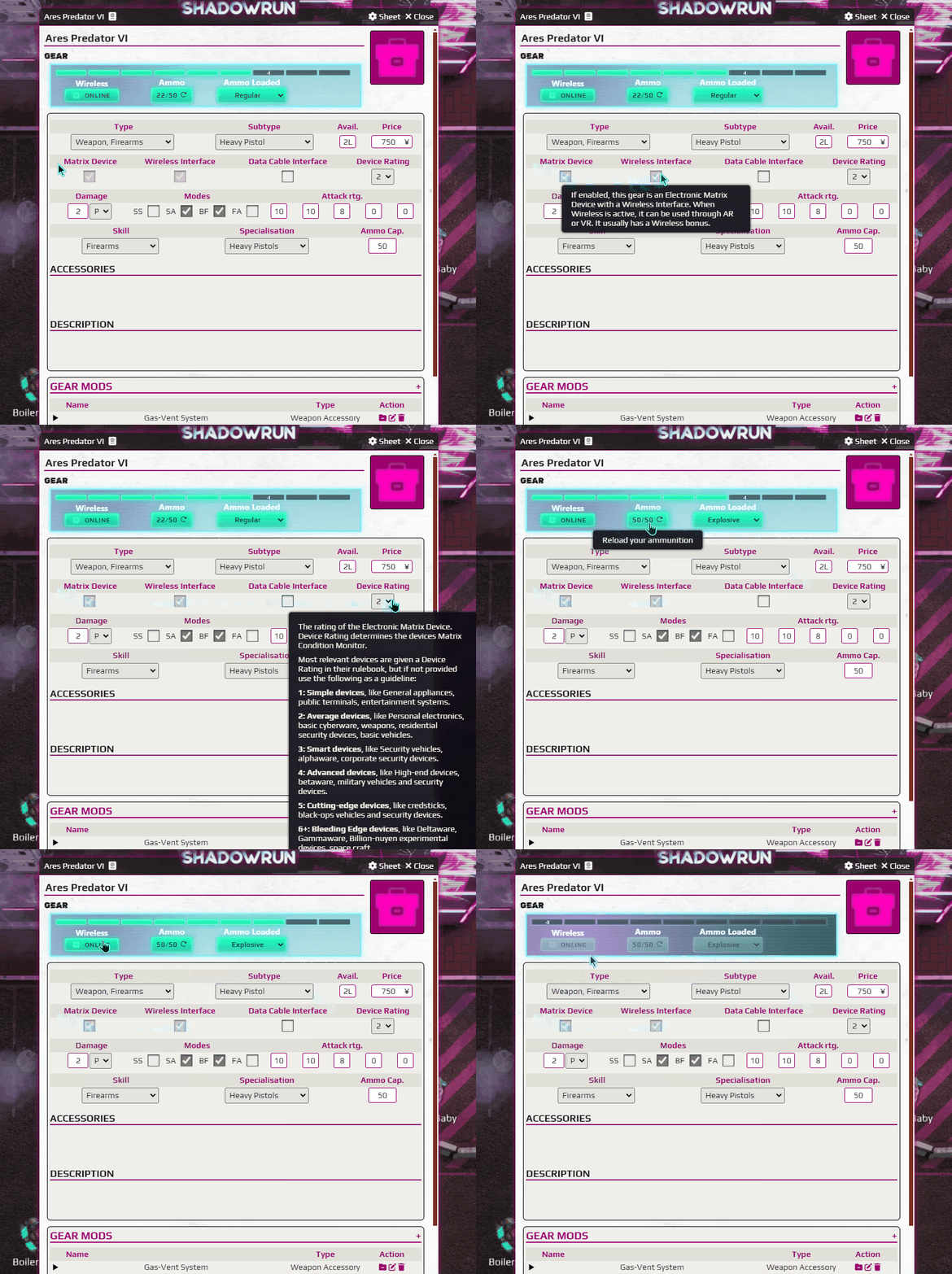
Electronic devices now have Matrix statistics! And if they are online on the Matrix, they will be represented in your PAN and attached by enemy deckers and spiders. And if your gun's Matrix Condition Monitor has a penalty, this is substracted from your pool when shooting with it. Deckers! Have fun targeting your enemies guns with
Data Spike! You can always use this as you don't need any access butOUTSIDER.
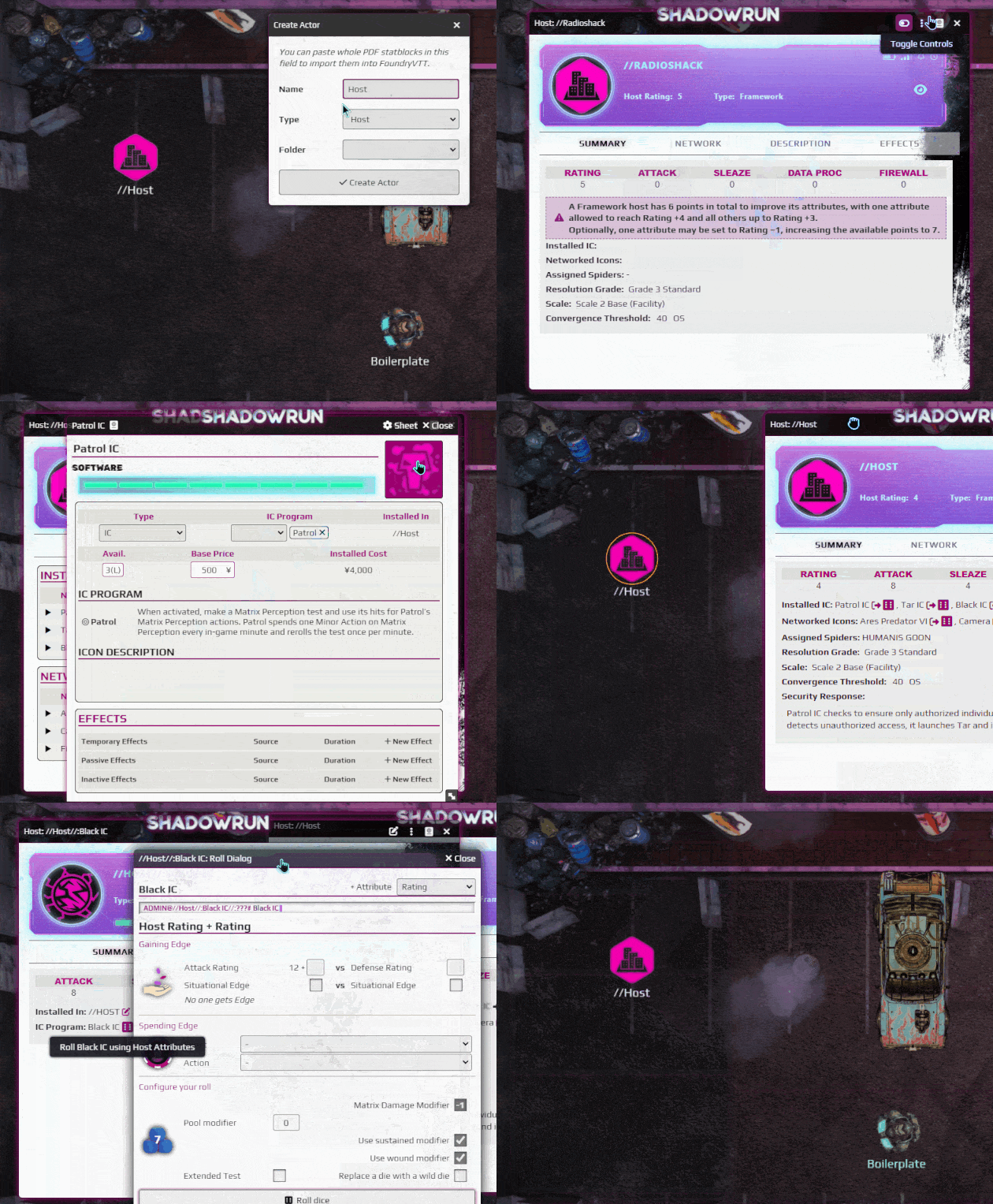
Hosts and IC are their own Actor types you can drag on the canvas. They are of course targetable by Matrix Actions. Your Access Level towards the Host determines your access level to all its IC and devices.
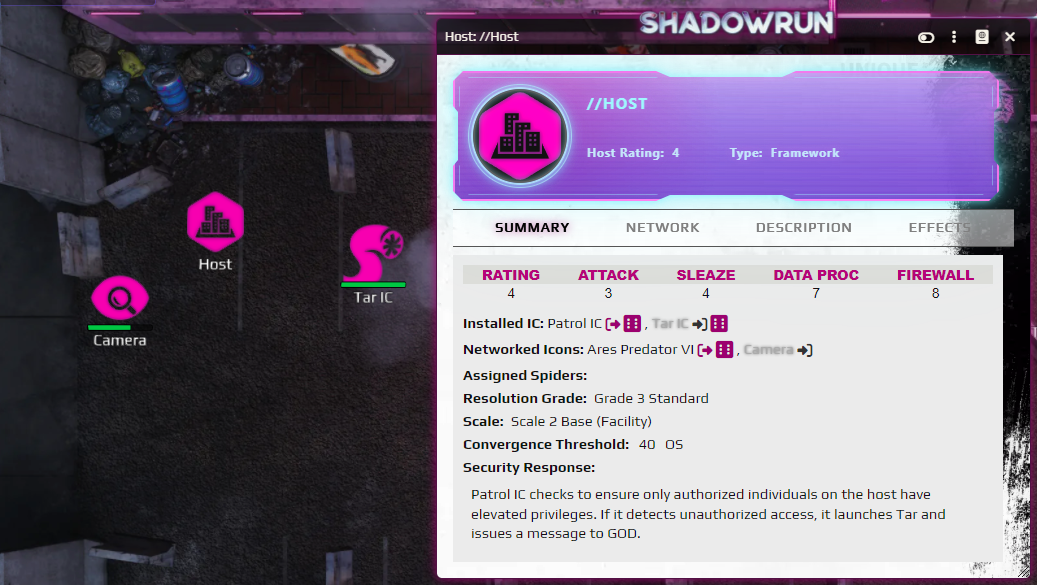
Hosts have handy helpers for their ASDF stats depending on what type they are. And they can also deploy their Matrix Devices onto the canvas! And don't forget to assign a Spider using the
Assign to Spider Dutyeffect that you can drag onto a characters Sheet or Token.