Waymarks
Quickly place persistent notes anywhere on your scenes.
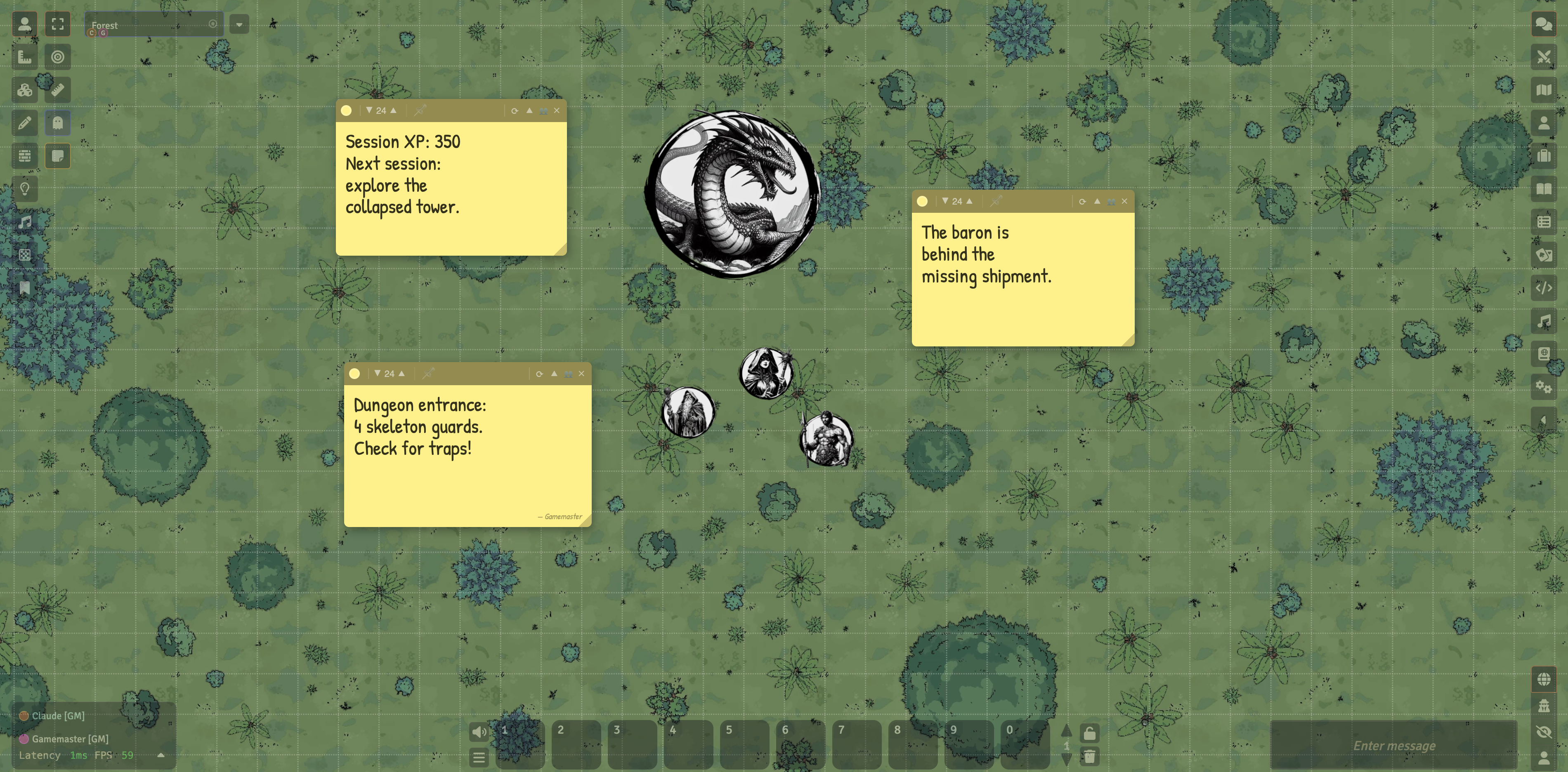
Features
| 12 Themes | Sticky Note, Index Card, Chalkboard, Terminal, Neon, Classified, Tavern Notice, Stone Tablet, Shadowdark, Daggerheart Teal / Gold / Despair |
| Resizable | Drag the bottom-right handle to any size |
| Scene Pinning | Pin a note to a scene so it only appears there, or leave it universal |
| Titles | Optional label shown on the header bar — stays visible when collapsed |
| Permissions | Per-note: None / Can View / Can Edit — set per player |
| Player Creation | Optional: let players create their own Waymarks (GM online required) |
| Author Badge | Notes from other users show a subtle — Name signature |
| Send to GM | Players can send their private note to the GM |
| Collapsible | Collapse any note to its header bar to save screen space |
| Persistent Layout | Position and size saved per-client in localStorage |
| Macro API | Full JS API for macros and module integration |
Installation
Foundry Package Manager
Search for Waymarks in the Add-on Modules browser, or paste the manifest URL directly:
https://github.com/MrJamela/waymarks/releases/latest/download/module.jsonManual
1. Download the latest release
2. Extract into your Foundry Data/modules/ folder
3. Enable the module in your world's Manage Modules screen
Usage
Creating a Note
Click the sticky note icon in the left scene controls toolbar.
A new note appears at the centre of your view. Drag the header to move it, drag the bottom-right corner to resize.
Note Controls

| Button | Action |
|---|---|
| ● Colour dot | Change note colour |
| ▼ 24 ▲ | Decrease / increase font size |
| 📌 Pin | Pin note to current scene (or unpin to make universal) |
| ↻ Theme | Open the Theme Picker |
| ▲ Collapse | Collapse note to header bar — title shows if set |
| 👥 Permissions | Open ownership dialog (GM only) |
| ✕ Delete | Permanently delete (GM) or dismiss for session (player) |
Choosing a Theme
Click the ↻ theme icon on any note to open the Theme Picker. Choose from 12 themes — each shows a live preview. Adjust colours and font, then hit Apply.
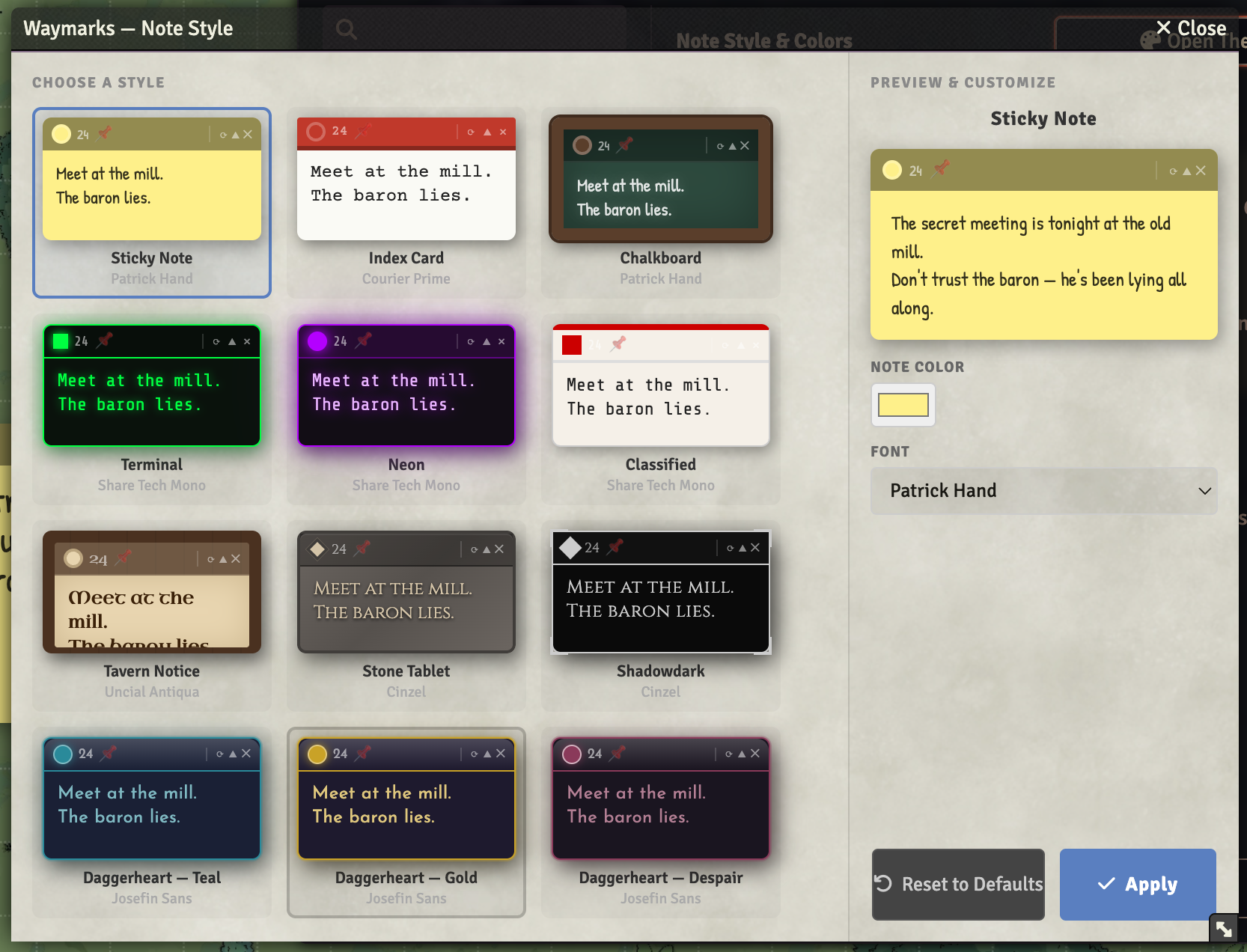
The selected theme applies globally to all Waymarks in your world.
Player Permissions
GMs can control what players can do via Module Settings → Waymarks:
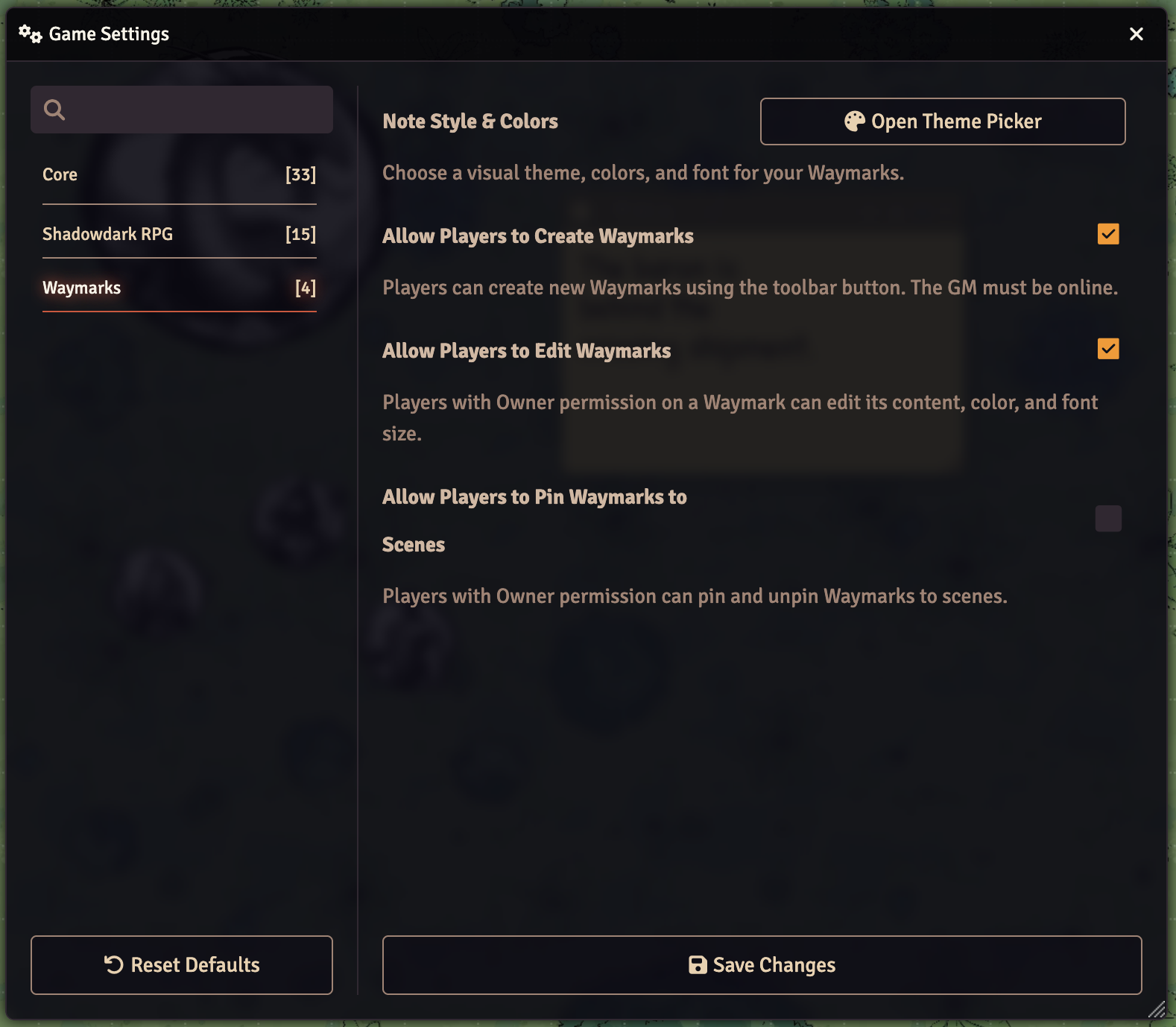
| Setting | Effect |
|---|---|
| Allow Players to Create | Players see the toolbar button and can create notes (relayed via the GM client) |
| Allow Players to Edit | Players with Owner access can edit content, colour, and font size |
| Allow Players to Pin | Players with Owner access can pin/unpin their notes |
Per-Note Access Control
Click the 👥 button on any note to set per-user access:
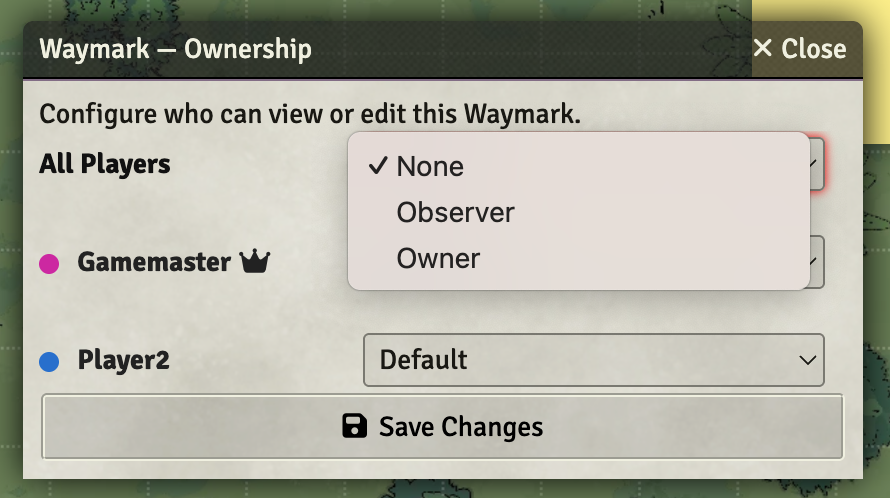
Changes apply immediately to all connected clients.
Macro API
Accessible from macros as game.modules.get("waymarks").api
// Create a note
await api.createNote({ x: 400, y: 300, content: "Meet at the mill." });

// Update a note
await api.updateNote("noteId", { content: "Updated!" });

// Delete a note
await api.deleteNote("noteId");

// Open permissions dialog
api.openPermissions("noteId");

// Refresh all notes on screen
api.refresh();

// Get all currently visible notes
const notes = api.getNotes();
Compatibility
| Foundry Version | Status |
|---|---|
| v13 | ✓ Verified |
| v12 | ✗ Not supported |
Roadmap
- Per-note theme override
- Snap to grid
- Minimize all button
- Player dismiss persists across reloads