This is a Rerelease of the StoryTeller 2 module of jfrazier (https://github.com/jfrazierjr/storyteller2) which was a Rerelease of the original StoryTeller module written by Xbozon (https://github.com/Xbozon/storyteller).
Things done in this Rerelease:
- Fixing pages being transparent
- Fixing pages being misaligned with the actual book
Things I'd love to implement in a future release:
- New more immersive page controls
- Themes including demonic book themes
- Automatic Page splitting
- An e-book importer that allows importing non-copyrighted books
- Fixing the go-to chapter button
- Adding CSS Filter overlay for images
StoryTeller X for Foundry VTT
A small modification that allows you to present the story in the game as an open book. Inspired by the storyteller from Pathfinder: Kingmaker.
This mod is an update to the original Storyteller mod by Xbozon (https://github.com/Xbozon/storyteller). I have changed some of the functionality to fit my own needs as well as to correct a few bugs.
How it looks
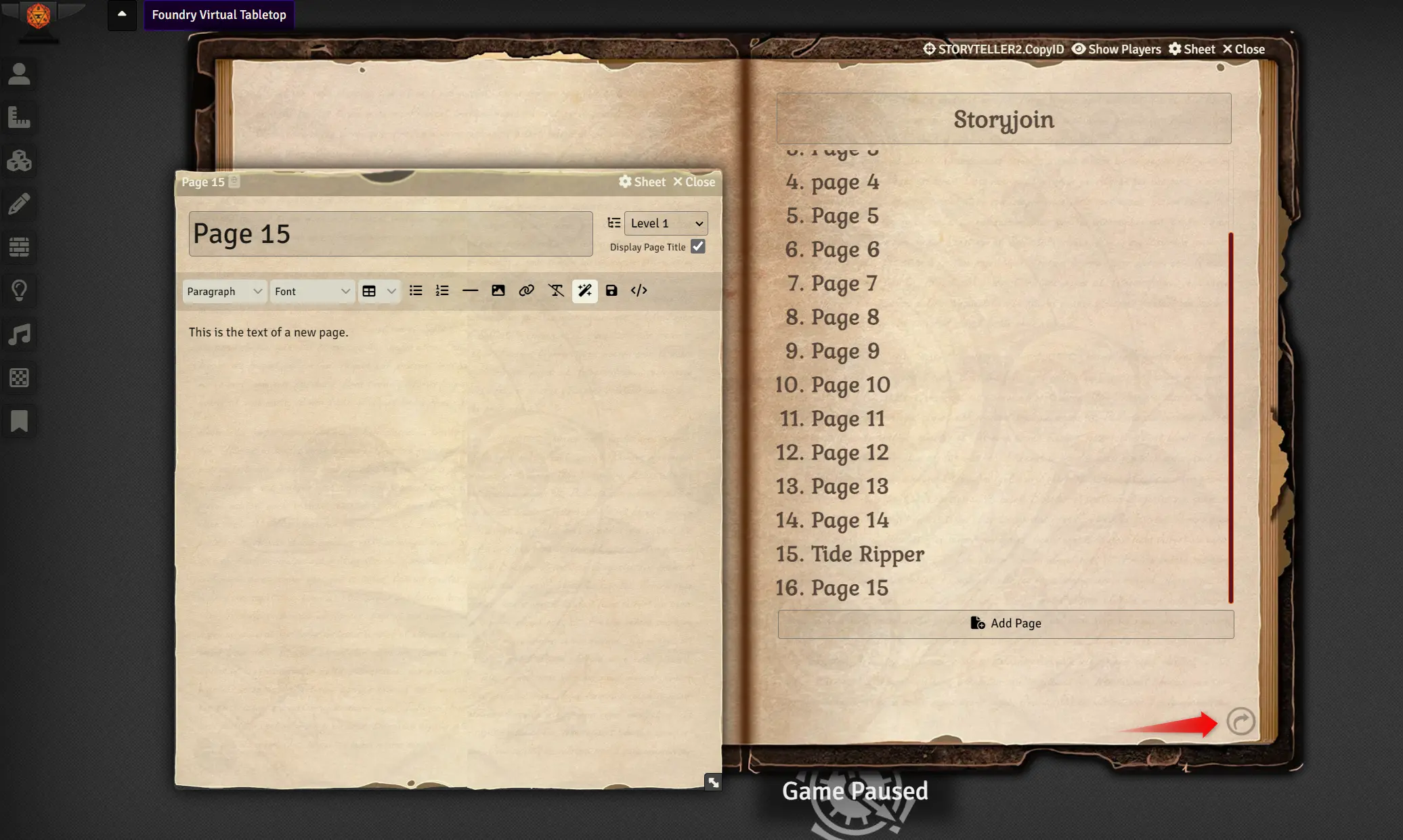
Each Journal Page can be selected by clicking on the page from the Table of Contents index.
Additionally, you may use the page navigation icons in the lower left or right hand corners as well as utilize the left or right arrow keys on your keyboard (editable via the core keybindings within foundry.)
There are currently 2 settings.
How it works
NOTE While you certainly CAN add a pdf page, I would not recommend it. It just does not look all that great IMHO. Also, if you add a video, I would suggest NOT setting it to play automatically. As part of creating the pages, ALL pages are loaded at once, so this would play your video every time you open the Journal even it's on a page deep within the book.
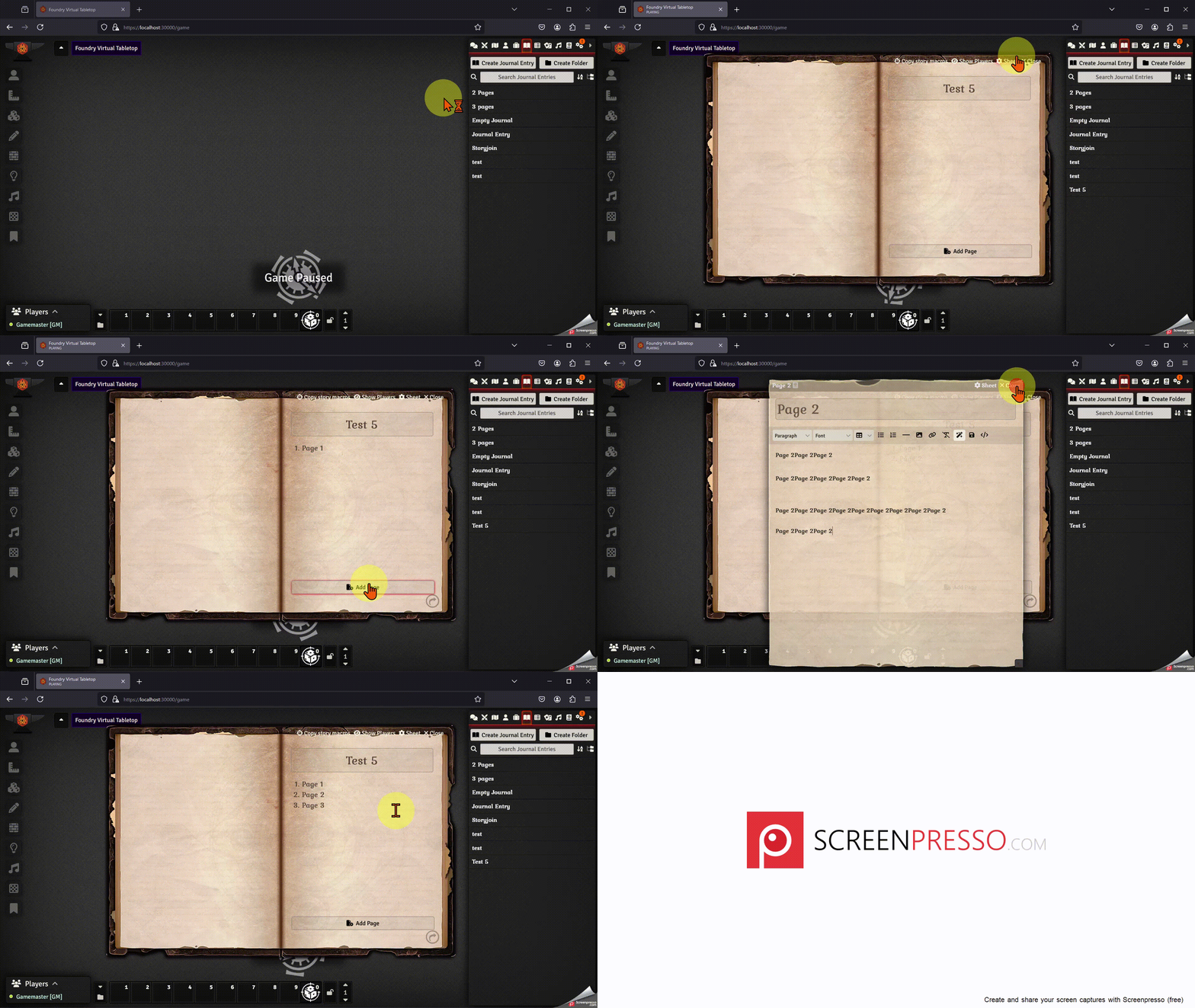
- Click "Create Journal Entry" as you normally would
- Enter a name for your Journal
- Edit the sheet type via the Sheet button in the top right corner and select Story Sheet.
- Add Page(s)
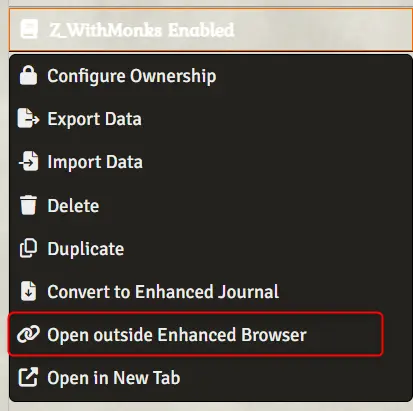
NOTE: If you are using Monk's Enhanced Journal, there is extra work required as the Sheet button does not show up automatically!
- Create a new Journal of type Adventure Book -> Text, Image, PDF, or Video as normal.
- Right click on the newly created journal in either Monk's Enhanced Journal OR the default Journal nav page.
- Click "Open Outside Enhanced Browser"
This will open the "default" Journal Entry pages just like what would happen if Monk's Enhanced Journal is NOT installed. From there, select the Sheet type Story Sheet as you would normally. The initial entry created by Monk's Enhanced Journal will NOT be navigable via the Table of Contents page until you add at LEAST one additional page.
You may also convert an existing Journal into a Story Sheet, but keep in mind that the default styling assumes that all pages are flat and at level 1. In fact, when adding a page from the Story Sheet interface, I have removed both the Level and the Do not Show heading buttons on the top right corner of the Editor.
Settings
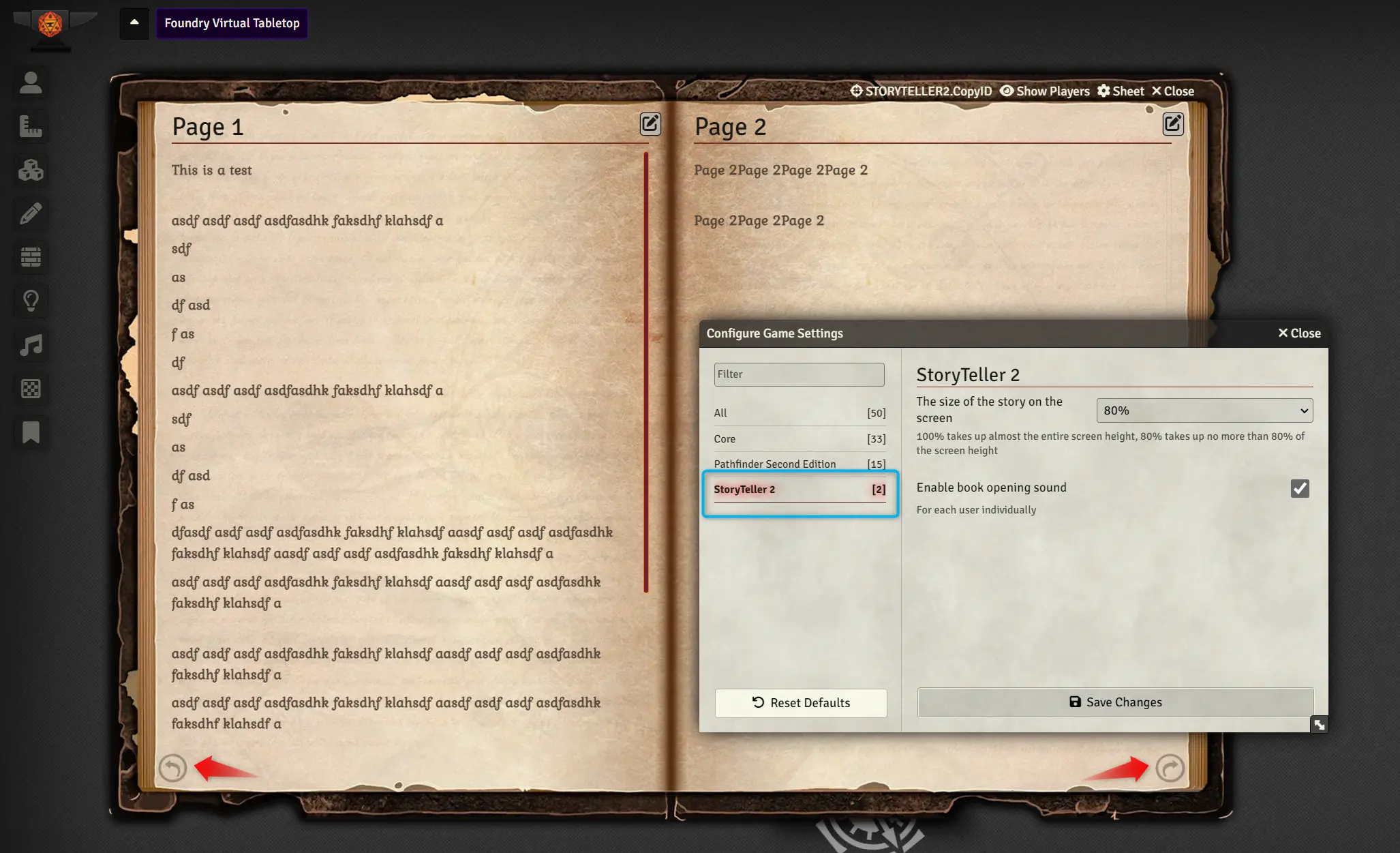
There are currently two settings (both are scoped to the client NOT the world):
1. The size of the Story on the screen. Defaults to 80%.
2. Enable book opening sound.
Bugs
Almost certainly there are some. I even know of a few and "hope" to be able to fix them.
Additional Information
If you used the original version of this mod, you will notice that you cannot drag the pages to turn. Nor can you click the pages to turn. This is on purpose. I might be able to bring this back at some point as an option, but for now its turned off. This issue with both of these is that it made it very hard to click on the edit page icon and the original mod failed to allow use of the Table of Contents as links past four entries.
I also plan to bring single page sheets similar to Storyteller-addon-singlesheet in the future.
Possible future ideas:
- Setting for a list of possible font styles and possibly default sizes.
- Some additional sheets (I have a parchment page that is about half way completed).
Technical Details
The original mod used a library named turn.js. I had to abandon that since the implementation was completely minimized javascript and it was 12 years old. I then utilized StPageFlip by Nodlik, making a number of changes and incorporating bug fixes from other users plus my own.