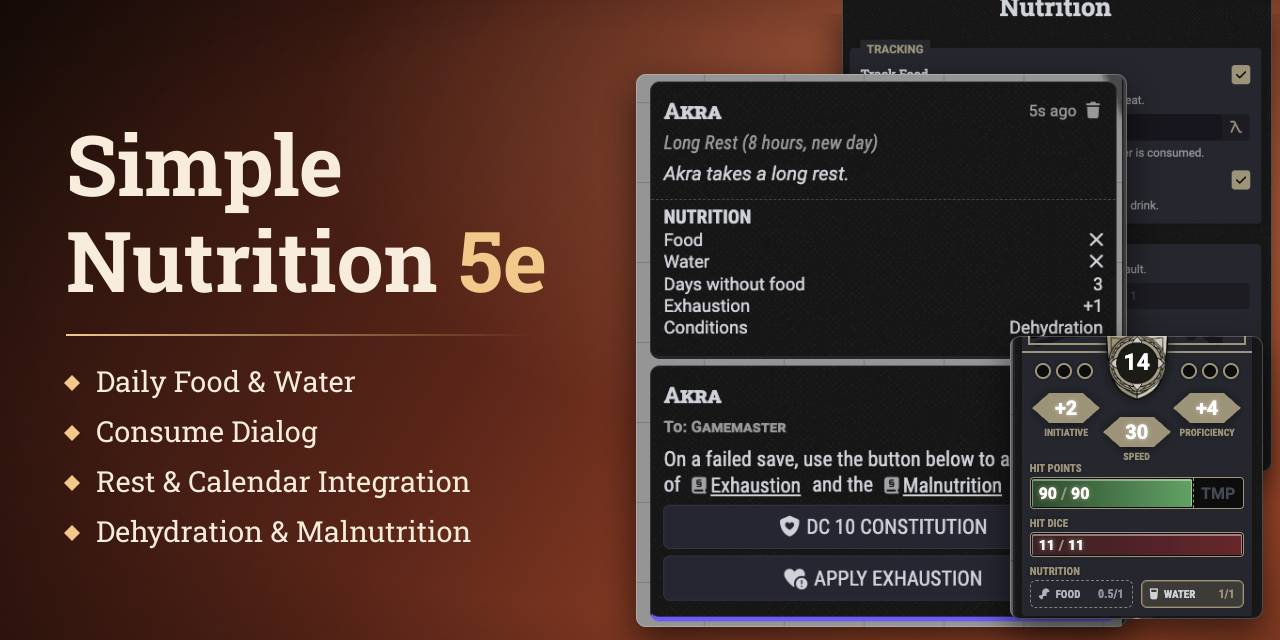


Simple Nutrition 5e tracks daily food and water for dnd5e characters and applies the rest consequences of dehydration and malnutrition.
Every character gets a Nutrition tracker on the character sheet. Players record what their character eats and drinks, and the module checks each day's totals on a long rest or at the next calendar midnight.
Both the 2024 and the Legacy (2014) rules are supported. The module picks the ruleset from dnd5e's rules version.
Getting Started
Open a character sheet. The Nutrition tracker sits below the meters, with one button for Food and one for Water. Click a button to record what the character ate or drank today.
Daily requirements follow the character's size. A Medium character needs 1 lb of food and 1 gallon of water a day. Weights and volumes follow the dnd5e display settings, so a metric world sees kilograms and liters.
Tracking
Food and water are tracked per character and per day.
- Progress. Each button shows how much of today's requirement is met. Its tooltip lists the amount consumed and the amount required.
- Tidy 5e Sheets. Tidy 5e shows compact Food and Water buttons in the sheet header.
- Configuration. In sheet edit mode, a cog button next to the tracker opens the Nutrition configuration.
- Track Food and Track Water. Each can be switched off per character, for creatures that need no food or no water. The matching button then shows N/A and stays disabled.
- Overrides. Food per Day, Water per Day, Days Without Food, and Save DC replace the defaults for one character. Days Without Food, called Safe Days Without Food under the Legacy rules, and Save DC accept formulas, such as 3 + @abilities.con.mod. A blank field keeps the default.
- Defaults. Amounts follow the character's size. The 2024 rules allow 5 days without food, the Legacy rules 3 days plus the Constitution modifier, at least 1. The Save DC is 10 under the 2024 rules and 15 under the Legacy rules.
Daily tracking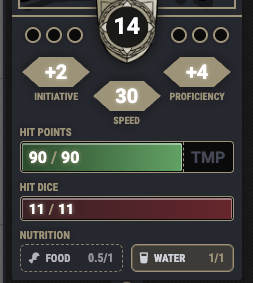 |
Nutrition configuration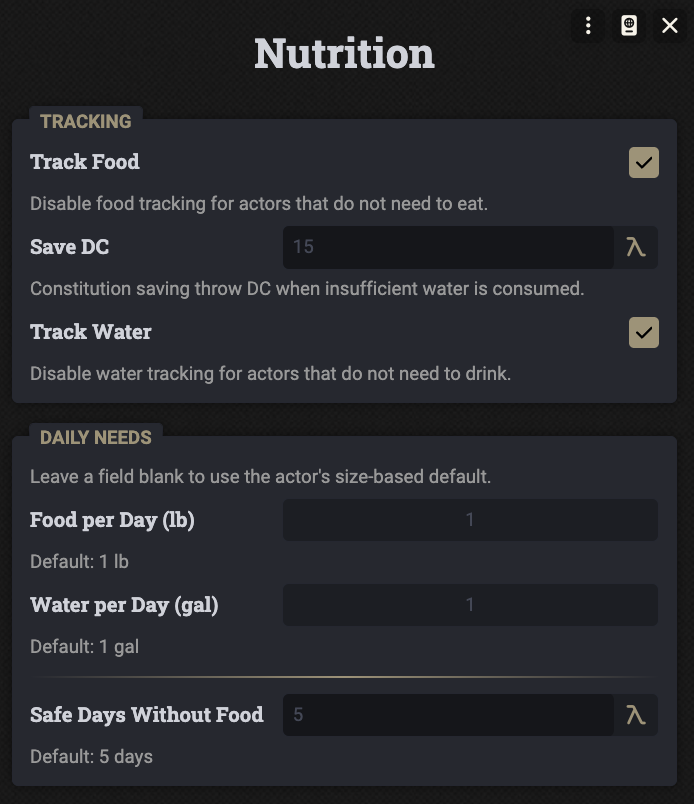 |
Consuming
Click Food or Water on the tracker to open the Consume Food or Drink Water dialog.
- Required and Selected. The dialog shows the day's requirement and the amount picked so far. For food, it also shows the Days without food counter once it is above 0.
- Items. The character's matching consumables are listed with an Owned count and a stepper each. Food counts by the item's weight. Water counts one pint per item. A water pint only counts while it sits in a Waterskin, while fresh water pints count anywhere in the inventory.
- Magical berries. They count as a full day's food.
- Add Consumable. Drag a consumable from the character's inventory into the dialog to add it to the list.
- Fresh Water Source Available. Drinks from a fresh water source without spending carried water and fills the day's water requirement.
- Free Food Source Available. Eats without spending items, such as a tavern meal, and fills the day's food requirement.
- Consume. Subtracts the picked quantities from the inventory and adds the amount to today's total.
- Manage Food and Manage Water. Once food or water is recorded today, the button opens a choice instead. Consume More adds to today's total, and Clear Food or Clear Water resets it. Clearing brings back a Dehydration or Malnutrition condition that the intake had removed.
Consume dialog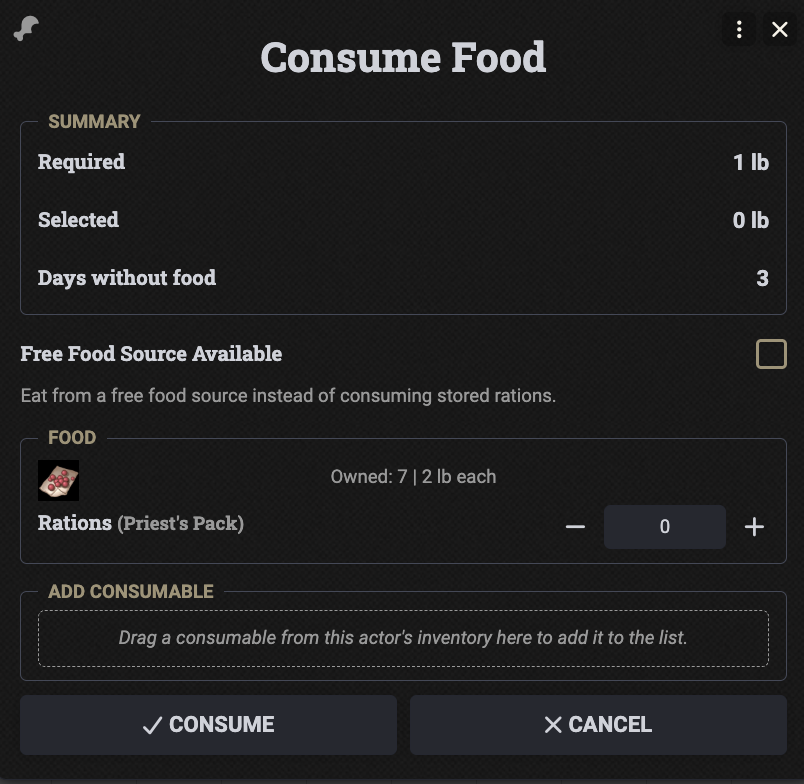 |
Item Usage
Using a food item can record its nutrition without opening the Consume dialog.
- Counts As. The usage dialog of a Food consumable gains a Nutrition group with a Counts As choice: Food, Water, Food and Water, or None. Rations and magical berries are preselected as Food, water items as Water, and everything else as None.
- Recording. After the usage, the item adds to today's total just like in the Consume dialog, capped at the day's requirement. The choice only appears when the usage consumes a resource.
- Tracking. Only the types tracked for the character are offered. The group stays hidden when neither type is tracked.
- Refund. Refunding the usage from its chat card removes the recorded amount again, and consuming it again adds it back.
- Turning it off. The Disable Activity Dialog Integration setting removes the choice, see Settings.
Group Sheet
The Group sheet shows the tracker next to each member you own and gives the GM a shortcut for shared food and water.
- Member entries. Each character you own shows a Food and a Water entry in its member row, with today's progress. A type that is not tracked shows a dash. Click an entry to open the same dialog as the tracker on the character sheet.
- Free food and water. The GM gets a button in the group header. It opens a dialog with Free Food Source Available and Fresh Water Source Available. Each selected option fills the day's requirement of every group character that tracks it and does not have it met yet.
- Turning it off. The Disable Group Sheet Integration setting hides both, see Settings.
Group sheet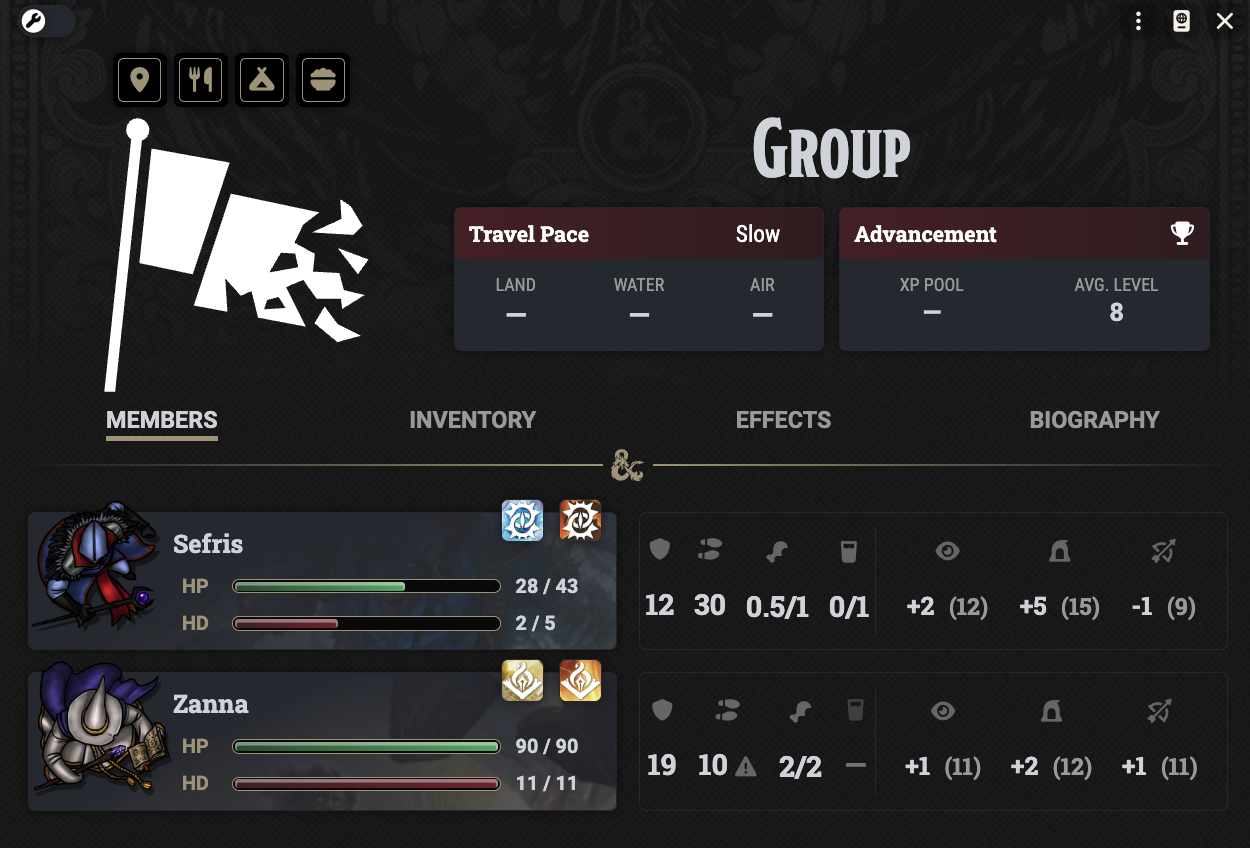 |
Rest & Calendar
Nutrition is checked once per day. When that happens depends on the Calendar Mode setting, see Settings.
Day Check
- Long rest. Without a calendar source, a long rest that starts a new day checks the day. Exhaustion is added to the rest result, and the rest chat card gains a nutrition summary.
- Calendar. With a calendar source, every in-game midnight checks the day instead, and a long rest no longer does. The active GM's client does the work and whispers the summary to the character's owners.
- Characters. The primary party's characters are checked when a primary party is set, otherwise every character is.
- Time jumps. Jumping across several midnights at once counts as one day.
2024 Rules
- Water. Drinking less than half of the requirement applies 1 level of Exhaustion automatically, along with the Dehydration condition.
- Food. Eating less than half calls for a Constitution saving throw. Days without any food are counted. On the day the count reaches Days Without Food, 5 by default, 1 level of Exhaustion applies automatically along with the Malnutrition condition, and the save is skipped.
- Half or more. Eating or drinking at least half of the requirement has no effect of its own.
Legacy Rules
- Food. A day with less than half of the food adds 1 to Days without food, a day with at least half but not all adds 0.5, and a full day resets it to 0. Each day the counter is above Safe Days Without Food applies 1 level of Exhaustion automatically.
- Water. Drinking less than half applies Exhaustion automatically, 2 levels instead of 1 if the character is already exhausted. Drinking at least half but not all calls for a Constitution saving throw, and a failed save deals the same 1 or 2 levels.
- Recovery. Exhaustion that a shortfall caused cannot be removed by a long rest until both food and water have been met in full for a day. This holds in calendar mode as well.
Saving Throws & Summary
- Saving throw. A chat card with a Constitution saving throw button and an Apply Exhaustion button goes to the character's owners. The roll button shows the pass or fail result, and it always rolls for the character the request is for.
- Apply Exhaustion. After a failed save, applies the Exhaustion levels and, under the 2024 rules, the Malnutrition condition. Under the Legacy rules it also blocks Exhaustion recovery.
- Summary. Lists the missed requirements, Days without food, Exhaustion +N, and the conditions. It sits on the rest card in long rest mode and is its own chat message in calendar mode. It is skipped when both requirements are met.
Long rest mode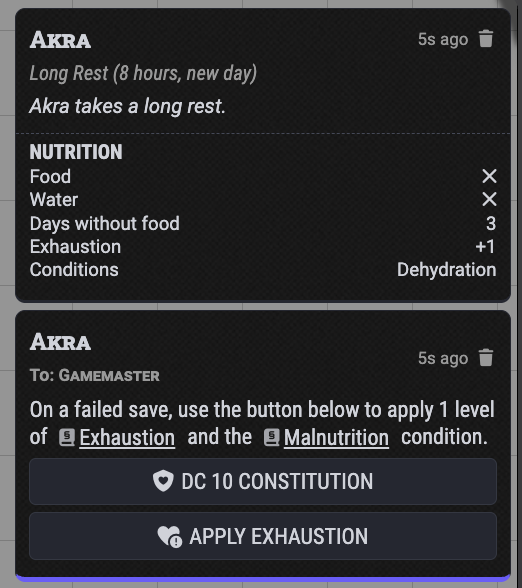 |
Calendar mode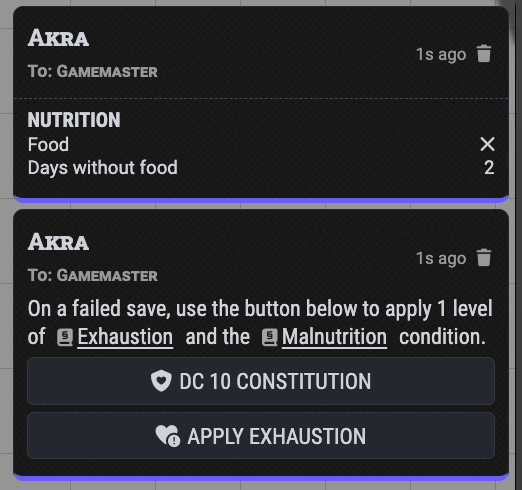 |
Conditions
- 2024 rules. The Dehydration and Malnutrition conditions stand for blocked Exhaustion recovery. While one applies, dnd5e keeps a rest from reducing Exhaustion. The condition is removed as soon as the character records the full daily requirement of its type.
- Legacy rules. There are no matching conditions. The module blocks the Exhaustion recovery itself, see Legacy Rules.
- Tracking off. Conditions of a type that is not tracked are left alone, so manually set ones stay.
- Existing Exhaustion. The module only adds Exhaustion. Removing it follows the normal dnd5e workflow.
Settings
Three world settings are available in the module settings.
- Calendar Mode. Chooses whether nutrition is checked once per calendar midnight or on a long rest that starts a new day. Default (Auto-Detect) treats Calendaria, Ember, or dnd5e's Daily Recovery Mode set to Calendar Recovery, which needs dnd5e 6.0 or later, as a calendar source. It switches to calendar mode as soon as one is present. Set it to Always On or Always Off to decide by hand.
- Disable Group Sheet Integration. Hides the nutrition tracker on the member entries of the Group sheet and the free food and water button in its header. It is off by default.
- Disable Activity Dialog Integration. Hides the Nutrition choice in the usage dialog of food items. It is off by default.
Credits & License
- License. Released under the MIT License.
- Font. The banner uses Roboto Slab under the Apache License 2.0.