RPGM Forge
RPGM Forge: AI-Augmented Prep & Play for Foundry VTT
RPGM Forge is built for the moments when the table is waiting on you. Name new arrivals, generate lore on demand, and turn rough ideas into structured homebrew without leaving Foundry or breaking session momentum.
Less tab switching. Less improvisation panic. More useful output in seconds.
From encounter setup to finished lore
Forge is designed around the way GMs actually work during prep and play: drag tokens in, click from the HUD when you need a fast result, or use chat commands when your hands are already on the keyboard.
|
Need a fast answer in chat? |
Already focused on a token? |
|
Populating a fresh encounter? |
|
Name the scene fast
Start with speed, then refine only where it matters. Forge can use the selected token as context, generate multiple candidates at once, and keep the previous name in the rotation so iteration stays quick instead of annoying.
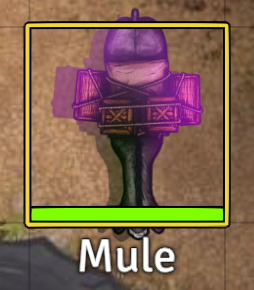
Step 1: Drop in a token that still has a placeholder or generic name. |
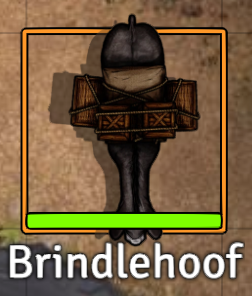
Step 2: Give it an in-world name that feels ready for play. |
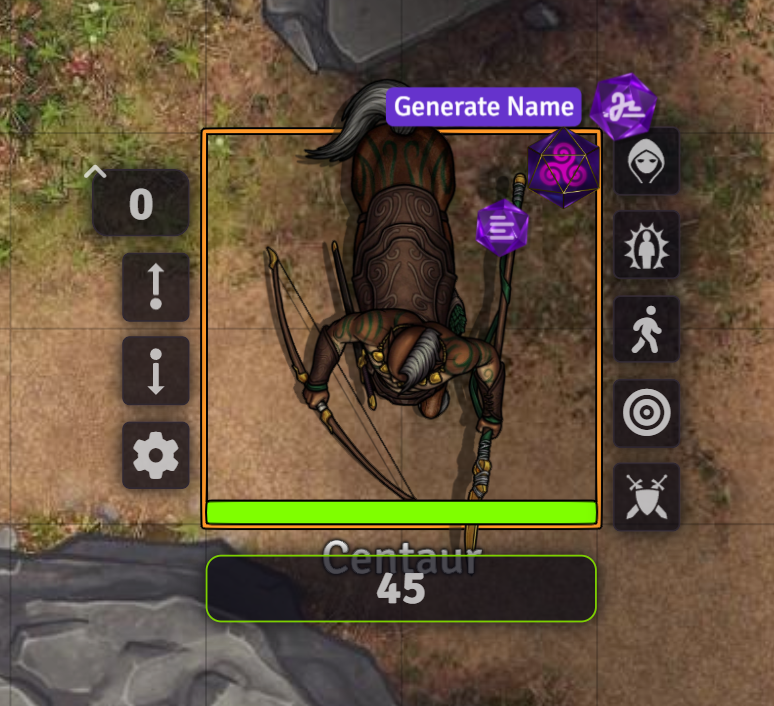
Step 3: Open the Crystal Menu when you want better options on demand. |
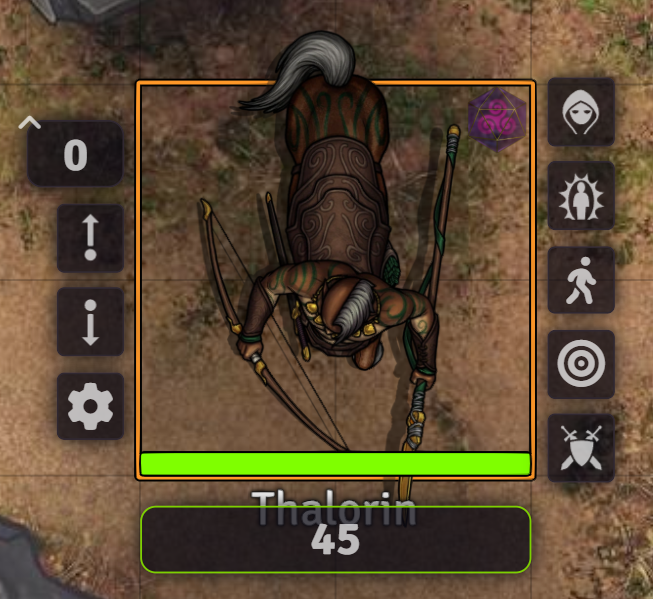
Step 4: Refresh again until the result fits the tone of the encounter. |
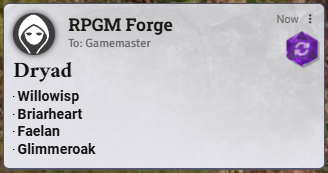
Use *name in chat to get four themed candidates in a private GM card. Click one to apply it instantly, keep the old name available for comparison, and move on without stalling the table over a minor NPC.
Add flavor when the players ask the unexpected question
Once a token has a name, Forge helps you answer the next question fast: "What does it look like?" Generate system-agnostic descriptions for creatures, NPCs, locations, and scenes, then read them aloud, copy them, or save them to a journal.
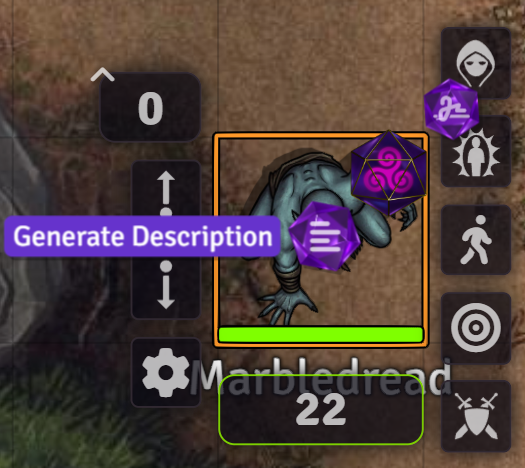
Start from the token. Trigger a description from the HUD when you want instant context-aware flavor. |

Get ready-to-use text. Deliver lore in chat, then reuse it in notes or journals if it becomes canon. |
Use *description with a selected token for quick table-side flavor, or provide your own subject when you want to prep a place, creature, or idea before it ever hits the map.
Build deeper content without opening another tool
When a quick answer turns into a bigger idea, Forge can step up from snippets to structure. The guided homebrew workflow helps you move from a vague concept to something organized enough to keep, refine, and reuse.
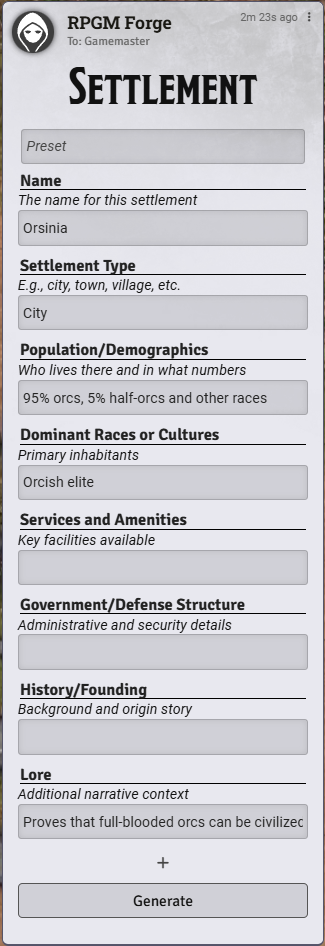
Shape the idea. Start from a preset or fill in the form with exactly the details you care about. |
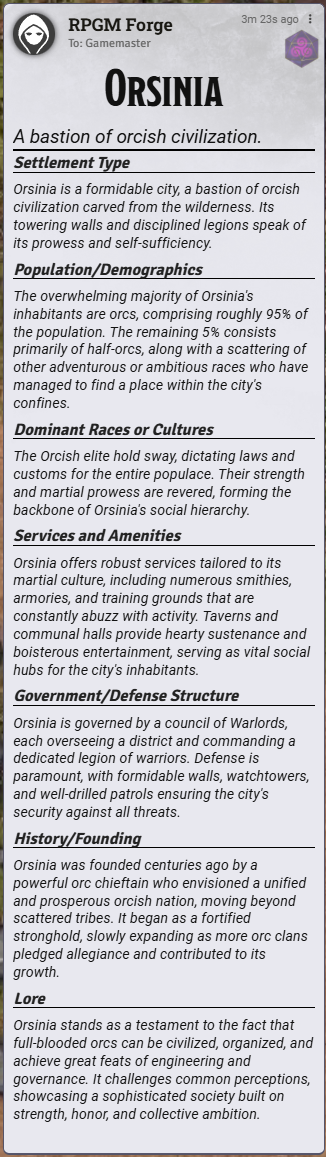
Keep the result. Review the generated output, then copy it or save it into a journal for future sessions. |
Use *homebrew to launch the wizard, explore a random preset, or scaffold a specific item, settlement, creature, or concept. It is a practical bridge between improvisation and prep.
Stay in flow with chat commands
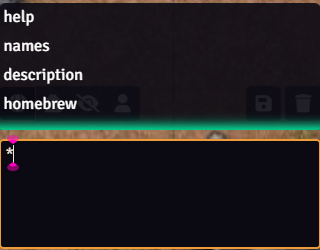
Every core feature is available through autocomplete-enabled chat commands, so keyboard-driven GMs never need to stop and hunt through menus. Omit the subject to use the selected token, or provide your own text when you want full control.
*name | *description <subject> | *homebrew | *help
Privacy and data
Offline and Adjective Names do not require AI. Descriptions and Homebrew use a hosted AI provider.
Names can also use different provider modes, including hosted AI, curated offline options, and adjective-style generation, so you can tune the balance between speed, style, and connectivity for your table.
rpgm.tools • Discord • GitHub
Changelog
v2.3.3
Fixed
- Fixed hosted account sign-in from Foundry so the account handoff works reliably on remote Foundry hosts instead of depending on local-only assumptions.
- Fixed the browser return flow after sign-in so Foundry can complete the hosted account reconnect cleanly without leaving the session in a half-connected state.
- Fixed hosted generation requests after account sign-in by routing the active Foundry session through the same delegated account handoff used for the authenticated account flow.
v2.3.2
Fixed
- Restored the Foundry build and release lane to source the shared logger surface from
RPGM-Tools/rpgmand the legacy Forge compatibility seam fromRPGM-Tools/rpgm-tools-forgeinstead of relying on an accidental local shim. - Updated the release workflow to check out the target-state sibling repos before building so tagged releases can succeed on GitHub Actions without depending on a lucky local workspace layout.
Improved
- Made Foundry account-session refresh more resilient by retrying known account-center bases before giving up, which helps official generations and account summaries recover when the browser session is still valid but the stored snapshot token has gone stale.
- When silent refresh still cannot recover an expired snapshot token, Forge now keeps the session in an unavailable state instead of immediately pretending you are fully signed out.
v2.3.1
Fixed
- Fixed chat wizard persistence so description, names, and homebrew cards reload with their existing contents for the user who created them instead of coming back empty after a refresh or world reload.
- Fixed description regeneration so the existing card text stays visible while a new result is in flight instead of blanking the card during the request.
- Fixed the Foundry managed-generation bridge to silently refresh an expired RPGM Tools account-session snapshot when your browser session is still valid, reducing repeated sign-in prompts and clearing the stale-token failure that blocked some official
2.3.0generations.
Improved
- Tightened the account-session recovery path so Forge usage and account summary refreshes recover more gracefully from an outdated snapshot token before treating the Foundry session as signed out.
v2.3.0
Added
- Added a browser-return account bridge so Foundry can hand off to your hosted RPGM Tools account, reconnect from an already-signed-in browser session, and return to the VTT without making you retype credentials inside Foundry.
- Added a Foundry account summary that shows your connected RPGM Tools account status, visible membership state, and managed Forge usage readiness in one place.
- Added a session-local disconnect action so you can clear Foundry's connected RPGM account for the current world session without signing out of the public web account.
Improved
- Moved Forge account management onto the hosted
rpgm.toolsaccount center instead of keeping inline sign-in, sign-up, password reset, and provider-linking UI inside the Foundry sidebar. - Kept password-based sign-in available through the hosted account flow, while making password resets the recommended path for returning users who last signed in through older module-only account handling.
- Smoothed the recommended account-connect path around Google, Discord, and Patreon so reconnecting an existing RPGM Tools account from the browser is faster and cleaner than re-entering credentials inside Foundry.
- Updated the account and Custom AI surfaces so account-aware guidance now follows your live connected RPGM Tools session more reliably.
- Improved the Foundry account summary so visible membership and managed-usage state refresh more reliably after reconnecting and after successful managed generations.
v2.2.0
Added
- Added official Foundry V14 support and updated the package metadata to advertise
Verified 14.
Improved
- Reworked chat command autocomplete and command execution to behave correctly across Foundry 12, 13, and 14.
- Updated the V14 chat path to use Foundry's supported ProseMirror APIs and native send flow instead of unsupported internals.
- Refreshed low-risk same-major dependencies used by the Foundry workspace to current compatible releases.
Fixed
- Corrected command suggestion selection so the leading
*stays in place and autocomplete does not append stray keystrokes. - Fixed V14 chat command submission so pressing
Enterexecutes commands cleanly without leaving blank lines behind in the chat input. - Corrected the notification styling class name so modern Foundry notification elements receive the intended RPGM styling.
v2.1.4
Fixed
- Resolved a regression that caused Foundry to throw
DataCloneErrorwhen other modules injected custom sidebar tabs. The RPGM tab now adjusts the registry in-place so third-party tabs remain intact.
Improved
- Ensured the RPGM sidebar button always anchors immediately before the Settings tab while preserving every other tab’s original order.
- Allow Archivist Sync and similar modules to toggle their own tabs without losing spacing or visibility during setup wizards.
v2.1.3
Fixed
- Addressed the packaging regression that made v2.1.2 installs unreliable for some Foundry instances.
Changed
- Kept the prompt variety improvements introduced in v2.1.2 while restamping the release as v2.1.3.
v2.1.2
Changed
- Updated prompts to provide more variation on generated names.
v2.1.1
Changed
- Forgot password option added.
v2.1.0
Added
- New Names provider:
rpgm-names-adjective(offline) – adjective + base subject naming. - Tooltips for Names provider selector (AI vs Offline vs Adjective vs Custom).
Changed
- Updated docs to reflect multiple offline-capable name modes.
v2.0.1
- Fixed buggy UI on certain input fields in Foundry
- Fixed being unable to generate the first time the world is loaded
- Fixed dice menu glitching when opening the context menu of a chat
v2.0.0
- RPGM Tools Sidebar Panel: A new sidebar panel has been added for quick access to membership, Forge settings, and user documentation
- Membership Management in Module: Create a free membership and manage your membership level directly in Foundry
- Supporter Membership Name: The $5/month supporter membership has been renamed from
AdventurertoCrafter - Add Your Own AI Providers: You can now add your own AI providers for use generating names, description, and homebrew! (Results are not guaranteed)