A shared board of who knows whom, for any game system. Put your characters and NPCs on it as portraits, draw curved, labelled, coloured lines between them, and arrange it together: every player can draw on a map they can see, and every change reaches the whole table at once.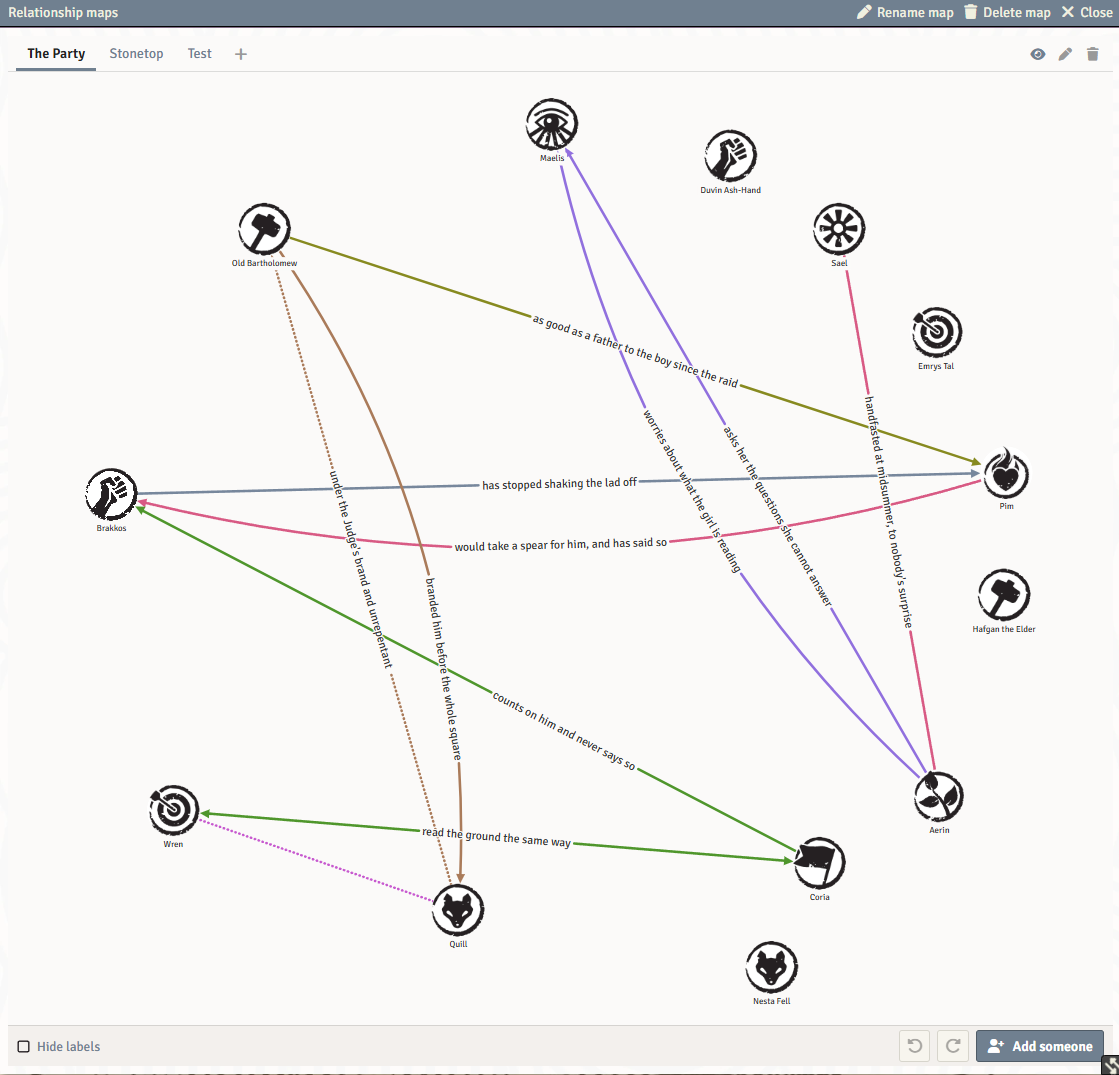
Documentation: the wiki has a full guide, with pictures of every tool.
Features
Collections of maps. A world can hold several collections, and each collection can hold several named maps: "The Court", "The Docks", "Who owes whom". Each map has its own people, its own lines and its own layout, and the same person can stand on more than one. Nothing is made for you: every collection and every map in it is one somebody added.
Drawn together, shown when ready. Every player who can see a map can move people and draw lines on it, and changes appear on everyone's screen straight away. A new map starts out as the GM's own, and the GM shows it to the players when it is ready.
Lines that say something. Click a line to write on it and choose its colour, which way it reads, whether it is solid, dashed or dotted, and how big its words are. There are eight named colours, forty more in the palette, and colours of your own. Draw a line from a portrait's link handle, Alt-drag from anywhere on the face, or turn on Draw lines and click one person and then another.
Named groups. Draw a box or an oval around some people and name it: "The hunters", "The elders". The outline follows its members as they move, groups can overlap or sit inside each other, and each has its own colour and a solid or dashed outline. Drag a group's name to move everyone in it, or drag its corners to resize it.
A map that grows with its cast. The map pans and zooms, grows as people are added, and keeps its captions clear of the faces and of each other. Shift-click faces or Shift-drag a box to move several people at once. Rest on a face to light up that person's whole web, and double-click it to open their sheet.
Drawn for your eyes. Three dials make arrowheads, lines and words heavier or lighter for you alone, and a checkbox hides the captions. A high-contrast setting gives every colour its own dash pattern, so colour is never the only thing telling two lines apart. Windows follow Foundry's own light or dark setting.
Also in the box: New person to make an actor and put them straight on the map, undo and redo for your own changes, map windows that reopen after a reload, and a small API for macros and other modules.
Getting Started
Open the Journal sidebar and press Relationship Maps at the top. In a world with no collection yet, you are asked to name the first collection and the first map in it. Drag actors from the Actors sidebar onto the map or press Add someone, then drag from a portrait's link handle to another portrait to draw a line. Press the + beside the map tabs to add another map. The wiki walks through every tool.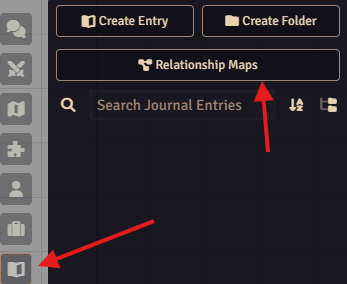
Who Can Do What
- Players see and draw on any map the GM has shown, and can add, rename, reorder and delete maps.
- Trusted Players can also make new collections.
- The GM can also hide and show maps, and delete a whole collection.
- New person follows Foundry's own Create New Actors permission, so players see it only where the GM allows it.
Prerequisites
- Foundry VTT v13 or v14
- Any game system
Installation
In Foundry VTT, go to Add-on Modules -> Install Module and paste this manifest URL:
https://github.com/PrinceWitherdick/relationship-map-pwd/releases/latest/download/module.json
Then enable Relationship Map - by PWD in your world's module settings.
Bug Reports? Feature Requests?
I'm always open to feature requests and bug reports. Please open an issue on the GitHub repository or reach out on the community server https://discord.gg/jB9eWUyAVh
Support
If the module is useful at your table and you'd like to say thanks, you can buy me a coffee on Ko-fi.
Credits
Built by PrinceWitherdick. The relationship map was first built for the Stonetop system for Foundry VTT and has been rebuilt here as a module of its own. Created in collaboration with AI to facilitate quick development.
License
The code is released under the MIT License.