A mixer for your voice in Modular A/V: which effects run, in which order, where in the channel, and how loud. It holds no effects itself. It mixes the effect modules your world has turned on, such as Modular A/V: Noise cancellation and the voice effects (reverb, echo, EQ, radio and mic boost, each a module of its own). A GM can also lay a preset over the table's voices for a scene.
Requires Modular A/V (modular-av).
Setting it up
- Install and enable it in your world along with Modular A/V, a service module (LiveKit, P2P or Jitsi) and the effect modules you want. With none, the mixer says so.
- Open it from the dock's voice panel, the Voice tab of the voice and video settings window, or its entry in Foundry's module settings.
What it does
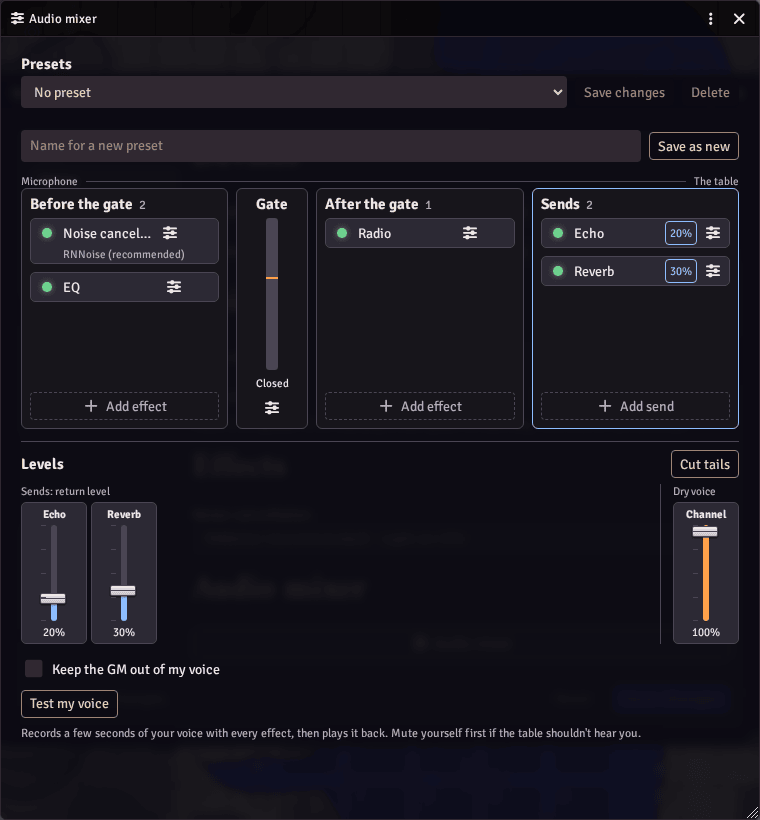
- Your chain, place by place: before the voice gate (noise cancellation, EQ, mic boost), the gate with its live level, after it (the radio), and the sends (reverb, echo), which ring on after you stop speaking. Add an effect from a list you can search, switch it off, open its settings, or drag it to another place.
- Levels: every fader of the chain on one row. Cut tails stops reverb and echo as soon as your microphone closes.
- Warns about what will sound wrong, such as a reverb ahead of the gate, and says when an effect failed.
- Test my voice: records a few seconds of what you send, with every effect, and plays it back. Nothing feeds back, so you need no headphones.
- Presets: save your chain, switch between presets (also by keys in Configure Controls), update or delete them. They are kept with your Foundry user, so they follow you to any device.
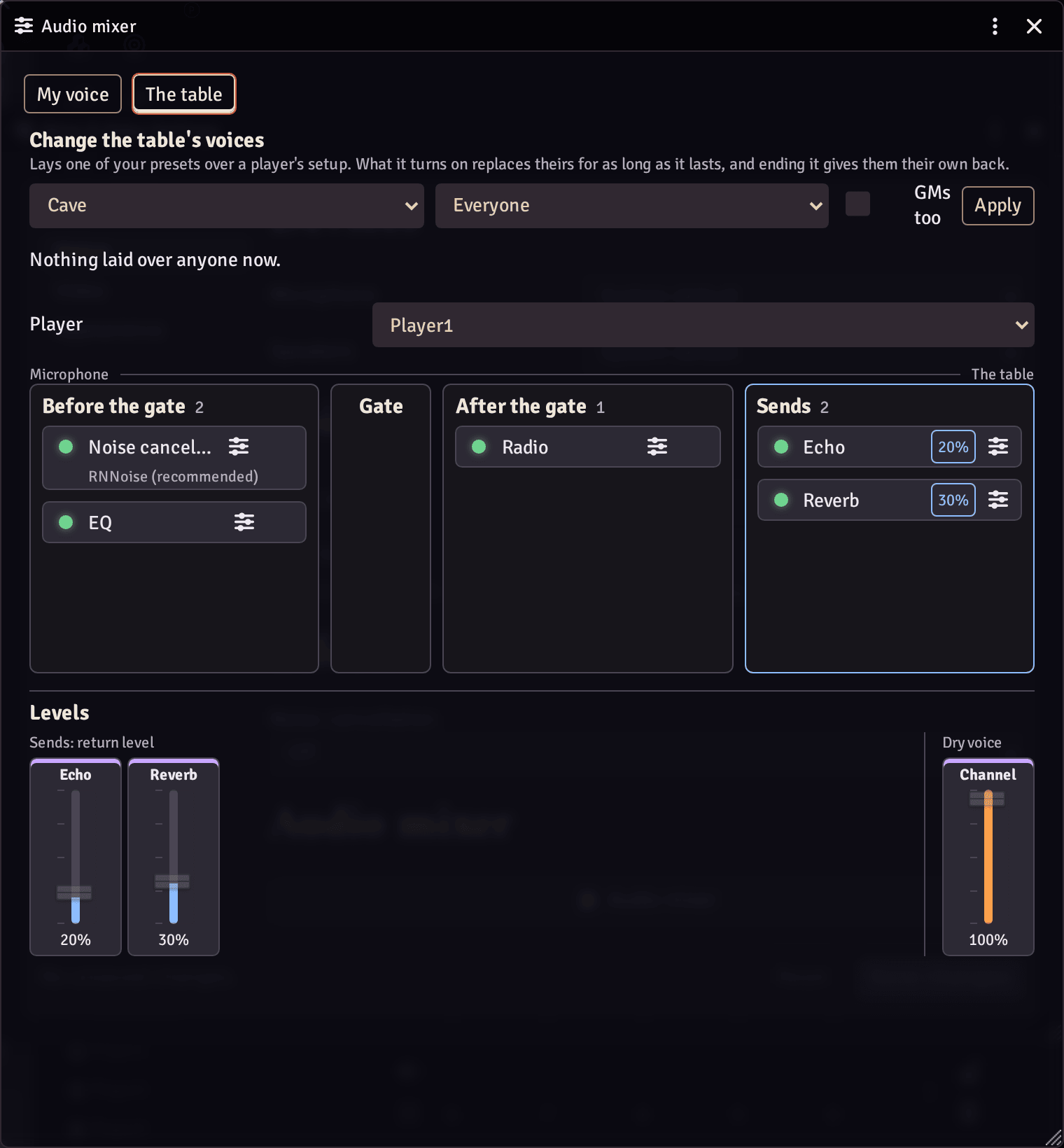
- For GMs, the table: see a player's chain as they see it, read only, and lay one of your presets over everyone's voice or one player's for a scene, such as a cave echo underground. Ending it gives each player their own setup back exactly. Macros can do the same.
- Players stay in control: a player sees a notice when a GM changes their voice, and can refuse that change, or every change from a GM. The mixer can't unmute anyone or send anything the player didn't.
- Works with a keyboard and a screen reader.
Good to know
- Requires Foundry v14 and Modular A/V. Tested in Chromium browsers.
- Network: none. A GM's change reaches players through a world setting and Foundry's own connection.
- Storage: presets with the player's Foundry user, a GM's current change in a world setting, and the effects a player picked last in the browser.
- License: MIT. It bundles no third-party code.