AI Usage Explanation
This package is built with the aid of coding agents. The developers working on this project are expected to review and understand the code before it is merged to the `main` branch and deployed.
GURPS HUD
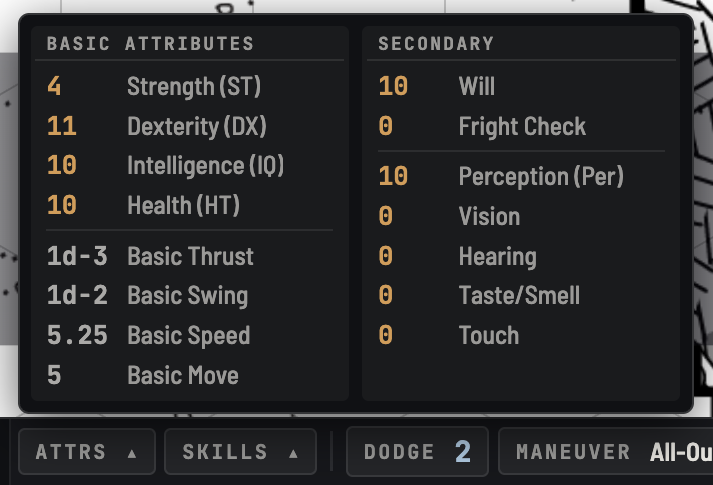
A clean, concise heads-up display for the GURPS 4e Game Aid. One strip holds what a turn needs: vitals, posture and Move, the attacks the character fights with, their maneuver, the hit location they are aiming at, and their macros. Attributes, skills and spells are one hover away. It is built GM-first, so it works for any token on the canvas, NPCs included, and every roll goes through the Game Aid exactly as the character sheet's would.
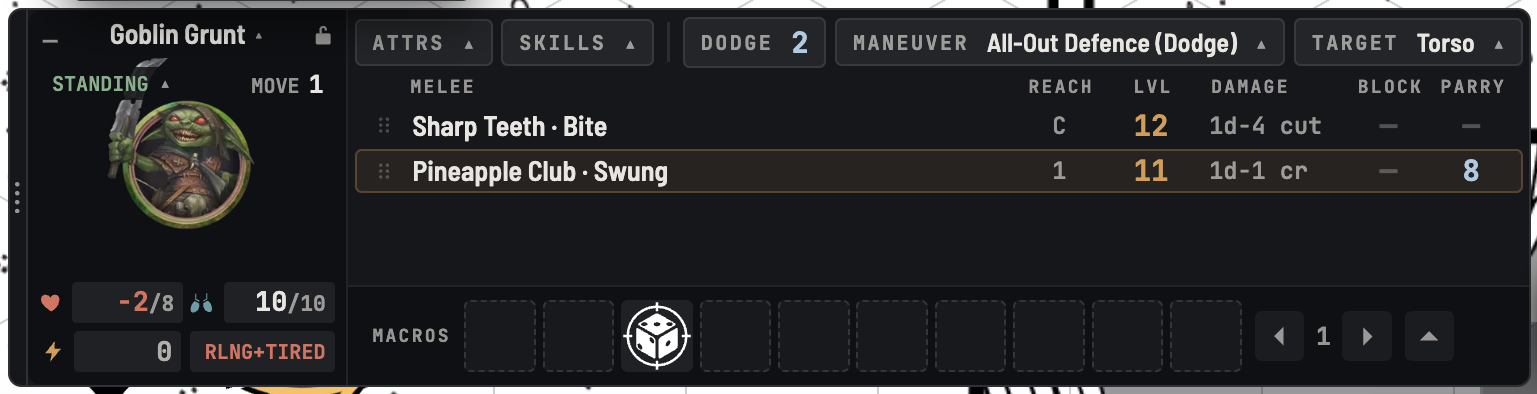
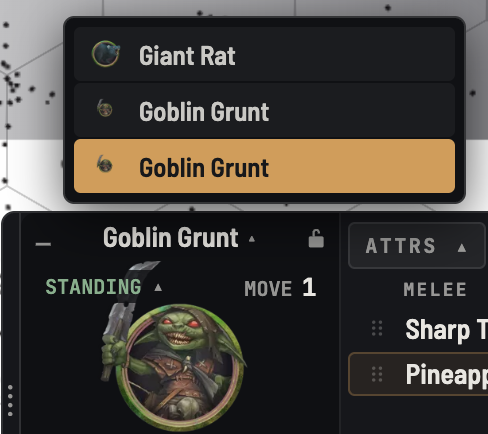
Switching Characters
- Selecting a token you control switches the HUD to that actor
- Lock it to one actor, and switch from the list of tokens under the character's name
- Double-click the portrait to open the character sheet
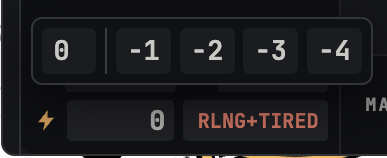
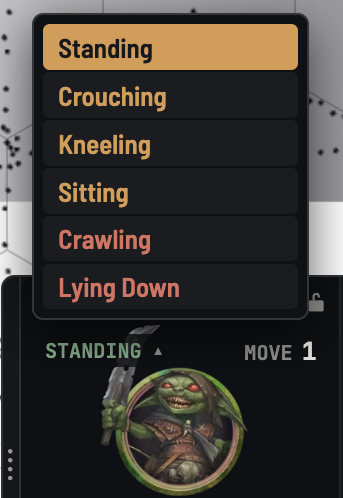
Vitals and Posture
- Edit HP and FP in place: type a value, or a change like
-3 - Switch shock levels on and off; the cell shows the total penalty your rolls take
- Reeling and exhausted at a glance
- Quintessence Points, and QN in the attributes, when the Game Aid's Use Quintessence is on
- Change posture; the status effect, token icon and Move penalty follow
Always Available
- Roll attributes, skills and Dodge
- Cast spells, grouped by college, with cost, maintenance, time and duration

Combat
- Choose which attacks appear: drag them off the character sheet, or add every attack and prune
- Drag to reorder; the choice is stored on the actor for the whole table
- Click to roll an attack, its damage, or its parry or block
- Click a ranged weapon's Acc to add it to the modifier bucket when aiming
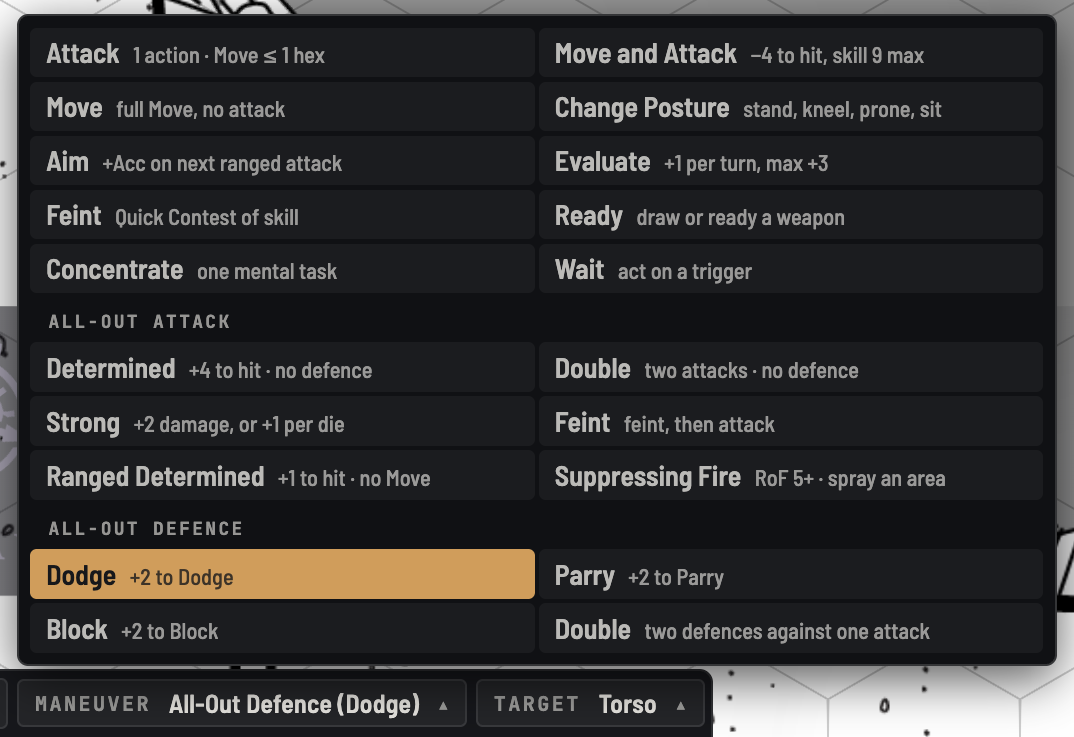
- Pick a maneuver, with All-Out Attack and All-Out Defence broken out into their variants
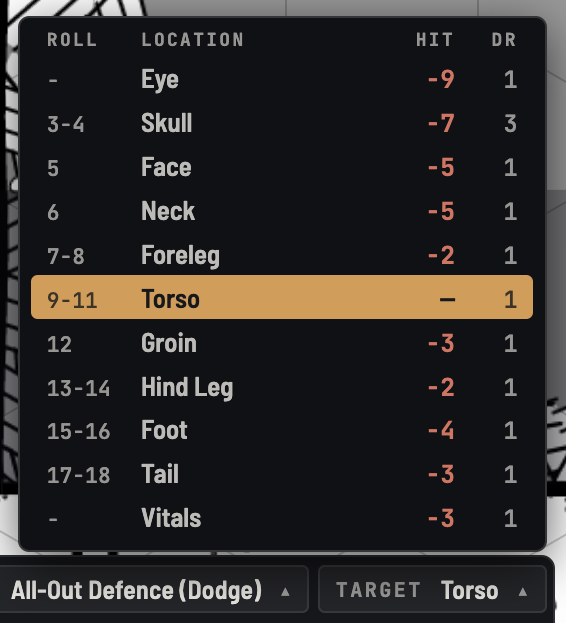
- Target an enemy and pick from their hit locations; the penalty is added to every attack roll
Macros (Optional)
- A full hotbar: page through it, or expand to see all fifty macros
- Drag macros or sheet rows onto it, drag to reorder, right-click for Foundry's macro menu
- Use the HUD's bar, Foundry's own, or both
Make It Yours
- Drag the HUD anywhere, and double-click its rail to dock it again
- Minimize it with
Shift+H, or hide it withCtrl+Shift+H - Scale it from 0.9× to 2×
- Light, dark, or follow your desktop
- Readable text that meets WCAG AA contrast