AI tools were used to assist with code development. This module contains no AI-generated art or images; the only icon used is Foundry's built-in coins icon.
Gold Manager D&D 5e | CtrlAltDefeat
Foundry VTT Module for D&D5e, v14
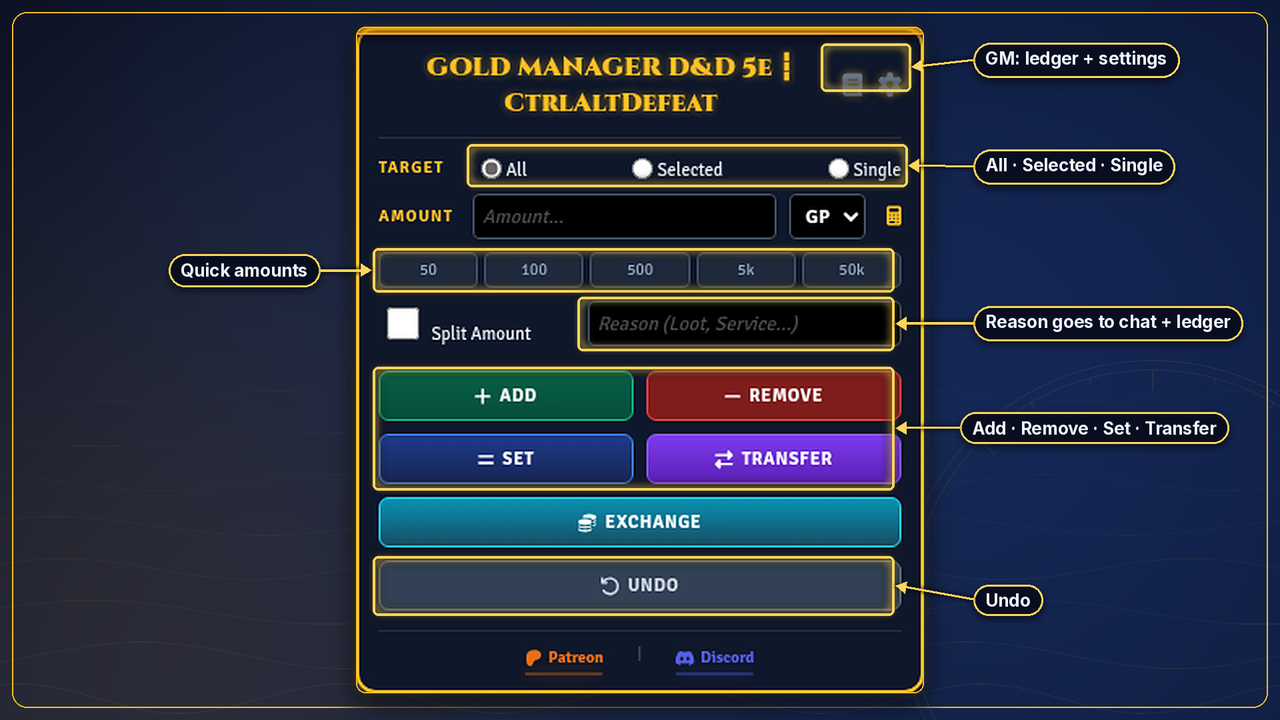
I am releasing my Foundry VTT module Gold Manager D&D 5e, a player- and GM-friendly gold management system that removes friction, cuts down on bookkeeping, and keeps games moving.
It's built for my own long-running campaigns and works at any D&D5e table that wants currency handled from one clean UI instead of the character sheet.
What This Module Does
Gold Manager means you don't have to keep opening character sheets just to manage currency. Everything happens in one centralized UI, which opens with Shift+G or the included compendium macro.
Core Features
- Add, remove, or set gold instantly
- Transfer gold directly between players
- Split gold automatically across the entire party
- Exchange currency types (PP ⇄ GP ⇄ SP ⇄ CP)
- Built-in calculator for fast math
- Undo button to revert mistakes safely
- Clear chat cards for every payout
Party Targeting System
At the top of the UI you choose how gold is applied:
- All: affect the entire party
- Selected: affect currently selected tokens
- Single: choose a specific character from a dropdown
Use Split Amount with "All" to divide gold evenly across every party member.
Currency Exchange
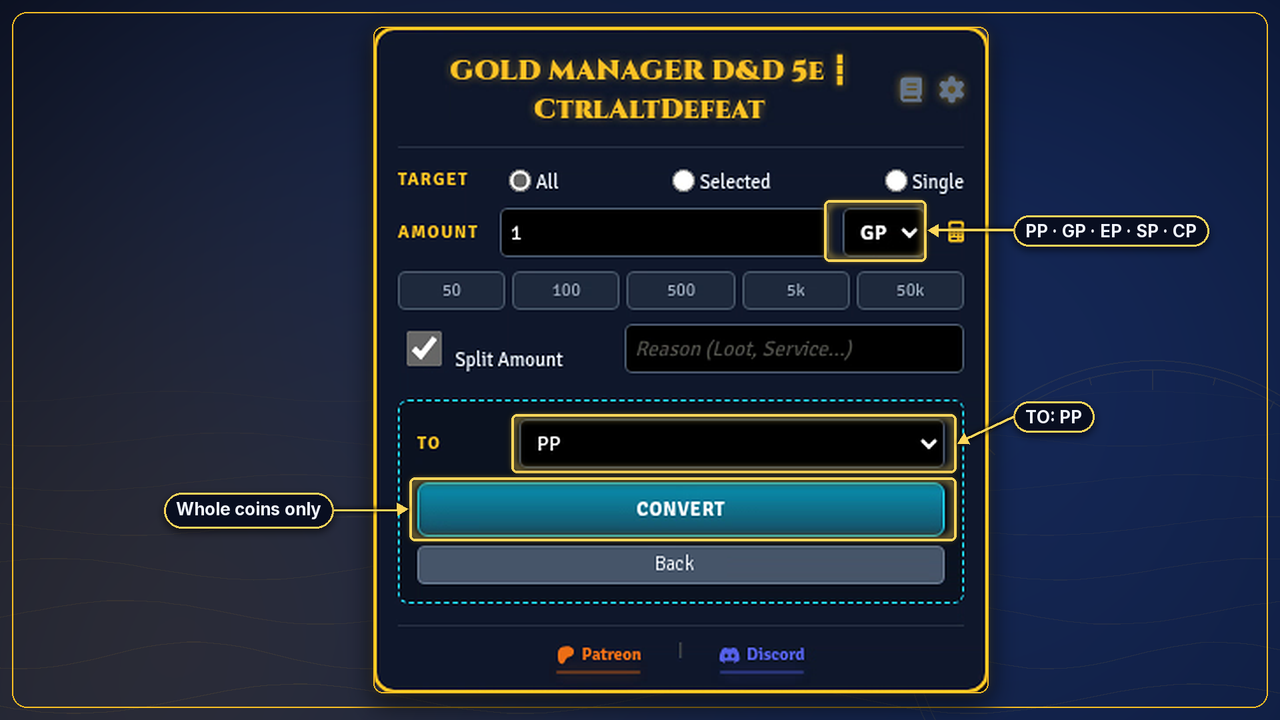
- Convert GP to PP, SP, or CP, and back
- Any remainder that doesn't convert cleanly is returned in the next lowest denomination
- No currency is created or destroyed. Value is just redistributed correctly.
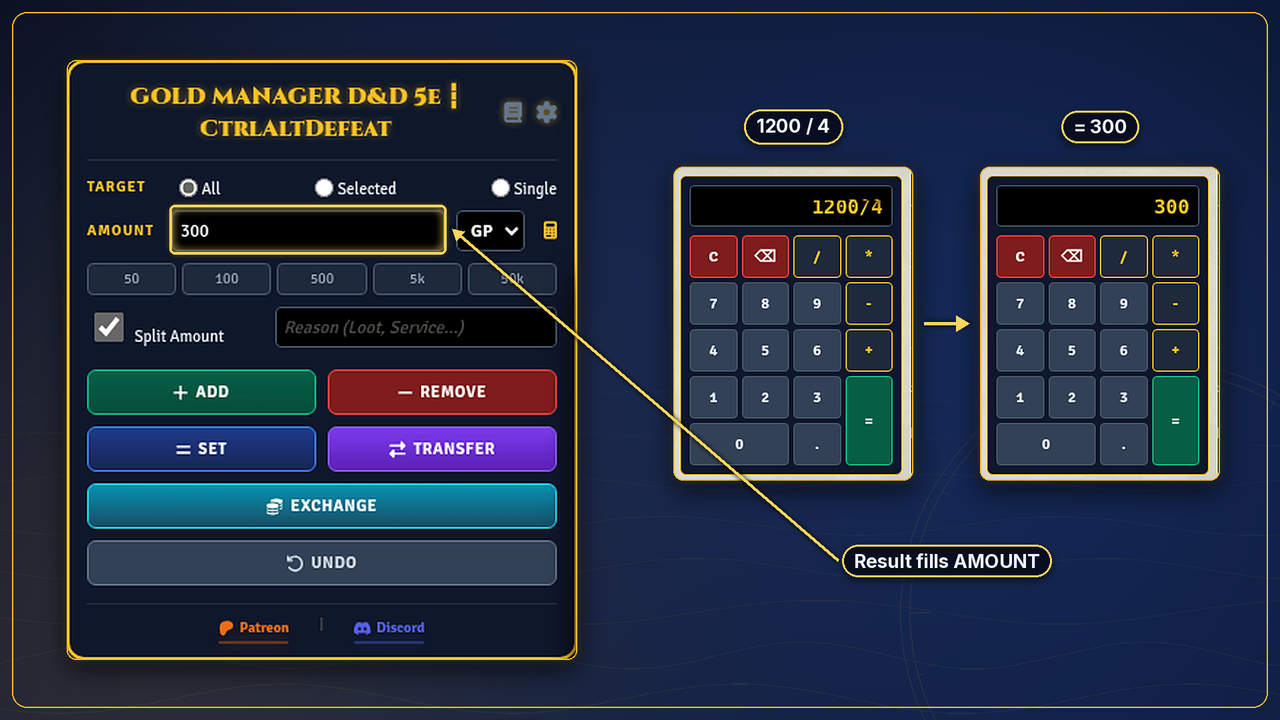
Built-in Calculator
Click the calculator icon for a full keypad. Use it to split loot, work out service costs, or do conversions without leaving the UI.
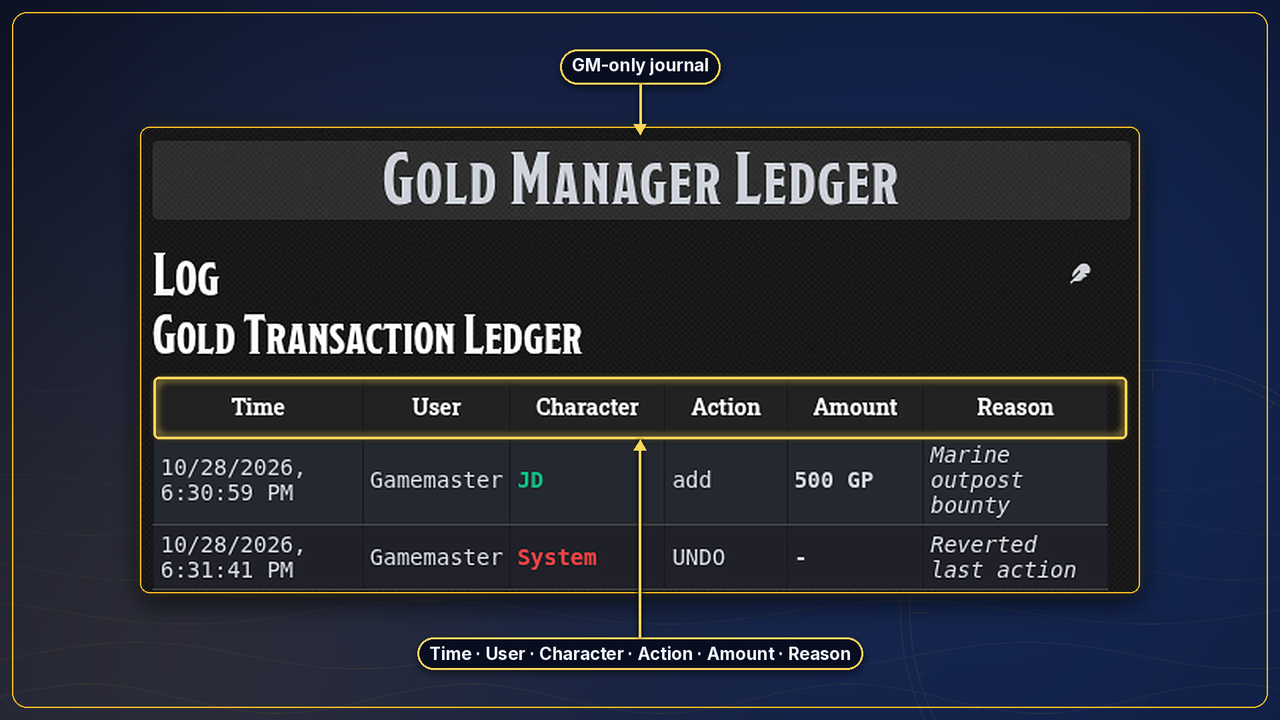
Ledger System (GM Tool)
Every transaction is logged automatically, and the ledger is visible to the GM only.
- Time-stamped, with player name included
- Color-coded per player (supports up to 10 players)
- Tracks adds, removes, transfers, exchanges, and undo actions
- Lets you audit gold use, settle disputes, and review purchases or loot after a session
Player vs GM Access
- GM View: full control, ledger access, targeting, and permissions
- Player View: a streamlined UI focused on their own gold and transfers
Installation
- Open Foundry VTT
- Go to Add-on Modules → Install Module
- Search for the package once approved, or paste the Manifest URL from the package page
- Install and enable the module in your world
- Press Shift+G, or open the included macro from the module compendium
License & Credits
- Created by CtrlAltDefeat
- Designed for Foundry VTT D&D5e
- Free for personal and community use
- Made for long-term campaign play
- Uses only Foundry's built-in coin icon. This module ships no custom artwork.
If you enjoy this tool and want to support more Foundry VTT modules, maps, assets, and tabletop tools, you can find the full Patreon post below.
Links
- Patreon post: https://www.patreon.com/Ctrl_Alt_Defeat/posts/free-gold-ui-148610450
- Patreon: https://www.patreon.com/Ctrl_Alt_Defeat
- Discord: https://discord.gg/fBf7xw2bmB
- StartPlaying (see it in live games): https://startplaying.games/gm/ctrl-alt-defeat
- YouTube: https://www.youtube.com/@Ctrl_Alt_Defeat-GM
- GitHub: https://github.com/CtrlAltDefeatAM/gold-manager
Unofficial Fan Content permitted under the Fan Content Policy. Not approved/endorsed by Wizards. Portions of the materials used are property of Wizards of the Coast. ©Wizards of the Coast LLC.
Track every coin. Split the loot. Keep the table moving.