Glyph: Active Region Triggers
The map does the work.
Supporting The Module
Triggers Without Macros
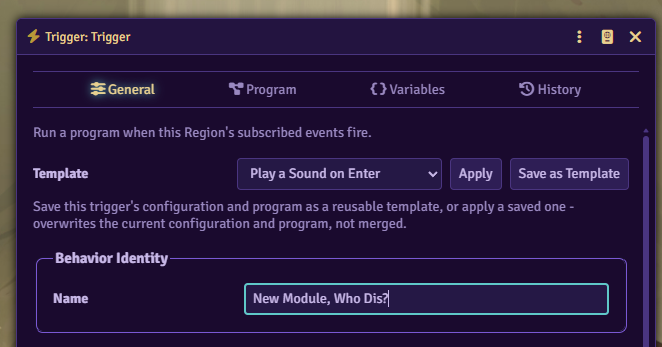
Attach a program to a Region and the scene runs it when a token steps through a doorway or a player clicks a lever.
What You Get
Visual Program Editor
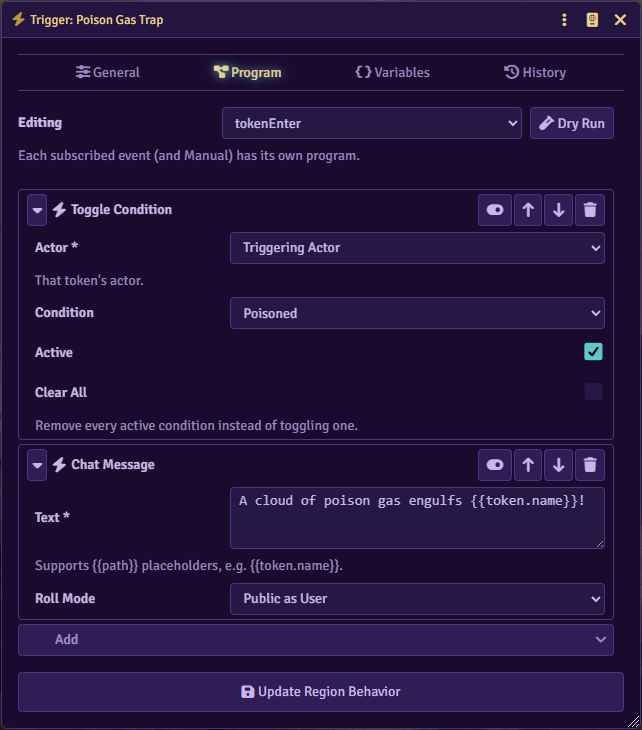
Trigger logic is a node tree: sequences, if/else branches, loops over tokens in the Region, calls to other triggers, and delays. Any field can read from the triggering event with {{path}}, like {{token.name}} in a chat message.

Events Core Doesn't Fire
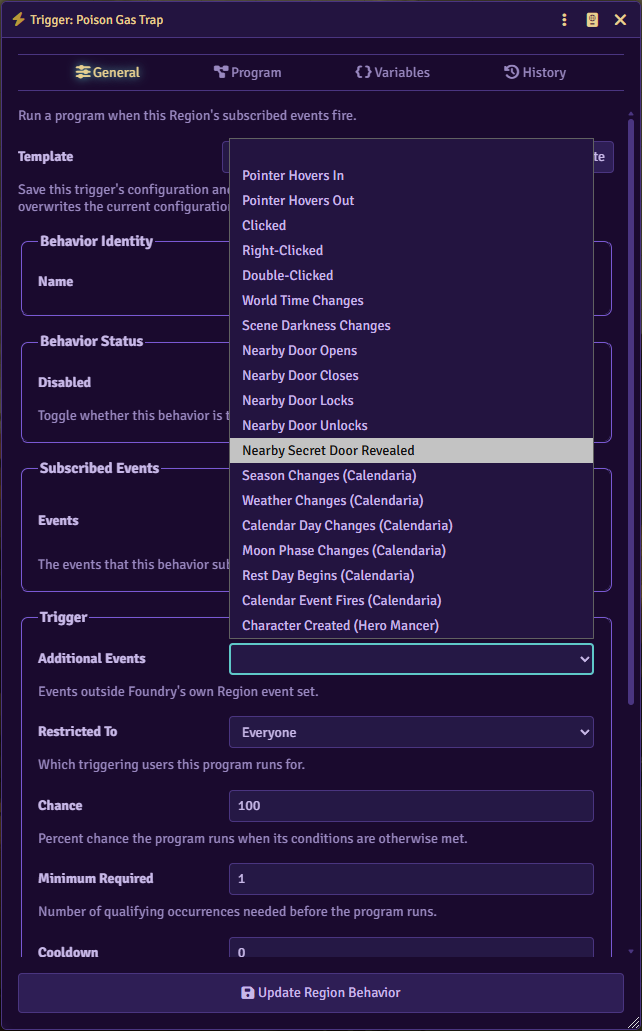
Core Regions fire on enter, exit, move, and turn start/end. Glyph adds hover, clicks, door state changes, world time changes, and darkness changes.

Actions for Tokens, Tiles, Audio, and Chat
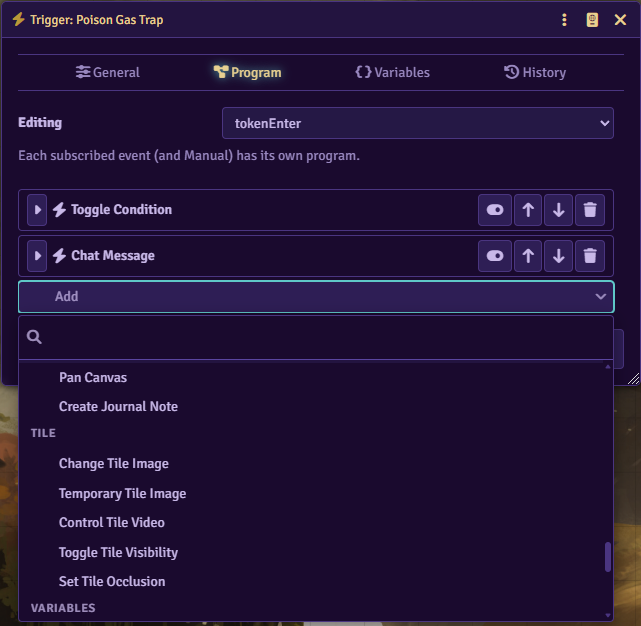
Move, rotate, create, or teleport tokens and toggle their conditions. Swap tile images, play or stop sounds, post chat cards, and open dialogs, journals, or actor sheets. Per-behavior variables persist between runs; the Toggle Switch recipe uses one to remember whether its tile is visible.

System-Aware Actions
Hurt/Heal takes a dice formula and an optional damage type from the active system's list, and can post the roll as a damage card. Ability Test and Skill Test roll through the system's own pipeline. Enhanced support for D&D5e and PF2e.

Import From Monk's Active Tile Triggers
Right-click a scene with Monk's Active Tile Triggers tiles and Glyph converts their actions into program trees. Anything it can't translate gets flagged for manual review.

Also Included
if/else,forEach,goto/landing,call, andwaitnodes for flow control.- Actions for Calendaria, Bondsmith, Peddler, Minstrel, Hero Mancer, Spell Book, Mindful Encounters, Tenacity, Don't Forget, Token Light Condition, FXMaster, and Tagger. Each set shows up once its module is active.
GLYPH.registerAction()lets other modules add their own nodes to the action picker.
20+ Ready-to-Use Recipes
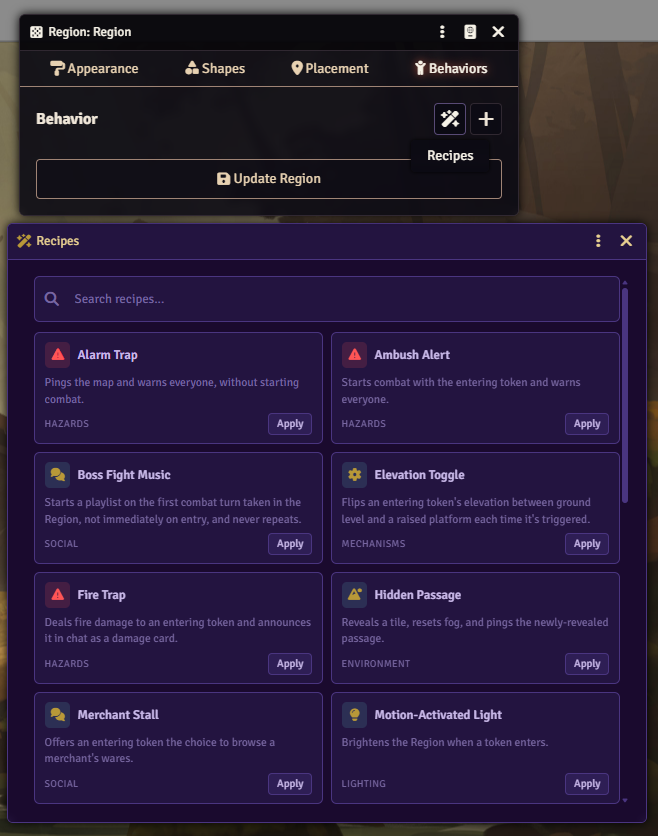
Teleporters, stairways, light switches, traps, ambushes, merchant stalls. Applying a recipe creates every Region behavior it needs in one click.

For the Tinkerers
The GLYPH global exposes the API for macros and other modules. GLYPH.registerAction() adds custom actions, and GLYPH.runTrigger() runs a trigger from a macro.
Requirements
Glyph requires 3DS:ATLAS, the shared settings and theming layer for 3 Death Saves modules. Glyph's UI uses the theme set there.
Installation
Install Glyph from Foundry's Module Manager or The Forge's Bazaar.
Manual Installation
- Open Foundry's Configuration and Setup screen
- Click Install Module in the Add-on Modules section
- Paste this URL in the Manifest URL field:
https://github.com/Sayshal/glyph/releases/latest/download/module.json - Click Install
- Enable Glyph in the Manage Modules section