The all-in-one implementation for crafting items, the Crafting Console allows you to create recipes that take components on a tag-based system, teaching the recipes to your player characters, and provides an intuitive interface for the crafting process.
This module implements a new Item type, the Crafting Recipe, which allows configuring the item(s) that will be created and the parts needed in the crafting. As well as a registry allowing you to view all aggregated recipes across your compendiums (this module itself includes a compendium with a large handful of recipe examples) and any taught recipes for your player characters.
Recipes
Recipes work on a tag-based system. Each recipe has several components and one or more possible items that can be created.
Each component has one or more tags, which must be fulfilled by an item slotted in to be consumed in the crafting process. Once each component is fulfilled, the item is available to be crafted.
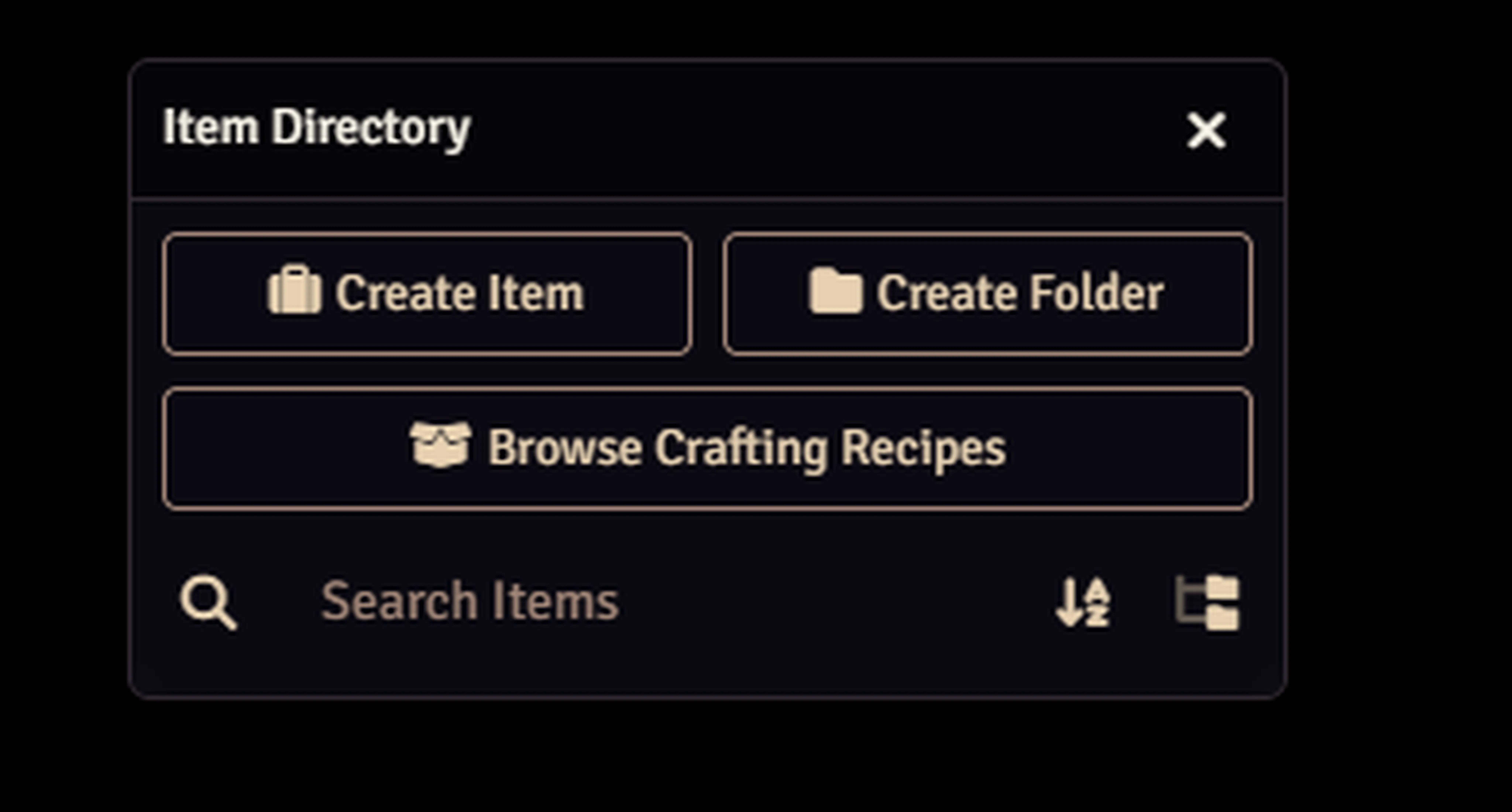
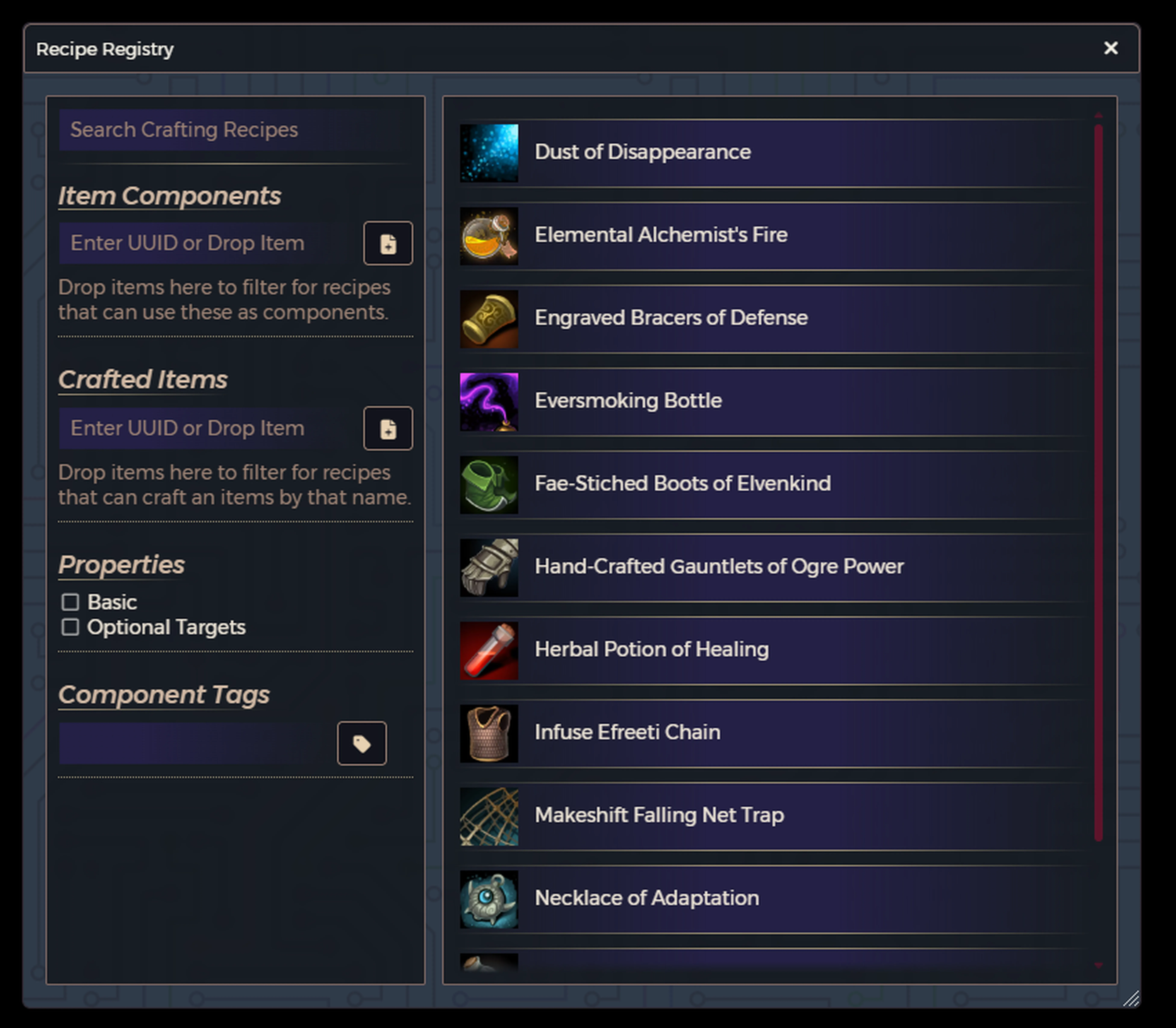
The game master can find all recipes, aggregated from every Item compendium, through a button in the Item Directory.
What are tags?
Each physical item has its tags automatically generated from its name and (in the D&D5e system) its rarity.
For example, an item named "Cool Weapon of Doom" will have the tags "cool", "weapon", and "doom" and will be able to be used for a recipe's component that has some or all of those tags. While an item named "Bottle of Ghost Goop" will have the tags "bottle", "ghost", and "goop" and can be used for a component part that has some or all of those tags.
If an item, in the D&D5e system, has the 'Very Rare' rarity, it gains the additional tags "common", "uncommon", "rare", and "very rare" automatically and can fulfill component parts with these tags.
How to Start Crafting
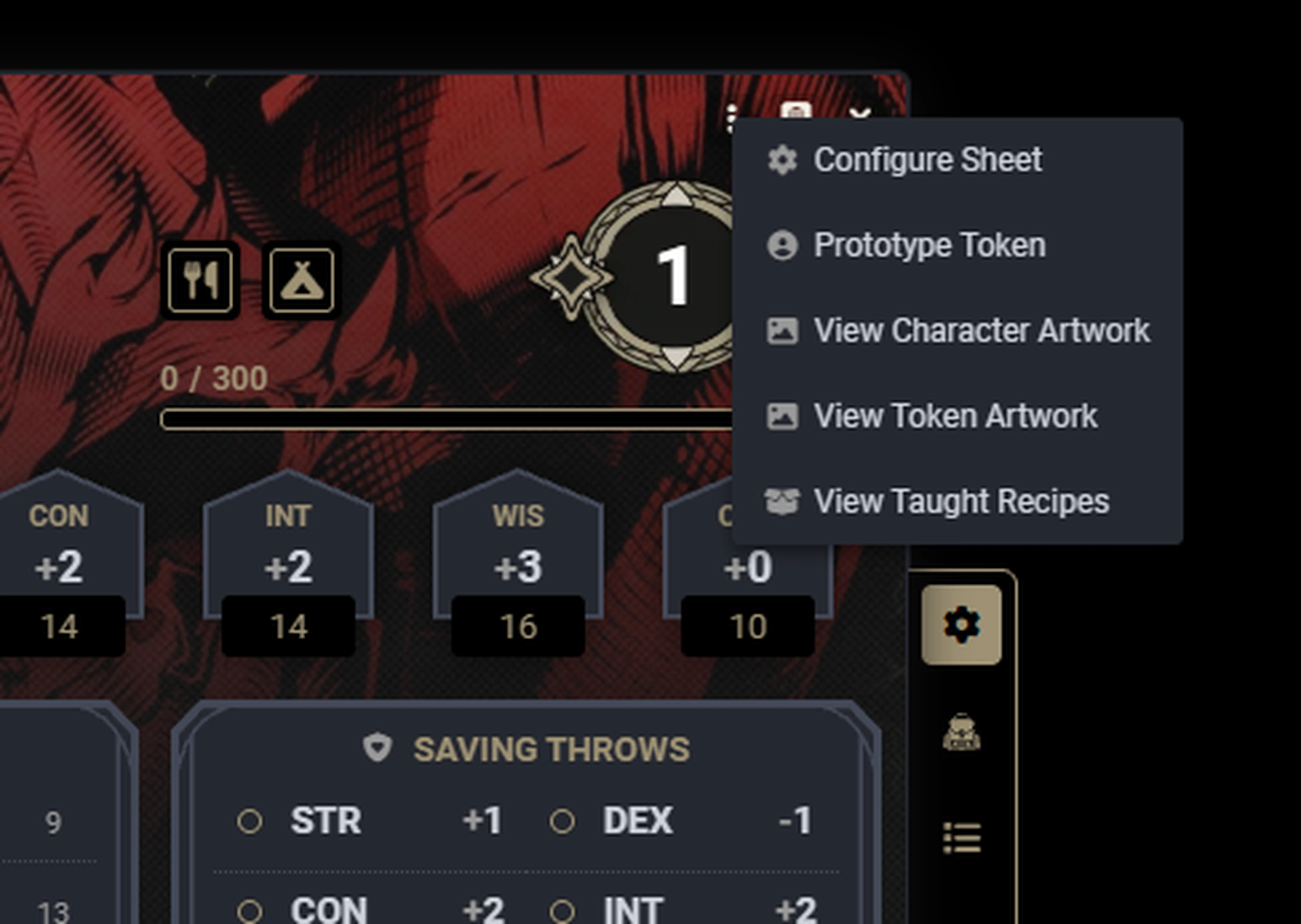
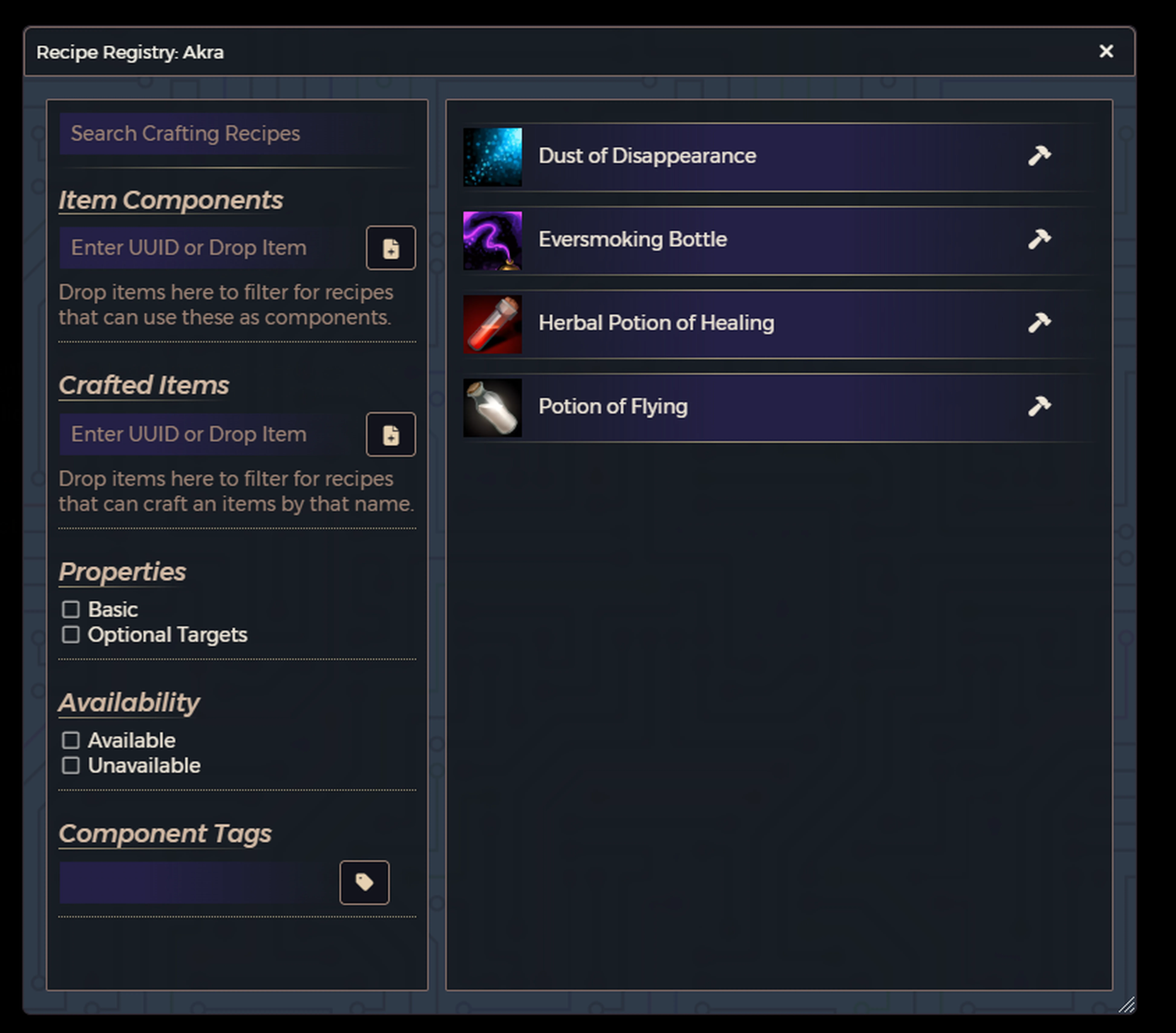
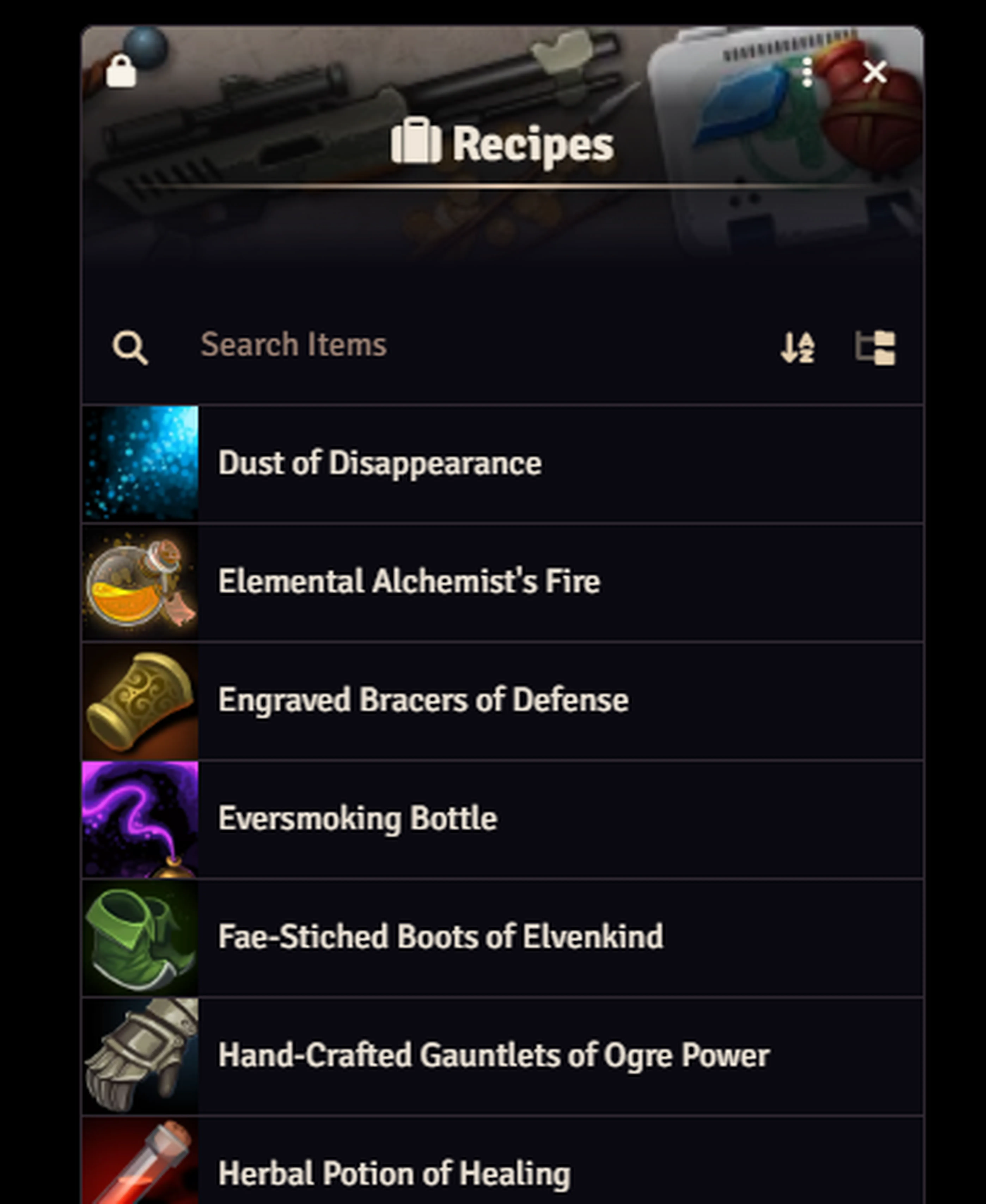
An actor who has been taught a recipe can find their list of known recipes via the header menu on their character sheet.
Here they can filter and search for recipes that they have components for, that create specific items, and so on. Clicking the Hammer button to the right will initiate the crafting handler for the recipe.
Simply drag and drop physical items onto the respective components to slot them in. You can also click a component to see a list of valid items that the actor owns.
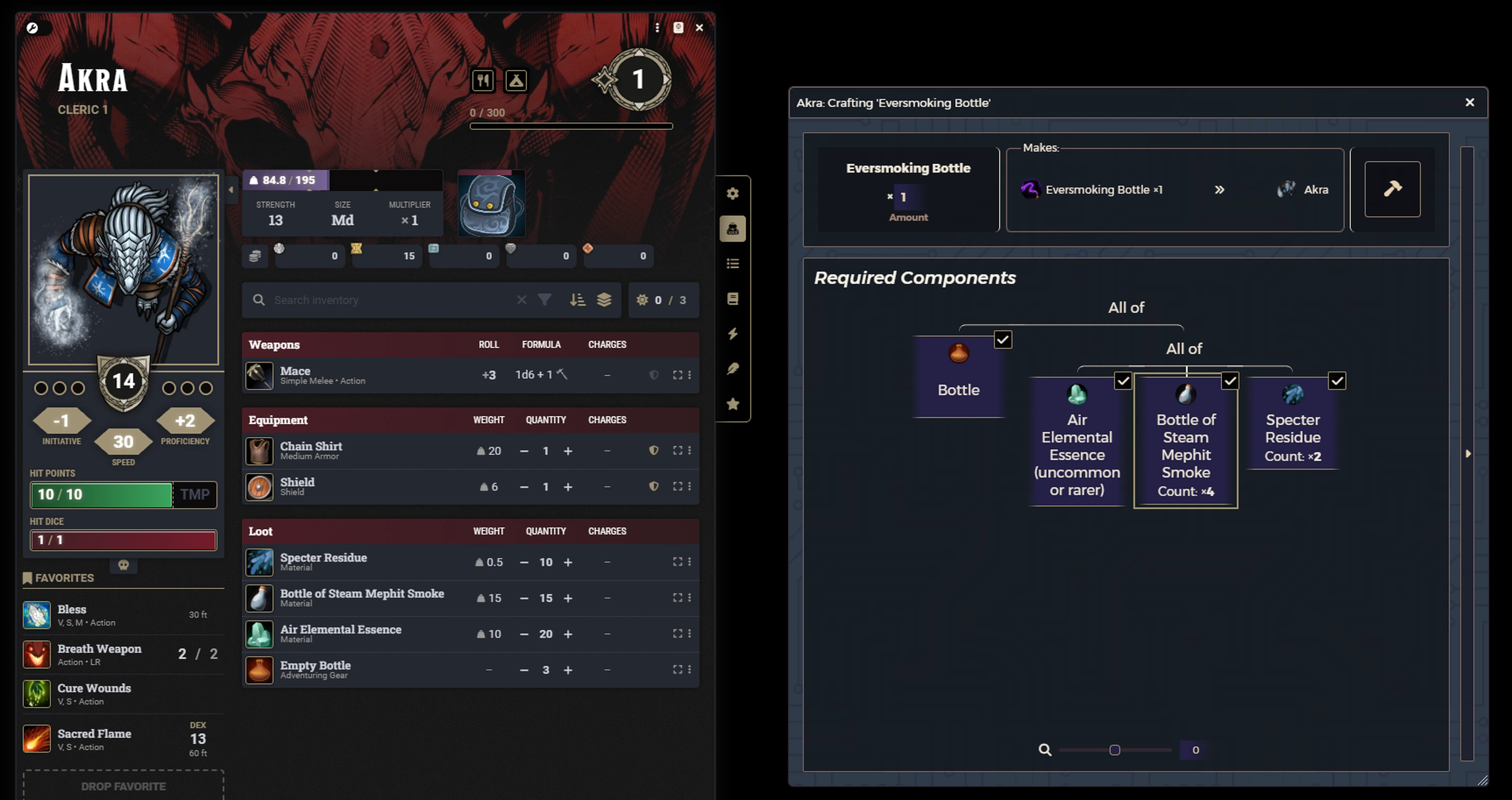
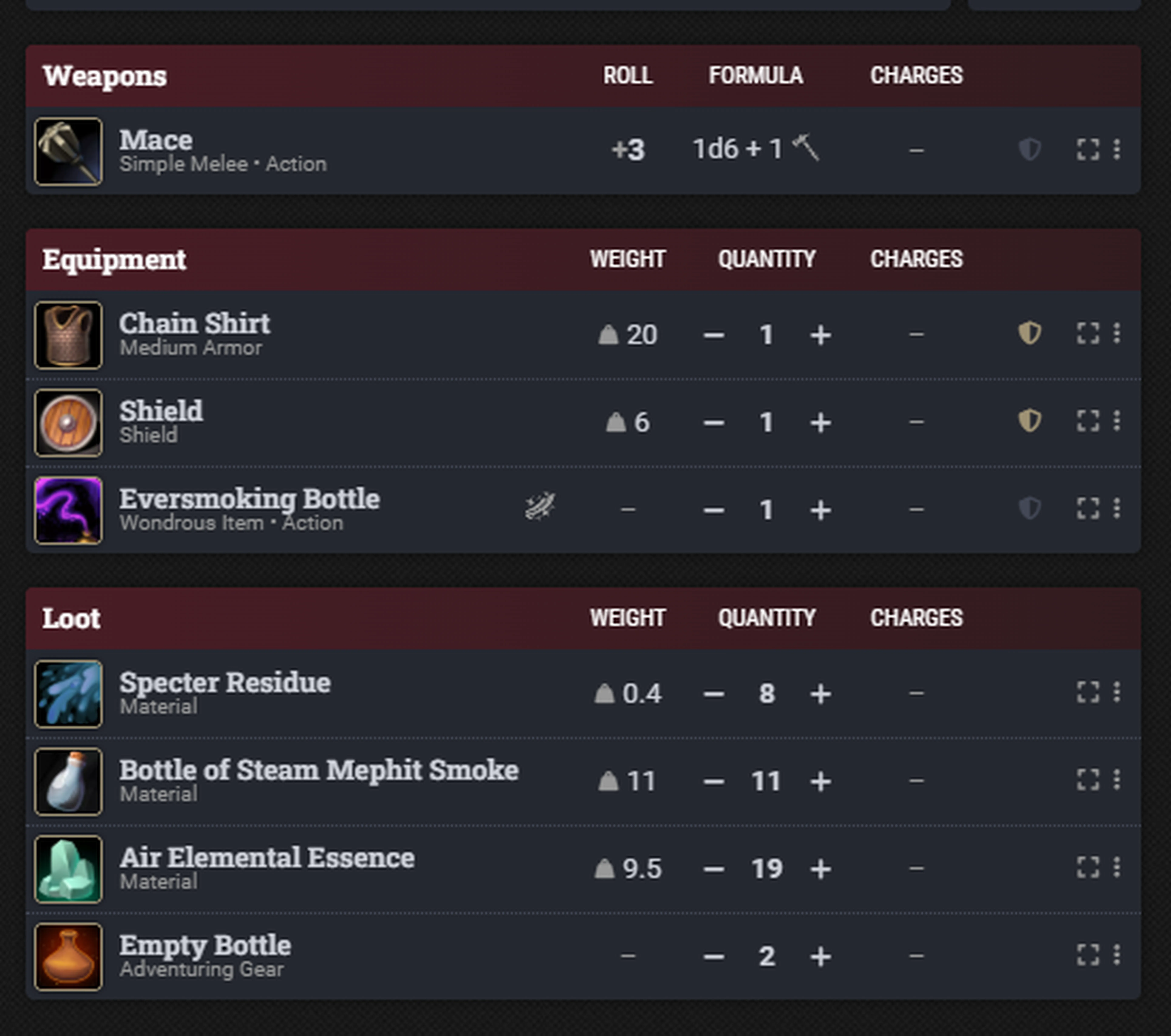
Once all component parts have been filled in, click the Hammer button to finalize and create the item. You will be asked to confirm the creation of the item, which will reduce the quantity of the component items; if any item is reduced to zero quantity, it is removed from the actor's inventory.
The created item is added to the actor's inventory automatically, and a message is posted in the chat log letting the game master know that the product was created.
Frequently Asked Questions
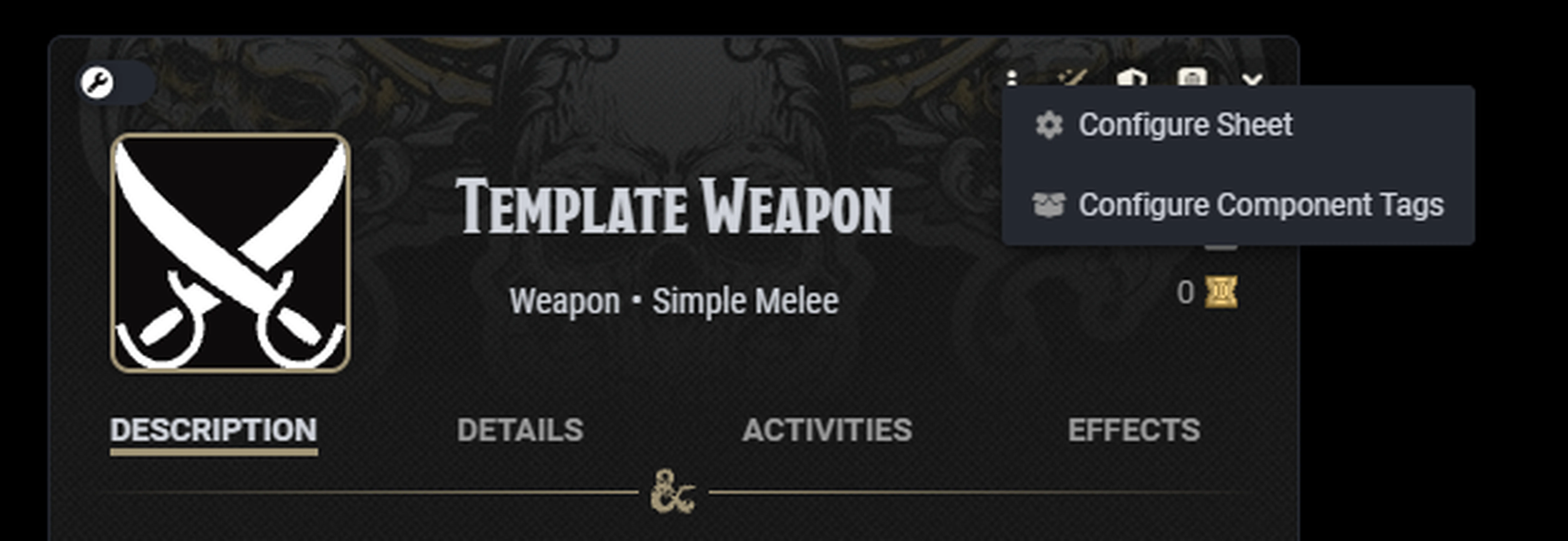
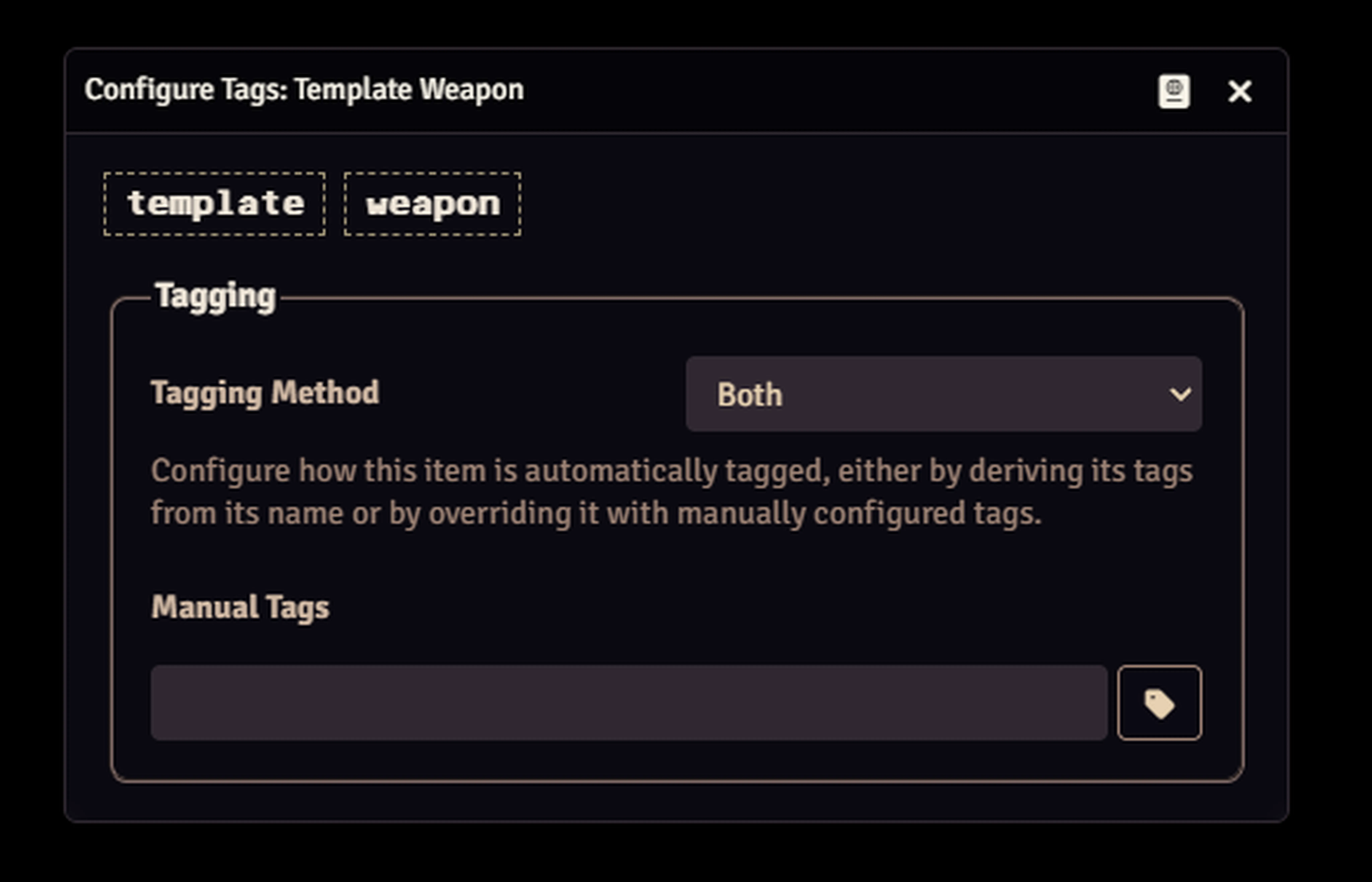
Yes! Navigate to the item's sheet and look for the 'Configure Component Tags' option in the header menu. This will allow you to configure how the tags of the item are derived, either automatically from the name, overriding with a custom set of tags, or combining the two (default).
Easily! Navigate to the Item Directory and open the registry of recipes, then find the recipe you want to teach. If the recipe is an Advanced recipe (requires being taught), simply drag it onto the actor sheet of the character you want to teach it to. For a basic recipe (the opposite of Advanced), it does not require being taught; any character already knows this recipe.
When dropping the item onto the character sheet, you will get a message in the chat log that confirms that the recipe has been taught. This module includes a compendium of example recipes for you to play with and test the functionality.
This module was produced by the team at MetaMorphic Digital, including Zhell, Jalen Michals Levy, Rudy Basso, Alexander Archibald, Andrew “Sair” DiGiacomo, Chris Valentine, and Milic “Zand” Vidic.
Hall of the Mountain King by Kevin MacLeod • Edvard Grieg | http://incompetech.com
Royalty Free Music by https://www.free-stock-music.com
Creative Commons / Attribution 4.0 International (CC BY 4.0)
https://creativecommons.org/licenses/by/4.0/