🎹 Combat Music Master
Control your battle music! Automatically play songs amongst your combat playlists when combat starts.
How does it work?
Priorities: every music has a priority number, the higher priority for the turn wins. Draws are randomly selected.
On every combat turn, the module checks for the highest priority playlist for given turn, following these simple rules:
- All Combat Playlists have priority 0
- The default playlist (⭐), if set, has priority 1
- Every token can have their own associated playlist or music with a set priority, this means every token can affect the music played
- You can set a music for a token to only affect its turn
- You can also set a specific music or playlist with priority for the encounter
Pathfinder 2
- You can also set combat playlists for creature traits, using the "Traits Rules" configuration
Installation
In the setup screen, use the manifest URL https://raw.githubusercontent.com/elizeuangelo/fvtt-module-combat-music-master/main/module.json to install the module.
How to Use
Configuration
First things first! Let's start by configuring the module, so the module knows what playlists are your Combat Playlists.
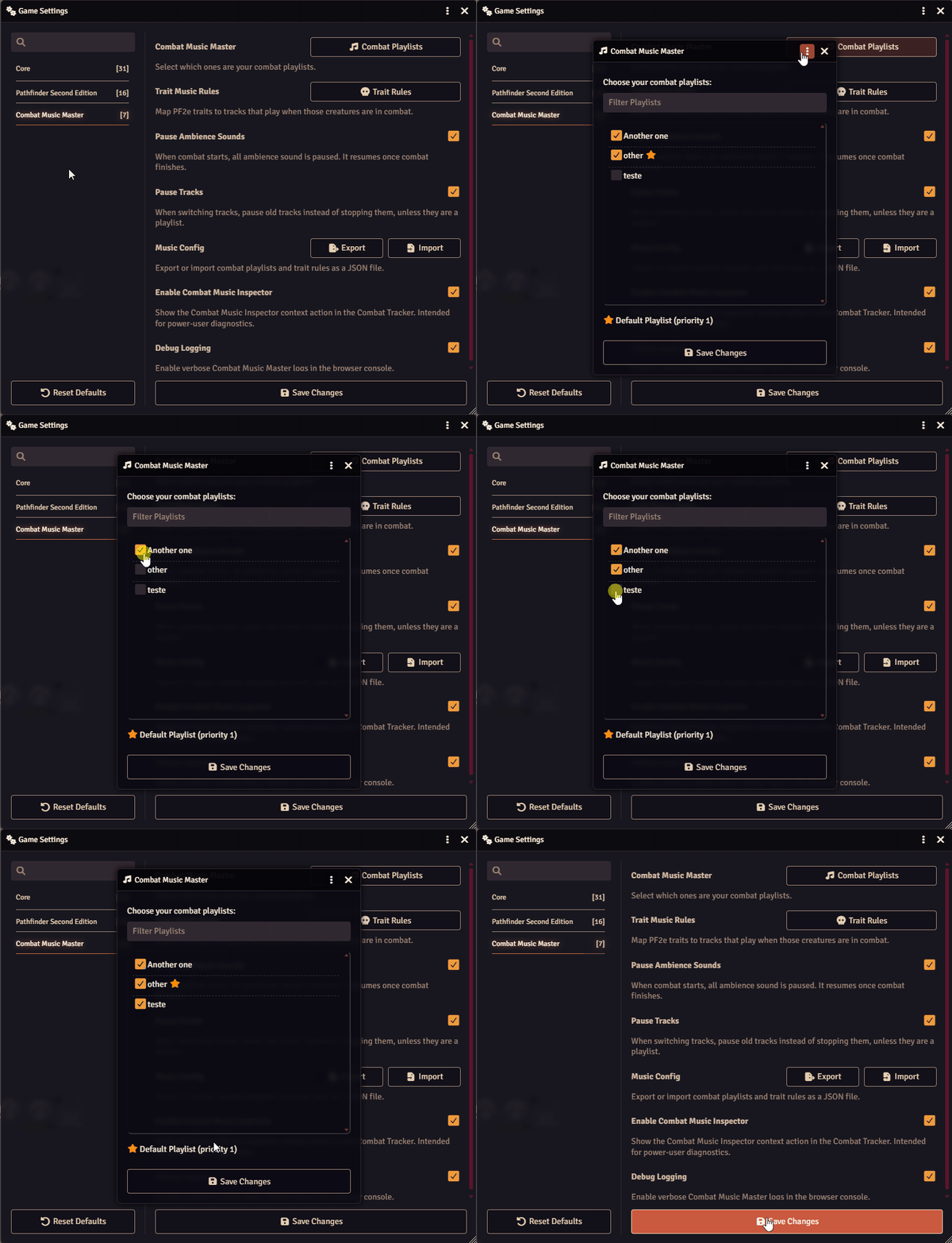
Combat Playlist: a global playlist with priority 0, which will be available for selection on other configurations.
Default Playlist (⭐): a combat playlist with priority 1, meaning it will always have higher priority over the other combat playlists.
Encounter Specific Track
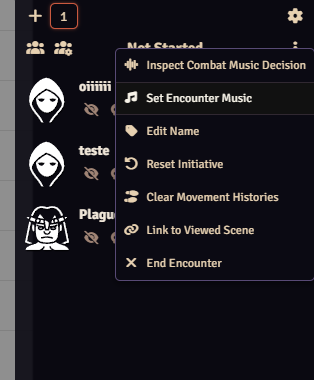
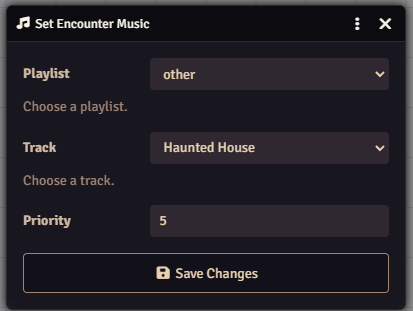
You can configure a specific track for the encounter on the context menu, "Set Encounter Music", default priority for this track is 5 but can be configured.
Token Configuration
You can access the token configuration in 2 forms: some shortcuts and buttons will be injected into the token configuration app, but there is also a fallback in the token configuration context menu just in case your system have changed the application:
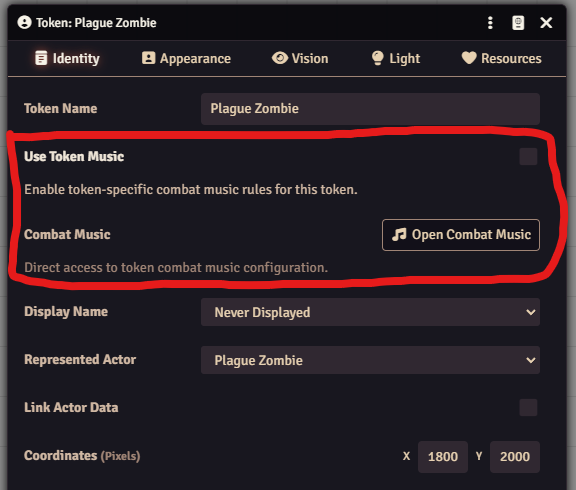
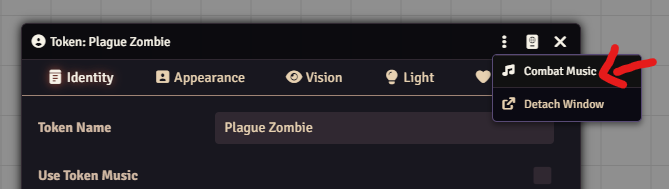
The token configuration app can do several different things:
- You can set a track or playlist to only compete with other tracks when this very specific token is inside the encounter
- You can make the track to only compete when its the token turn
- You can make it so the track changes based on some tracked resource criteria, common use is changing tracks when HP is below a threshold or when the actor dies
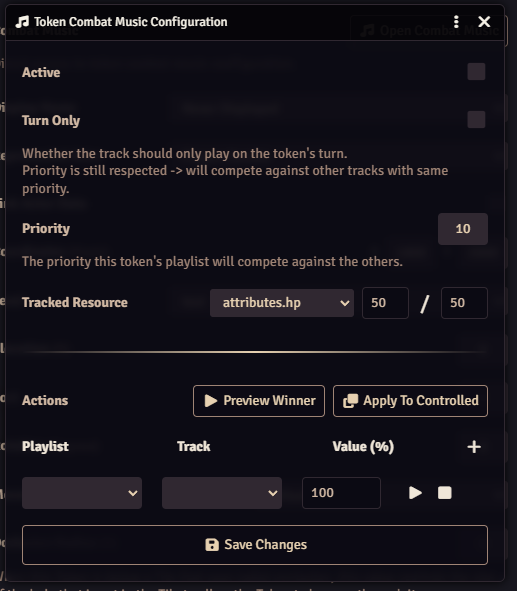
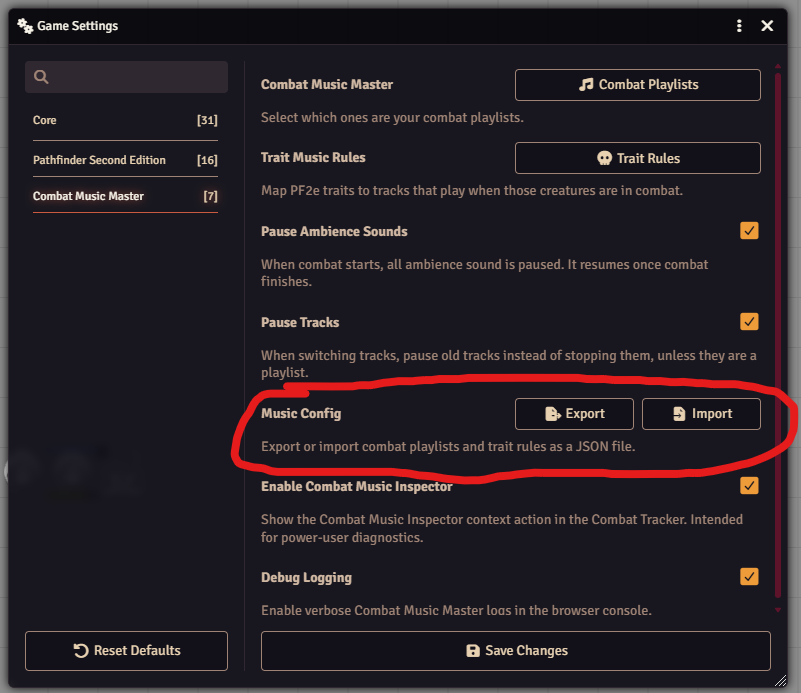
Importing and Exporting Configurations
In the app configuration there are two buttons for handling import/export between worlds: