Allow to manage cities and domains with a sidebar tab and custom city view.
Features
1. Manage cities with new tab
2. Manage city's informations
3. Manage city's stats
4. Manage city's finances
5. Manage city's armies
6. Manage city's population
7. Manage city's buildings
8. Manage city's chests
9. Module's settings
Manage cities with new tab
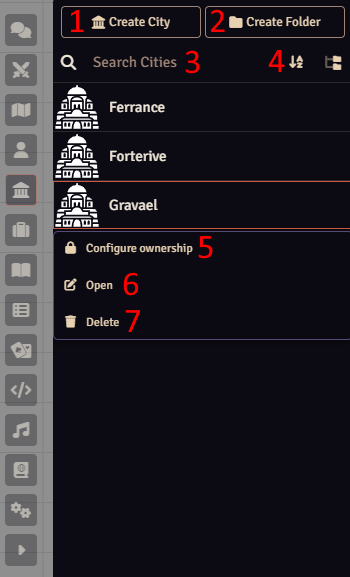
This module add a new tab "Cities" to the sidebar.
With this new view you can :
1. Create new cities
2. Create folders
3. Search city by name
4. Sort cities
5. Configure ownership on cities
6. Open city's informations panel
7. Delete cities
8. Duplicate cities
Manage city's informations
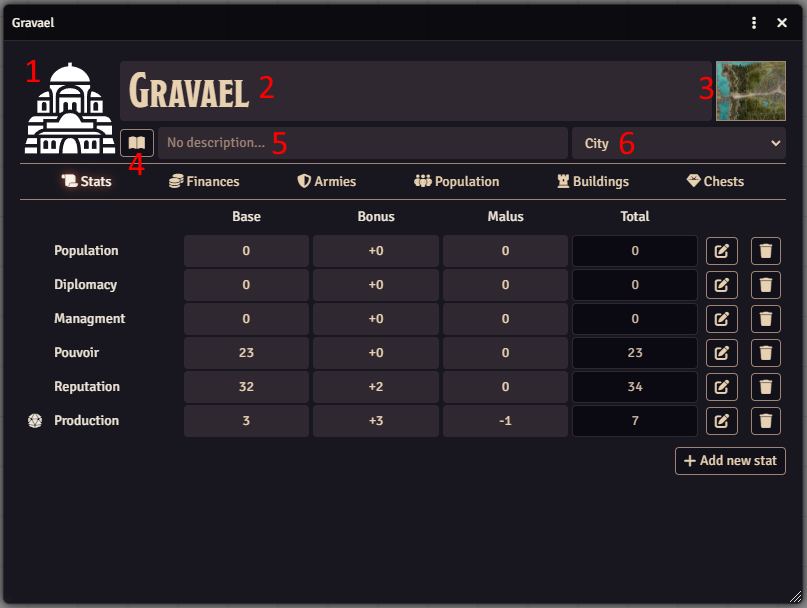
The panel header let you manage main informations of your city.
Features :
1. Set the image
2. Set the name
3. Set a link to a map
4. Access to a journal entry
5. Set a short description
6. Set the size of the city
Manage city stats
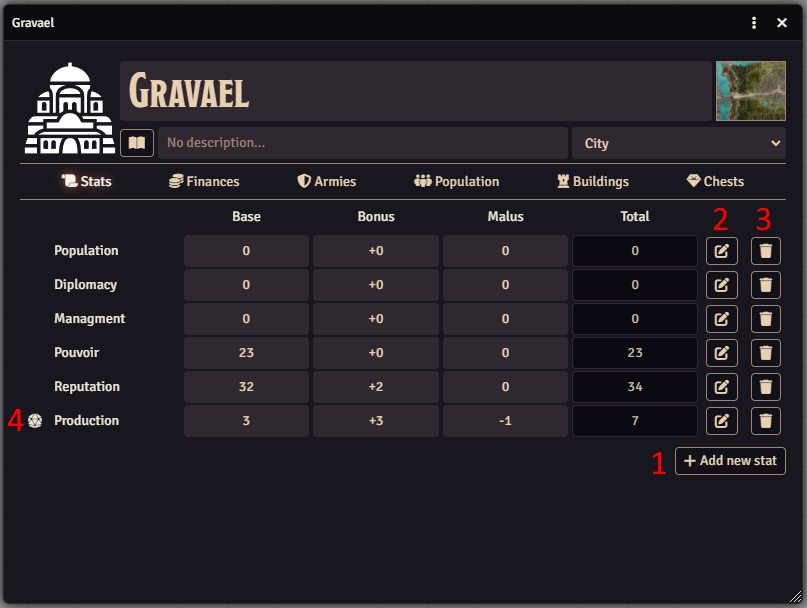
You can add, edit, delete city's stats to feet with your needs.
Features :
1. Add a new stat
2. Edit a stat
3. Delete a stat
4. Roll dice if a formula is set for the stat
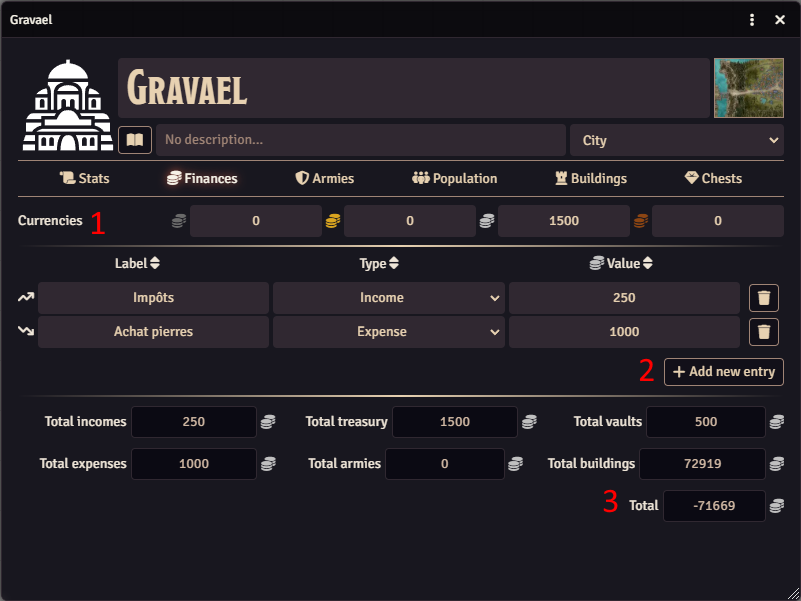
Manage city's finances
With this panel you can manage and have an overview of all city's finances.
Features :
1. Currencies : represents city's current money
2. Entries : represents city's financial movements
3. Overview of all costs and revenues for the different sectors of the city
Manage city's armies
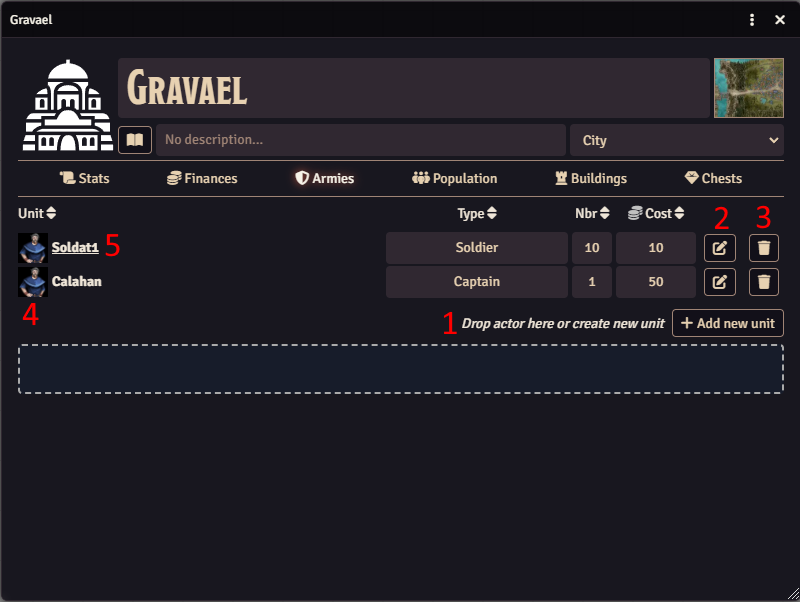
With this panel you can manage city's armies.
Features :
1. Add (by drag and drop foundry actor) or create units who make up the army (image, type, nbr, cost)
2. Edit units (only module fields. The module doesn't edit linked actor)
3. Delete units (only module's object. The module doesn't delete linked actor)
4. Update unit's image
5. If unit is linked to an actor, show his/her sheet
Note : Nbr and cost are by Finances panel
Manage city's population
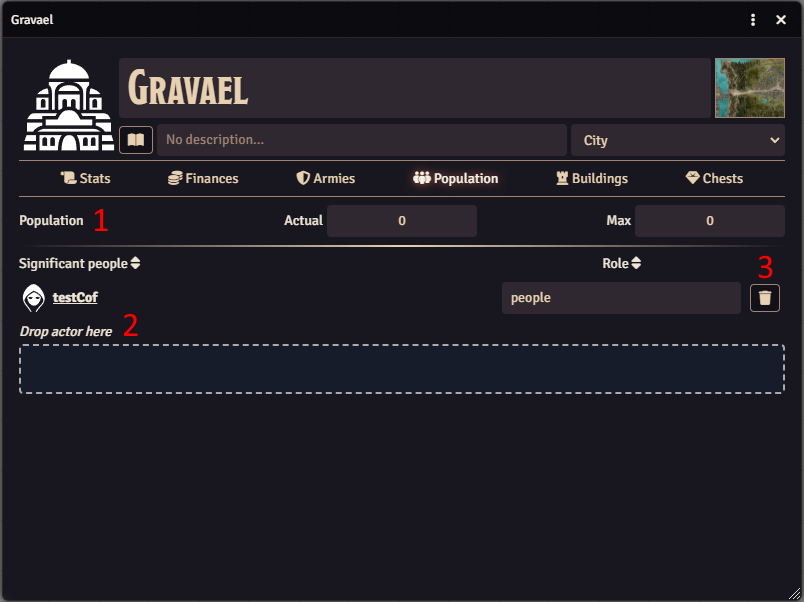
With this panel you can manage city's population.
Features :
1. Set actual et maximum population of the city
2. Add (by drag and drop foundry actor) habitant and define his/her role
3. Delete habitant (only module's object. The module doesn't delete linked actor)
4. Show / hide people to players (GM only feature)
Manage city's buildings
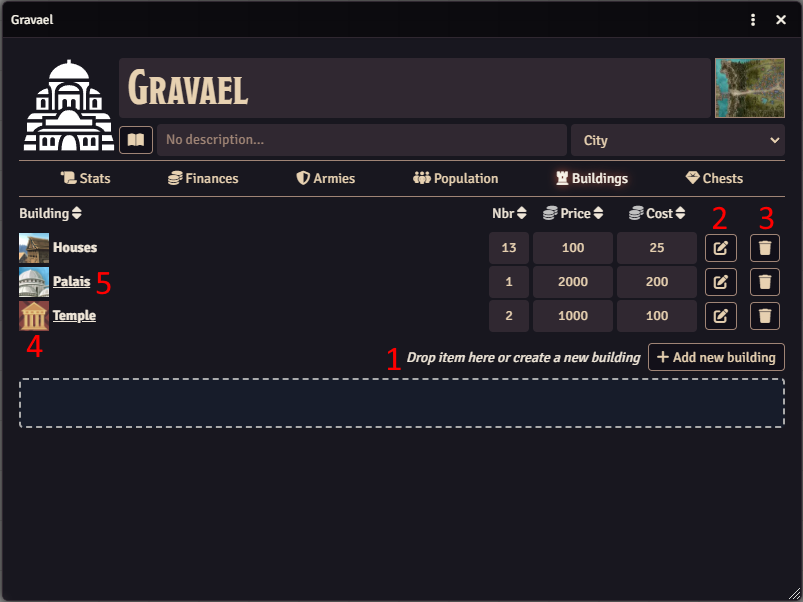
With this panel you can manage city's buildings.
Features :
1. Add (by drag and drop foundry item) or create buildings (nbr, cost, price)
2. Edit buildings (only module fields. The module doesn't edit linked item)
3. Delete buildings (only module's object. The module doesn't delete linked item)
4. Update building's image
5. If building is linked to an item, show his sheet
6. Show / hide building to players (GM only feature)
7. Add owner for building (link to game actor)
Note : Price, nbr and cost are used by Finances panel
Manage city's chests
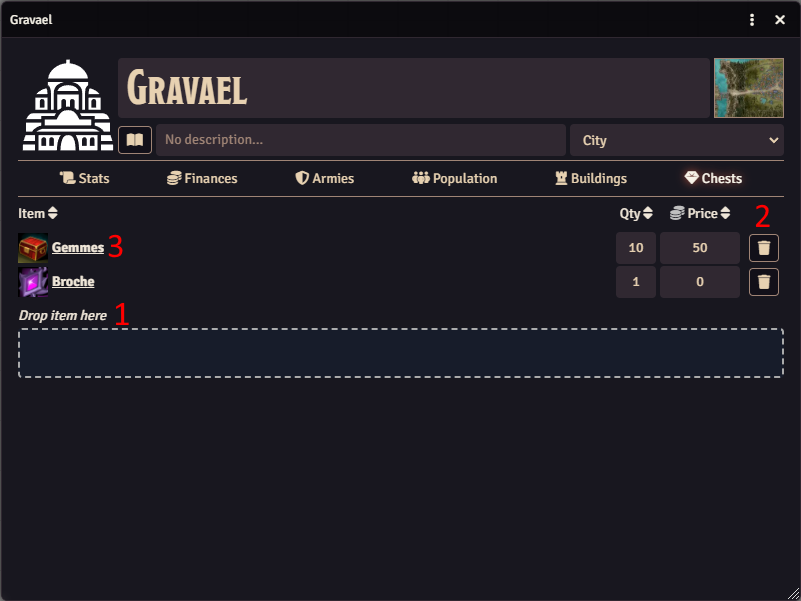
With this panel you can add items to city's chests.
Features :
1. Add (by drag and drop foundry item) item (qty, price)
2. Delete item (only module's object. The module doesn't delete linked item)
3. Show item sheet
4. Show / hide item to players (GM only feature)
Note : Qty and price are used by Finances panel
Module's Settings
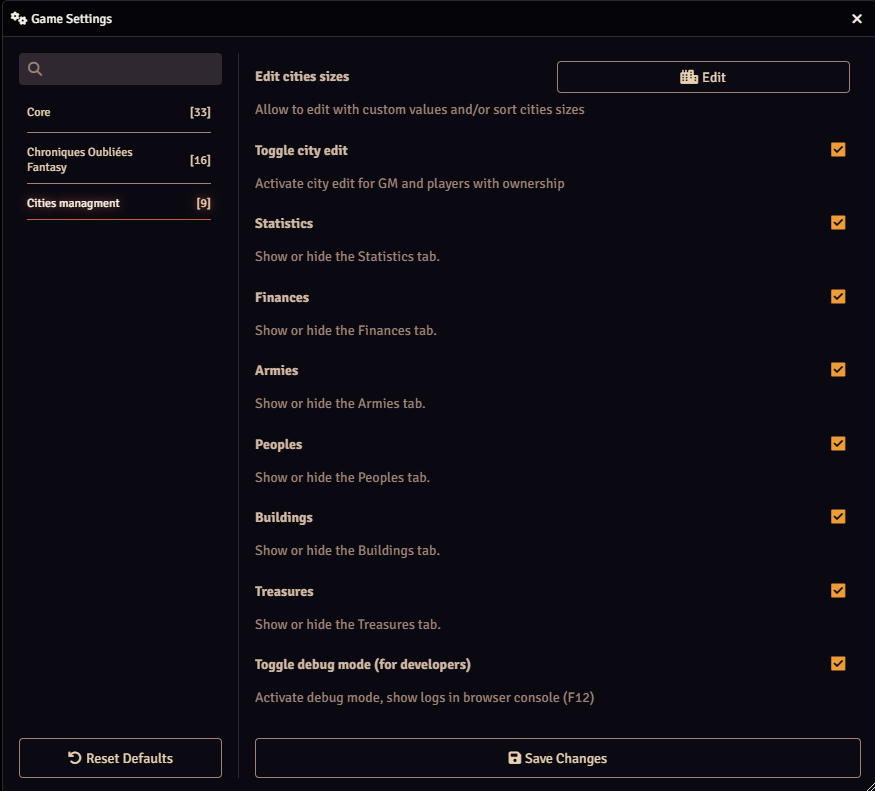
Module's settings allow to :
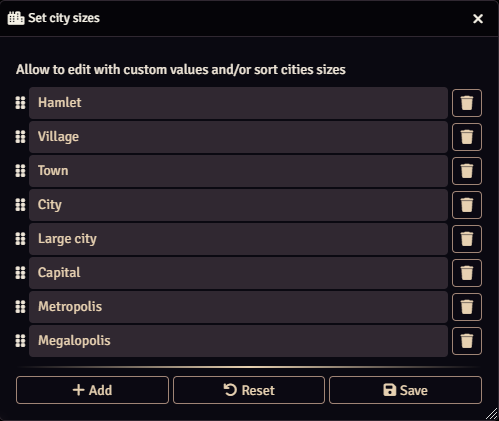
- Edit and sort cities sizes
- Toggle edition mode for cities
- Show/hide city's tabs (stats, finances, armies, buildings, chests)
- Toggle debug mode (for developers)
Edit and sort cities sizes
Allow to edit with custom values and/or sort cities sizes.