Albo's Image Viewer turns any image posted in chat into a shared, zoomable viewer with a real-time collaborative drawing board.
✨ What it does
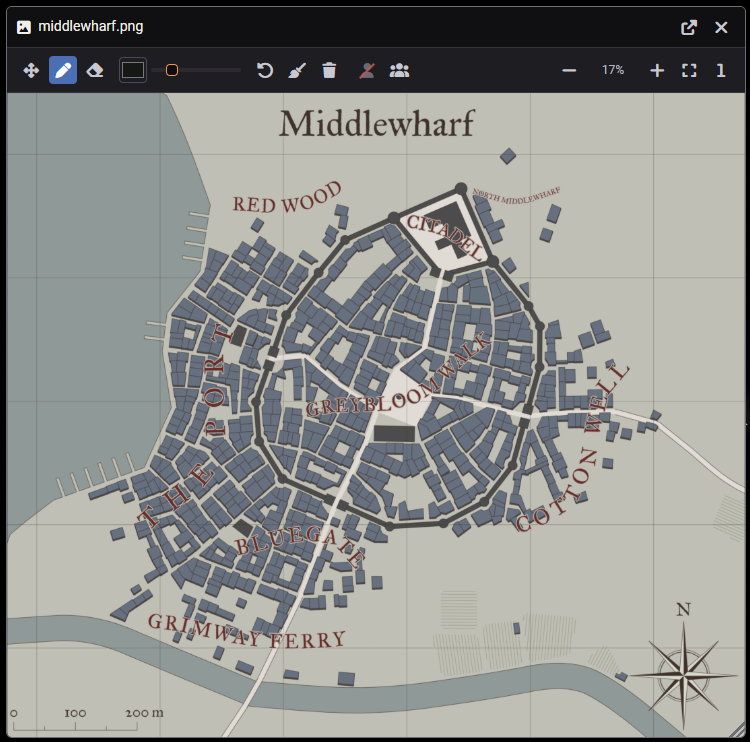
Click an image in chat and it opens in its own resizable window. Zoom, pan and draw over it together — every stroke appears for the other players in real time.
🖊️ Features
- Open from chat — a click opens the image in a draggable, resizable window instead of the default popout.
- Zoom & pan — mouse wheel (zoom to cursor),
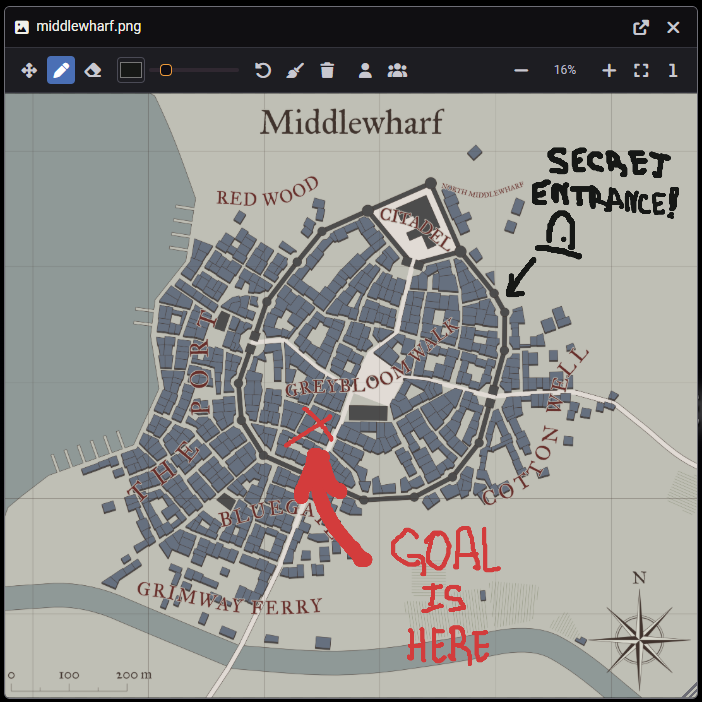
+/−keys and buttons, "fit to window" and "actual size"; pan by dragging, middle mouse or Shift+drag. - Collaborative drawing — a brush with color and width plus an eraser; strokes stream live while you draw.
- Local layers — hide your own or other players' drawings independently; only your view changes.
- Undo — Ctrl+Z removes your last own stroke.
- Clear the board — any author can erase their own strokes; if the board holds others' work, only the GM can clear it.
- Persistent — drawings are saved in the world and reload when the image is reopened, even for players who join later.
🔍 Zoom & pan
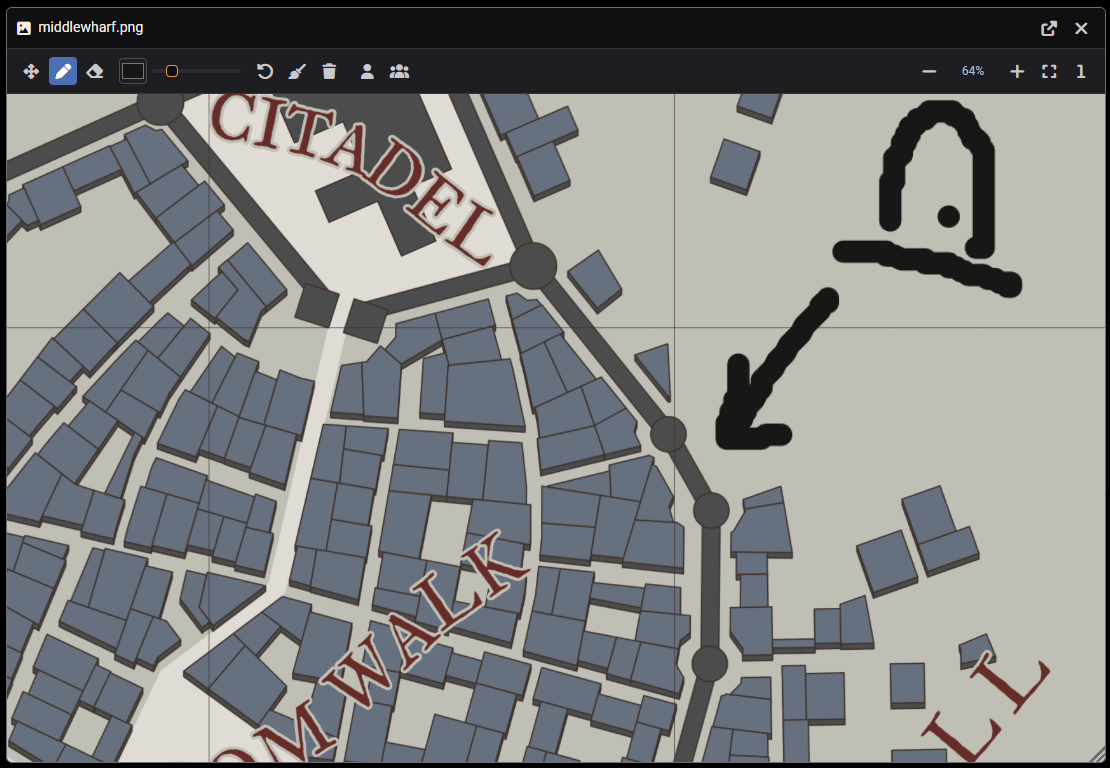
The image opens in its own resizable window — fit it to the window, zoom in on any detail and pan around.
📸 Collaborative drawing
Mark up the shared image together — arrows, notes, a circled secret door — and everyone sees the strokes appear live.
⚙️ Settings
| Setting | Scope | Description |
|---|---|---|
| Who can draw | World | All players / trusted players & GM / GM only. Everyone can always view and zoom. |
| Open chat images in the viewer | Client | Turn off to keep Foundry's default image popup. |
📦 Compatibility
Foundry VTT v12–v14. No system dependencies — works with any game system.
❤️ Support
The module is free and MIT-licensed, and it always will be — nothing is gated behind a payment. If it saves you prep time, you can leave a one-time tip at app.lava.top/albo. Entirely optional; a bug report or a feature idea on GitHub helps just as much.